
This page describes what Document Insights can do, organized by capability. Each feature is written from a business perspective — what it does and why it matters. For provider-specific setup and technical depth, see the Admin Guide, and Developer Guide.
📄 Document Processing & Extraction
The core of the platform: reading documents and turning them into structured data.
-
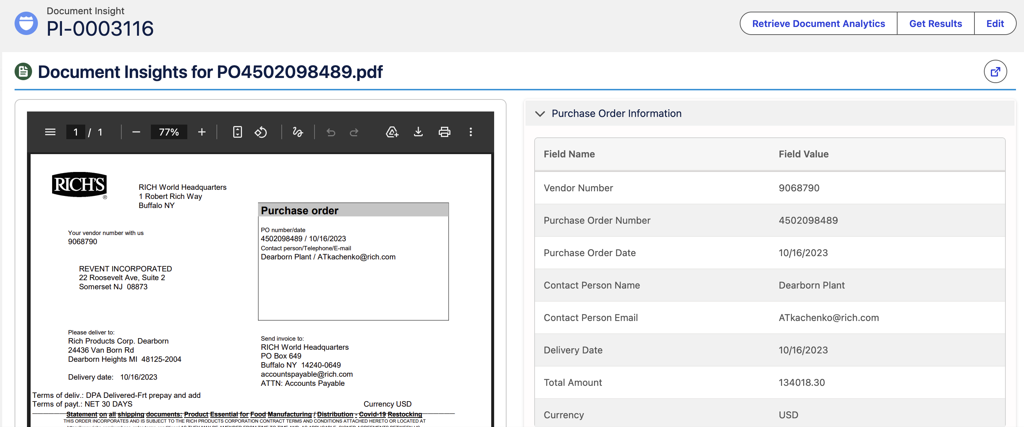
AI-powered OCR — extracts data using OCR engines and Google Gemini AI.
-
Structured and unstructured documents — handles fixed-format forms as well as free-form documents.
-
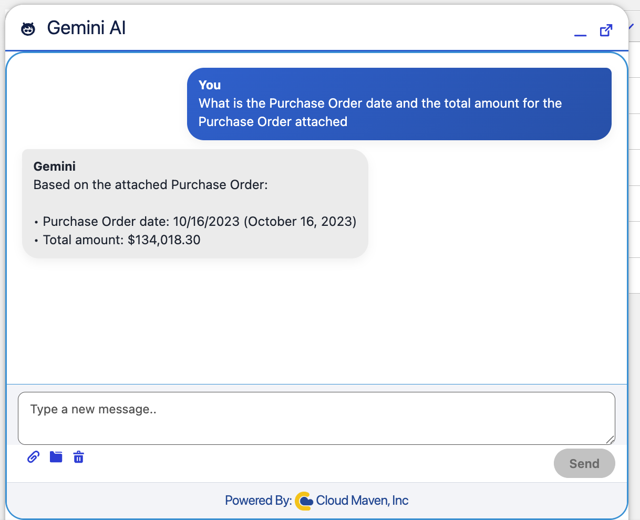
Template-free extraction — with Gemini, extract from almost any document using a simple prompt, with no predefined template required.
-
Context-aware understanding — interprets semi-structured documents and even handwritten notes.
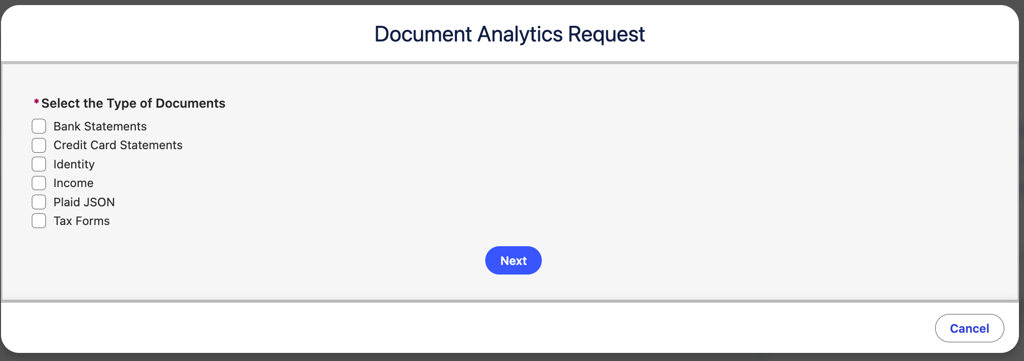
Supported document types include bank statements, credit card statements, identity documents (driver's license, passport, SSN card), income documents (W-2, SSA-1099, pay stubs), tax forms, custom business forms, contracts, invoices, and applications.
📊 Data Insights & Analytics
Once a document is read, the platform surfaces the metrics your teams act on.
-
Financial metrics — revenue, cash flow, average balance, overdraft / NSF days.
-
Transaction analysis — transaction-level parsing and categorization.
-
Dashboard visualization — out-of-the-box Lightning Web Components present insights inside Salesforce.
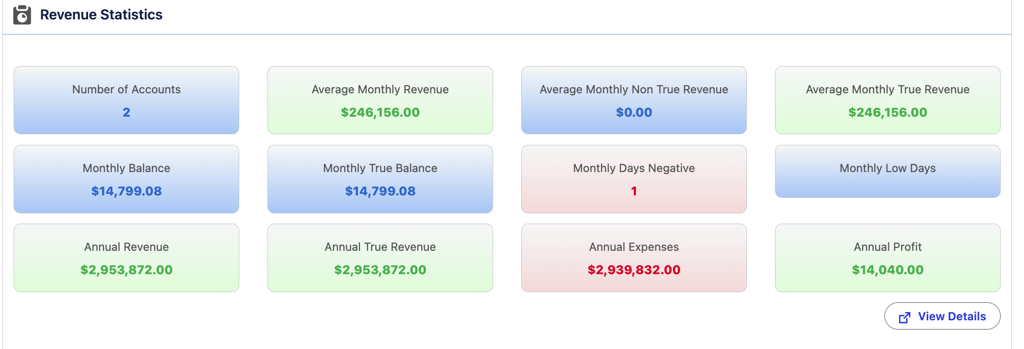
What it means for you: the numbers a reviewer would otherwise calculate by hand are available instantly.
🛡️ Fraud & Risk Detection
Risk signals are flagged automatically before a decision is made.
-
Pattern detection — based on document structure, metadata inconsistencies, and content mismatches.
-
Tampering and authenticity checks — identifies altered or suspicious documents.
-
Confidence and fraud scoring — every extraction carries a confidence score to guide review.
🔗 Field Mapping & Salesforce Sync
Extracted data lands on your existing Salesforce records, ready to use.
-
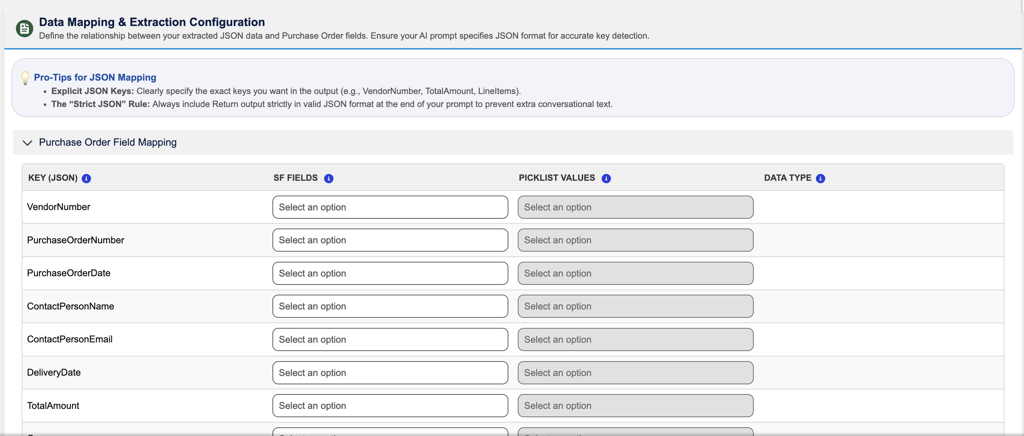
Flexible mapping — template-driven and JSON-based field mapping.
-
Standard and custom objects — data syncs natively to the objects you already use.
-
Works with your processes — integrates with Salesforce Flows, Apex, and approval processes.
✅ Review & Validation Workflow
Low-confidence results are routed for human review instead of flowing through unchecked.
-
Confidence matrix — extractions are scored so reviewers focus where it matters.
-
Threshold-based review — set the score below which a document is held for review.
-
Status-driven validation — track each document through its review states.
⚙️ Triggers & Automation
Processing can be initiated however your workflow needs.
-
Trigger options — on-click, Salesforce Flows, scheduled runs, or REST API calls.
-
Intake channels — documents arrive via the UI, API, email, SFTP, or eFax.
🔒 Security & Compliance
-
Secure file handling with controlled access management.
-
Compliance-focused processing that keeps an auditable trail of how data was captured.
🧩 Extensibility & Scalability
The platform adapts as your needs grow — usually through configuration rather than code.
-
Plugin-based architecture — add document templates, OCR/AI providers, and dashboard widgets.
-
Configurable rules — adjust field mapping, review workflows, and validation logic.
-
Custom logic — extend behavior through Apex and Salesforce Flows when needed.
-
Enterprise scale — processing scales to high document volumes.
🔌 Supported Integrations at a Glance
Document Insights works with leading OCR and AI providers:
|
Provider |
Best for |
|---|---|
|
MoneyThumb |
Bank and credit card statement analysis, cash flow, NSF/overdraft metrics, fraud scoring |
|
Ocrolus |
Bank statements, identity and income documents, authenticity and confidence scoring |
|
Lazarus |
Custom and business-specific forms, field-level confidence, configurable validation |
|
Google Gemini |
Template-free extraction from virtually any document, including unstructured content |
For the full capability list and setup steps for each provider, see the Integrations guide.
👉 Related Pages
-
User Guide — process your first document
-
Admin Guide — configure your org
-
API Guide — automate via the API