
Release Version: v1.21
Release Date: June 1, 2026
Executive Summary
Payment Connect v1.21 introduces significant enhancements to the user interface, security, and reporting capabilities of the application. This release focuses on delivering a fully white-labeled, customer-facing Payment Request experience, alongside robust back-end security improvements that automatically verify and manage payment gateway credentials. We have also overhauled the Payment Console LWC design and introduced out-of-the-box dashboards for better financial visibility.
New Features & Enhancements
-
Redesigned & Fully White-Labeled Payment Request Link Page
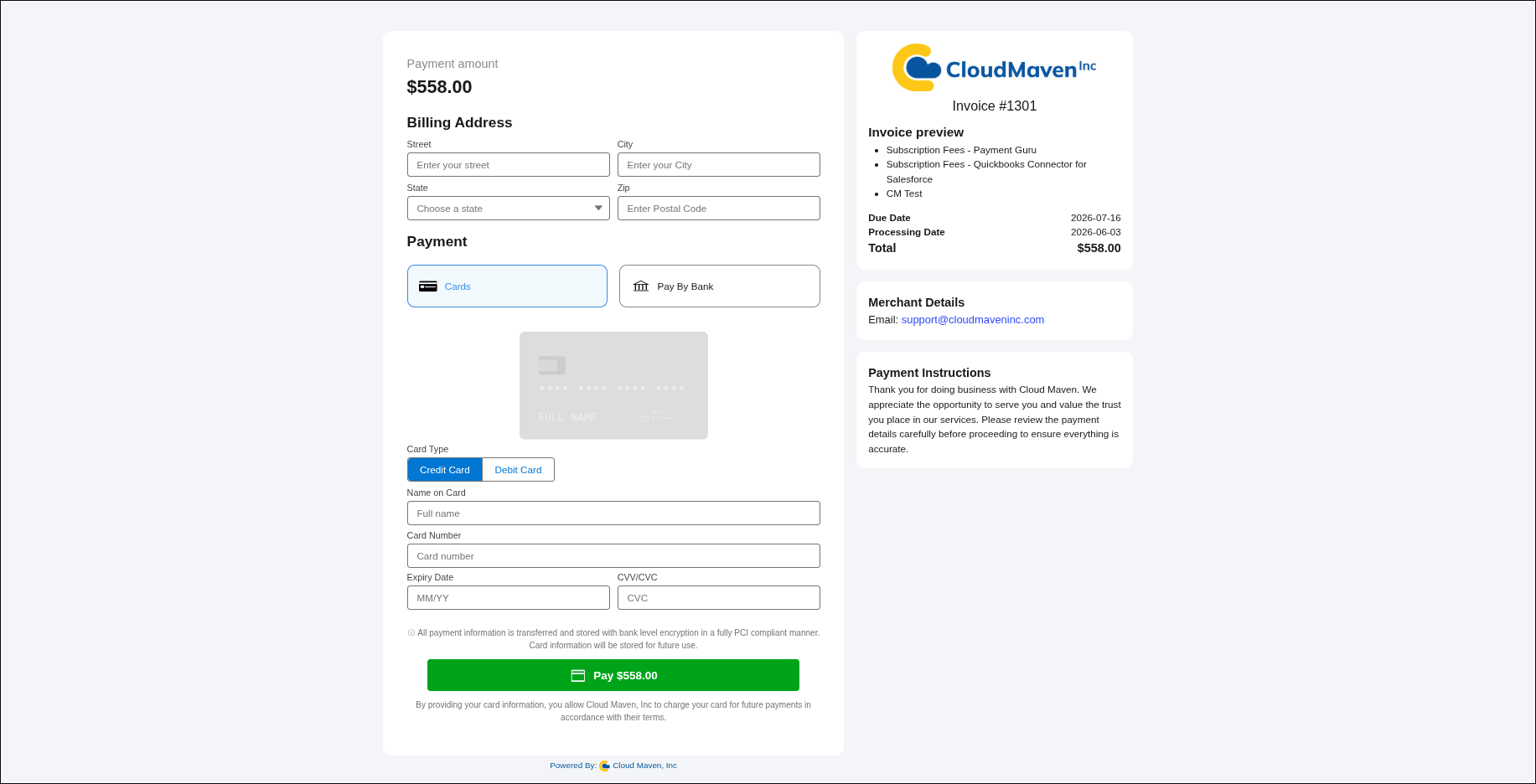
The customer-facing Payment Request page has been completely redesigned to improve layout, clarity, and brand consistency.
-
New Transaction Details: The page now clearly displays critical transaction details, including the Due Date, Recurring End Date, and Recurring Frequency.
-
Customer Support Info: Added a dedicated section to display a Support Email and a custom message/note to the customer.
-
Custom Metadata White-Labeling: Administrators can now fully customize the page's look and feel directly from Custom Metadata. You can dynamically set the background color, company logo, company name, and custom messaging without writing any code.
-
Real-Time Gateway Credential Verification
Setting up and updating Payment Gateways is now smarter and more secure.
-
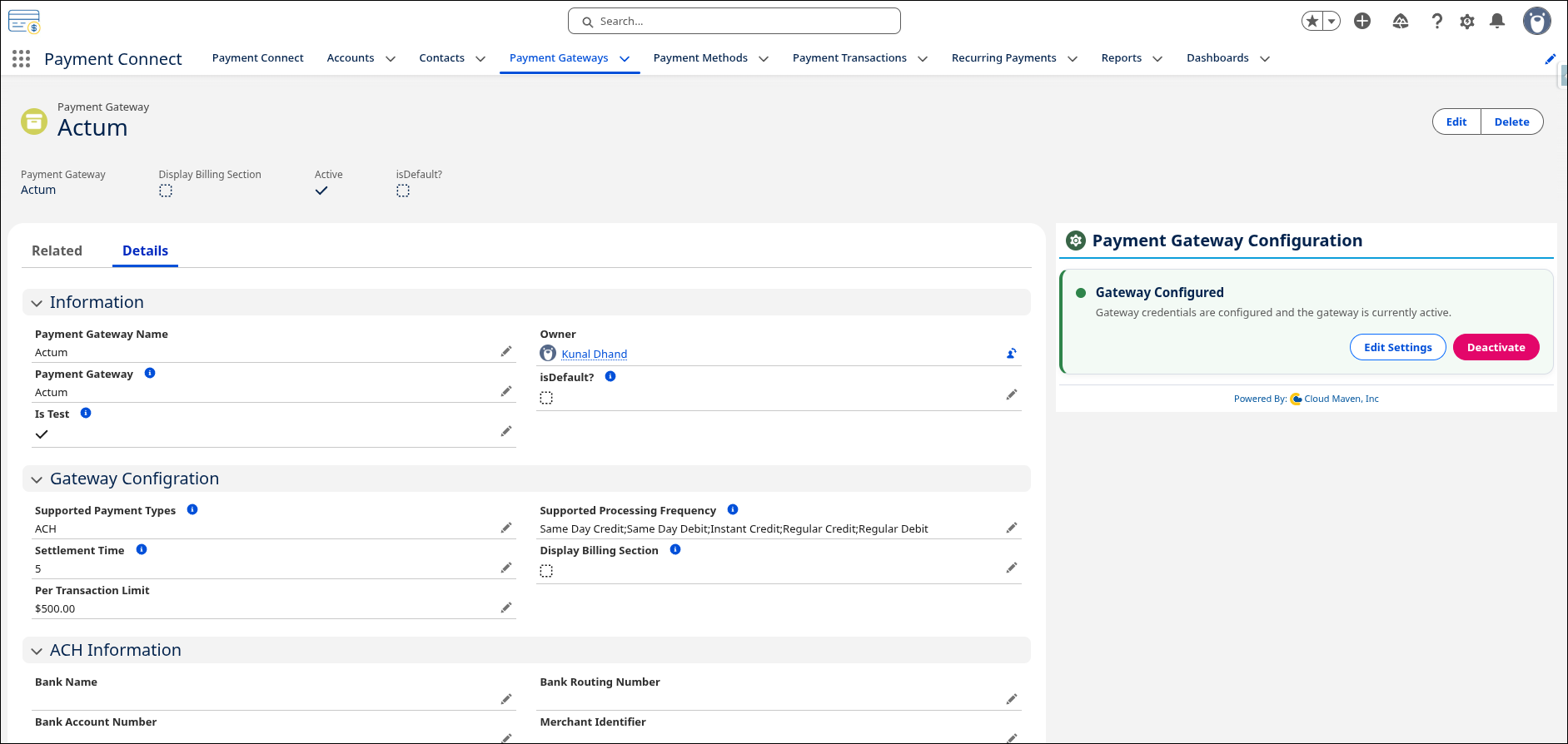
When entering credentials in the Gateway Configuration component, the system will now perform a live API call to the respective payment gateway (e.g., Actum, Fiserv, UnityFi) to verify the keys.
-
Credentials will only be stored, and the gateway will only be marked as Active, if the API verification is successful. This eliminates silent failures caused by typos or sandbox vs. production key mismatches.
-
Automated Gateway Deactivation for Expired Credentials
To prevent continuous transaction failures and protect your API limits, we have introduced an automated security fallback.
-
If a payment transaction fails specifically due to expired, revoked, or incorrect credentials, the system will automatically mark that Payment Gateway as Inactive.
-
The gateway will be locked from further use until an Administrator navigates to the configuration page, inputs the corrected credentials, and successfully re-verifies the connection.
-
Out-of-the-Box Reports and Dashboards
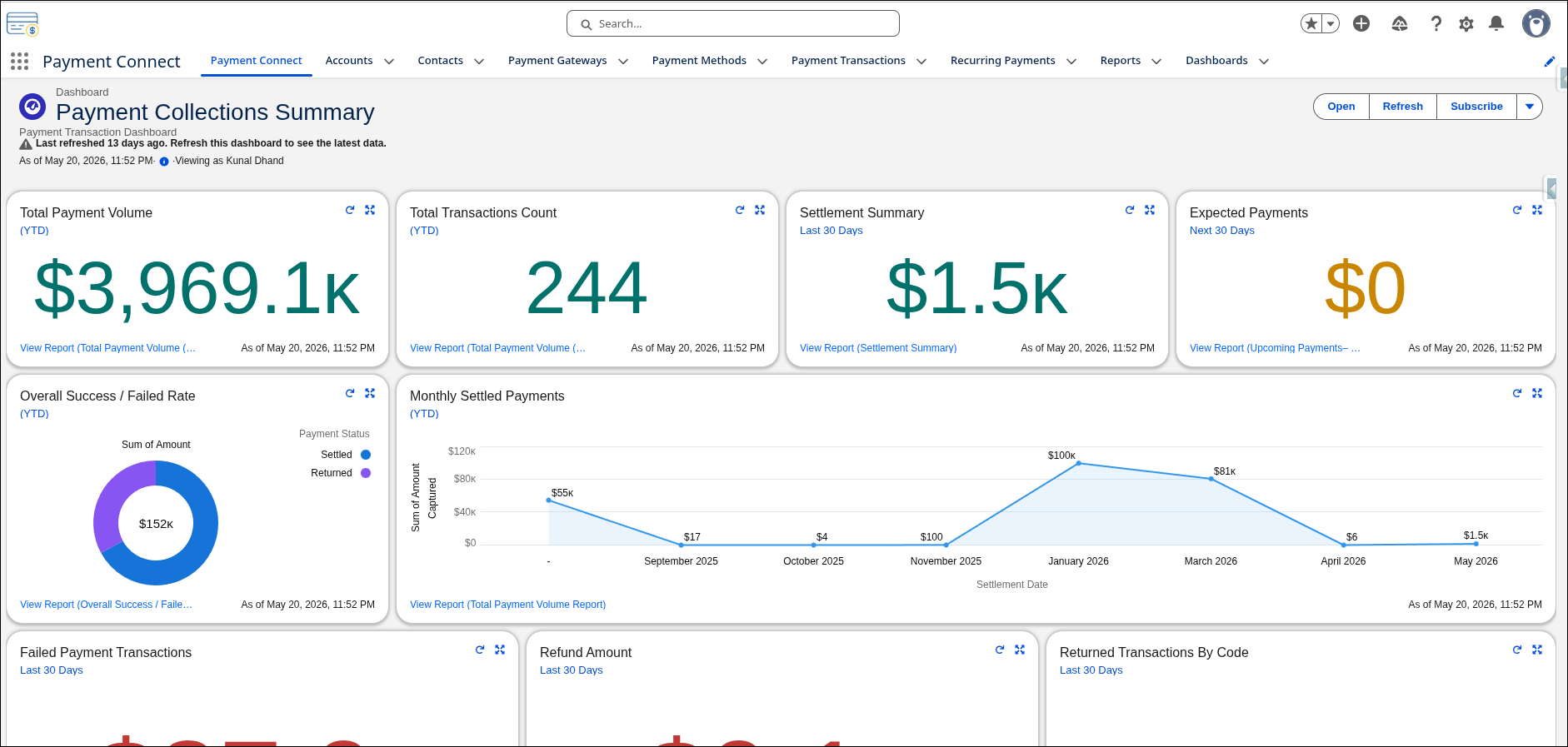
We have packaged a new suite of standard reports and a centralized dashboard to give you immediate insights into your payment operations.
-
Track key metrics at a glance, including Total Revenue Captured, Recurring Payment success rates, and Failed Transactions by Gateway.
UI & LWC Improvements
-
Redesigned Payment Console LWC
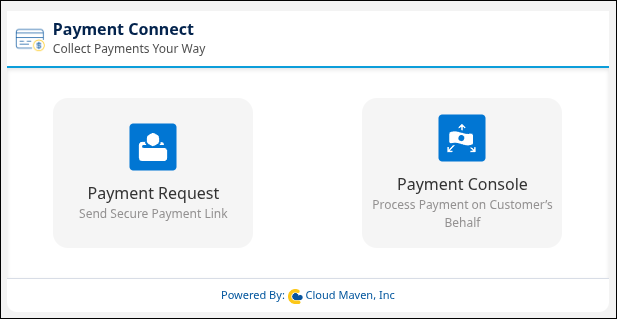
The internal paymentScreen Lightning Web Component used by your sales and support teams has received a UI overhaul. The new design is cleaner, more intuitive, and reduces the number of clicks required to process one-time or scheduled payments.
-
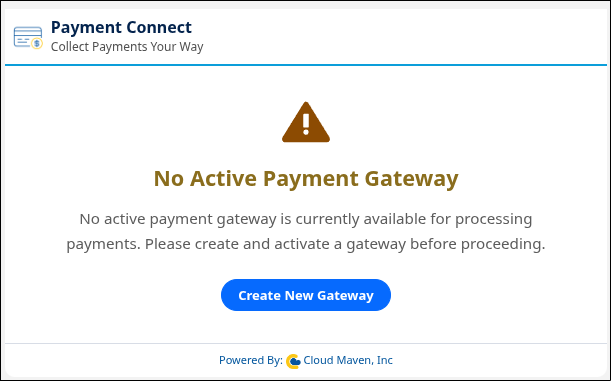
"No Active Gateway Found" Error Handling
To improve the user experience and reduce confusion, the Payment Console will now display a clear, user-friendly warning message—"No Active Payment Gateway Found"—if there are no active gateways configured in the org, or if the primary gateway was automatically deactivated due to credential failure.
Bug Fixes & Minor Changes
-
Minor Bug Fixes: Addressed minor UI glitches and backend processing bugs to improve overall package stability.
-
Performance: Optimized queries within the LWC initialization to ensure faster load times on heavily populated record pages (e.g., Accounts with high volumes of related transactions).
Required Post-Deployment Steps
After upgrading to v1.21, Salesforce Administrators should:
-
Verify Custom Metadata: Navigate to
Payment_Guru_Common_Settings__mdtand configure your new White-Labeling settings (Background Color, Custom Message, Support Email) for the Payment Request links. -
Re-Verify Gateways (Optional but Recommended): While existing active gateways will remain active, it is recommended to navigate to your Payment Gateway records and click Connect to run the new live credential validation check.