
Salesforce Article on how to convert p12 to JKS
Salesforce only accepts JKS(Java Key Store) certificates with an alias. The p12 file password should be between 6 to 8 characters.
Please open the OpenSSL window. Ensure the JAVA_HOME is pointed to JRE main folder and Path is setup to JDK/bin folder.
-
Create a private key from the p12 file.
openssl pkcs12 -in CLOUDTU.p12 -nocerts -out private.key
//Please enter the certificate password
-
Create a public key
openssl pkcs12 -in CLOUDTU.p12 -clcerts -nokeys -out certificate.crt
//Please enter the certificate password
-
Decrypt the private key
openssl rsa -in private.key -out decryptedprivate.key
//Please enter the certificate password
-
Combine the certificate using the decrypted private key.
openssl pkcs12 -export -in certificate.crt -inkey decryptedprivate.key -out combined.p12 -name "alias"
-
Convert p12 to JKS using the key tool
keytool -importkeystore -srckeystore combined.p12 -srcstoretype pkcs12 -destkeystore final.jks -deststoretype JKS
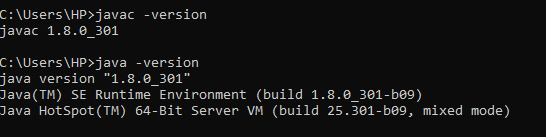
It’s better to use the JDK 8 latest version instead of Java 11.
https://help.salesforce.com/s/articleView?id=000381987&type=1
Related content