
Purpose: This document explains the technical architecture behind Secure Email — how Paubox encryption and key management work, how a message moves end-to-end between Salesforce and a recipient, and what authentication options exist for recipients whose mail servers don't support modern TLS.
Looking for the business case instead? See Why Secure Email (Powered by Paubox).
Encryption & Key Management
Secure Email integrates with Paubox's HIPAA-compliant encrypted email infrastructure, which provides end-to-end encryption for PHI and a Key Management Service (KMS) for handling encryption keys securely.
Paubox KMS uses a layered key hierarchy:
-
Master keys encrypt and decrypt data encryption keys
-
Data encryption keys encrypt the actual message content (PHI)
-
Every encryption and decryption operation is logged
This layered approach gives high auditability, full traceability, and alignment with HIPAA and NIST recommendations.
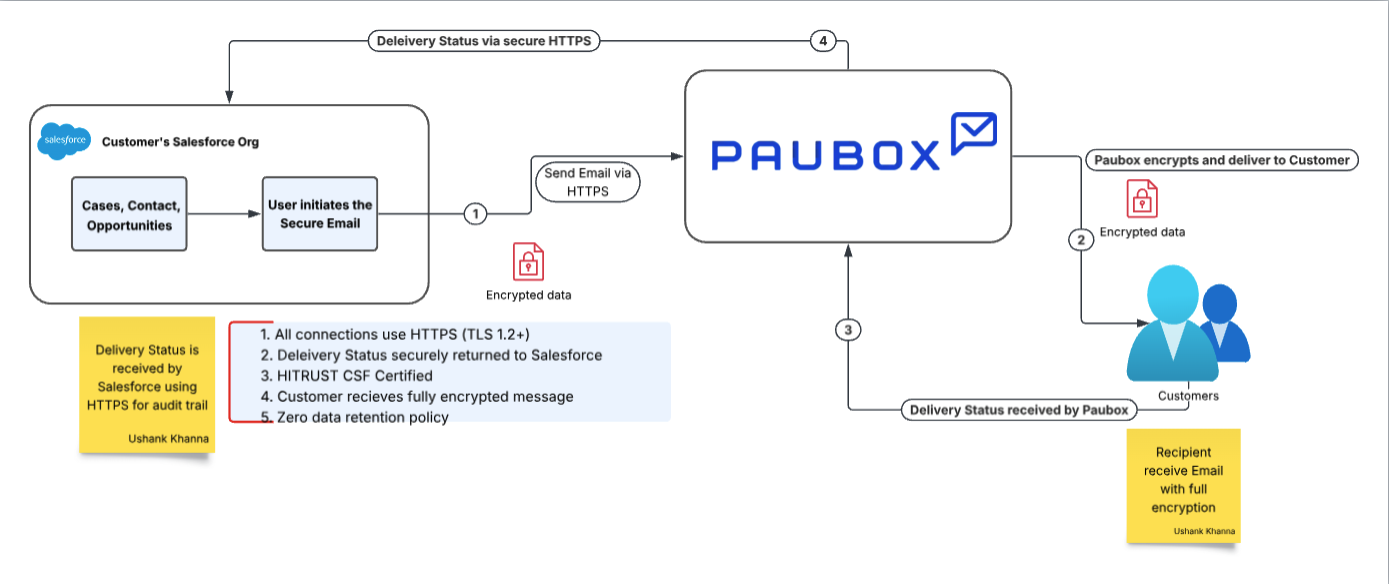
Architecture Diagram
End-to-End Message Workflow
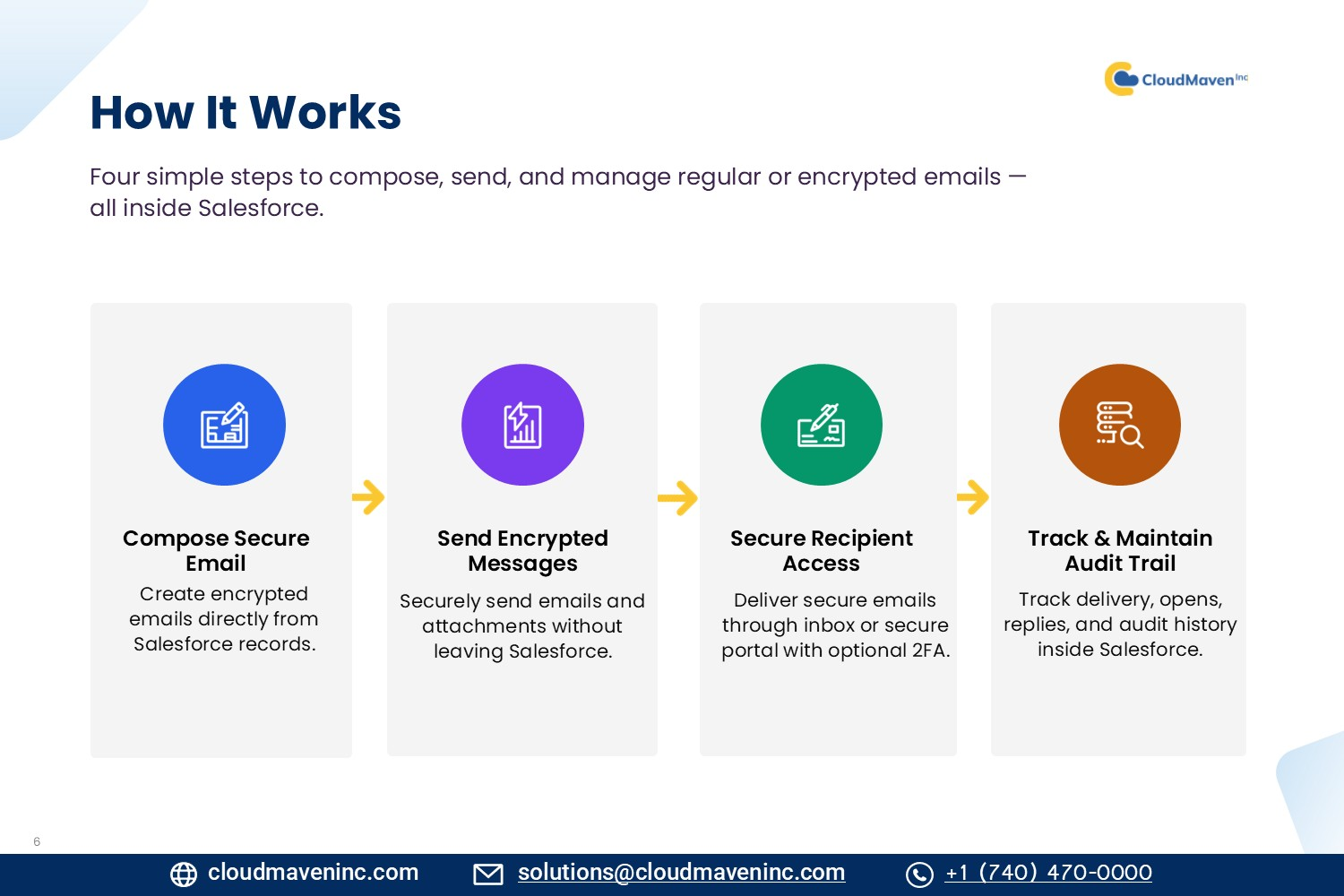
A message moves through Salesforce, Paubox, and the recipient's mail client in six steps:
-
Compose in Salesforce. The user opens the Secure Email component on a record, fills in recipients, subject, body, and attachments, and clicks Send. Salesforce creates a SecureEmailMessage record linked to the parent record (Case, Contact, Opportunity, etc.).
-
Salesforce calls the Paubox API. Salesforce sends the message to Paubox over HTTPS using TLS 1.3+. Paubox encrypts and routes the message, then returns a tracking reference that Salesforce stores for delivery polling, reply threading, and audit tracking.
-
The recipient receives the message. If the recipient's mail server supports TLS 1.2+, the message opens seamlessly like any normal email — no portal required. This covers roughly 97–99% of all recipients. If TLS isn't supported, the recipient instead sees a secure link that opens the Paubox Secure Message Center.
-
The recipient's mail server responds to Paubox. This response includes delivery confirmation, any bounce codes, and optional open-tracking data.
-
Salesforce polls Paubox for status. Roughly every 12 seconds, Salesforce checks in with Paubox using the stored tracking reference and updates delivery status, delivered time, opened status, and opened time on the record.
-
Replies are threaded automatically. Inbound secure replies are matched back to the original conversation using the stored tracking reference, together with the associated Contact and parent record ID.
Authentication Options for Recipients
For the small percentage of recipients whose mail servers don't support TLS 1.2+, Paubox offers four authentication options. Options 2–4 can also be forced via the Email API regardless of the recipient's TLS support.
-
Seamless. No steps required — the message is delivered like a normal email. Covers 97–99% of message volume.
-
Secure Link. The recipient clicks a "View Message" link that opens the Secure Message Center.
-
Secure Login (one-time use). Same as Secure Link, but the link works only once. A second attempt triggers a fresh email with a new link.
-
MFA. The recipient enters a phone number on first receipt and gets a 6-digit SMS code to access the message in the Secure Message Center.
Data Encryption Summary
|
State |
Standard |
|---|---|
|
In transit |
TLS 1.3+ over HTTPS |
|
At rest (Paubox) |
AES-256 |
|
At rest (Salesforce, optional) |
Salesforce Shield Platform Encryption |
Cloud Maven Security Statement
-
Cloud Maven does not store client data
-
Cloud Maven does not transmit customer PHI through its own servers — all traffic is Salesforce ↔ Paubox only
-
Access is governed entirely through Salesforce's own security layers
-
Email content can optionally be encrypted at rest in Salesforce using Salesforce Shield
Reference Links
Related Pages
-
Why Secure Email (Powered by Paubox) — the business case and Microsoft comparison
-
Getting Started — condensed workflow and orientation
-
Features — full capability reference