
Product Overview
Secure Email, built by Cloud Maven, Inc., is a HIPAA-compliant, encrypted email platform that lives inside Salesforce. Powered by a seamless integration with Paubox, it lets your business send, receive, monitor, and audit secure communication containing PHI or other sensitive data — without ever leaving the CRM.
Secure Email is designed for organizations that need to send sensitive email communications securely from Salesforce. Whether your business sends healthcare records, financial documents, bank or investment account statements, government benefit enrollment information, billing details, contracts, or other confidential information, Secure Email encrypts messages in transit and helps ensure they are delivered securely while allowing users to continue working directly from Salesforce.
Why Secure Email
Many organizations rely on Outlook, Gmail, or third-party secure messaging portals to send sensitive email communications. While these tools can encrypt emails, they often create disconnected workflows:
-
Automated Salesforce emails cannot be sent securely through external tools.
-
Email conversations and replies are not automatically associated with Salesforce records.
-
Customer service teams lose visibility into communications, making case management more difficult.
-
Compliance and audit teams must gather information from multiple systems instead of having a single audit trail.
-
Users spend additional time switching between applications, manually encrypting messages, or managing separate portals.
Secure Email eliminates these challenges by enabling organizations to send and receive secure email communications directly from Salesforce. Every message, reply, and delivery event remains connected to the appropriate Salesforce record, allowing businesses to automate communications, maintain complete conversation history, simplify compliance, and provide a seamless experience for both employees and customers.
What Secure Email Does
|
Benefit |
Description |
|---|---|
|
Send Secure Emails |
Send secure emails directly from Salesforce without relying on external portals or desktop email clients. |
|
Keep every conversation in Salesforce |
Replies are automatically threaded back to the originating Salesforce record, making it easy to manage cases, track customer interactions, and maintain a complete audit trail without switching between systems. |
|
Eliminate manual encryption |
Messages are encrypted and delivered automatically without requiring users to manually encrypt emails or log in to a separate secure messaging portal. |
|
Deliver emails faster |
Secure Email delivers messages using direct TLS whenever supported, allowing most recipients to receive emails instantly. If TLS isn't available, the system automatically falls back to a secure portal to maintain protection without interrupting communication. |
|
Simplify compliance and auditing |
Every email, delivery status, and recipient activity is automatically logged in Salesforce, helping organizations meet compliance requirements while making audits and reporting straightforward. |
|
Protect sensitive email communications |
End-to-end encryption (TLS 1.3+ in transit and AES-256 encryption at rest), combined with zero data retention, helps protect healthcare records, financial documents, contracts, account statements, government benefit information, and other confidential email communications. |
|
Automated Workflows |
Trigger secure email communications automatically using Salesforce Flows, Apex triggers, Process Builder, or other business automation. Send encrypted emails as part of approvals, case management, onboarding, document requests, notifications, and other business processes without manual intervention. |
Common Use Cases
Healthcare & Life Sciences
|
Use Case |
What It Looks Like |
|---|---|
|
Secure Patient Communication |
Appointment reminders, lab results, care plans, and discharge instructions |
|
Health Management & Wellness |
Ongoing care coordination, medication refills, test results, wellness program enrollment, chronic disease management updates |
|
Telehealth Communication |
Visit summaries, telehealth links, and remote-care instructions |
|
Transmission of PHI |
Sharing medical records, billing info, and insurance claims safely |
Financial Services & Banking
|
Use Case |
What It Looks Like |
|---|---|
|
Account Statements & Financial Disclosures |
Bank statements, insurance documents, billing statements, account notifications, and financial verification forms |
|
Business Associate Communication |
Secure document exchange with vendors, partners, and auditors |
Cross-Functional & Compliance
|
Use Case |
What It Looks Like |
|---|---|
|
Internal Sensitive Communications |
Protecting HR data, incident reports, and confidential inter-department emails |
|
Government Benefits Enrollment |
Benefits applications, enrollment confirmations, eligibility verification, income documentation, and benefit status updates |
How It Works
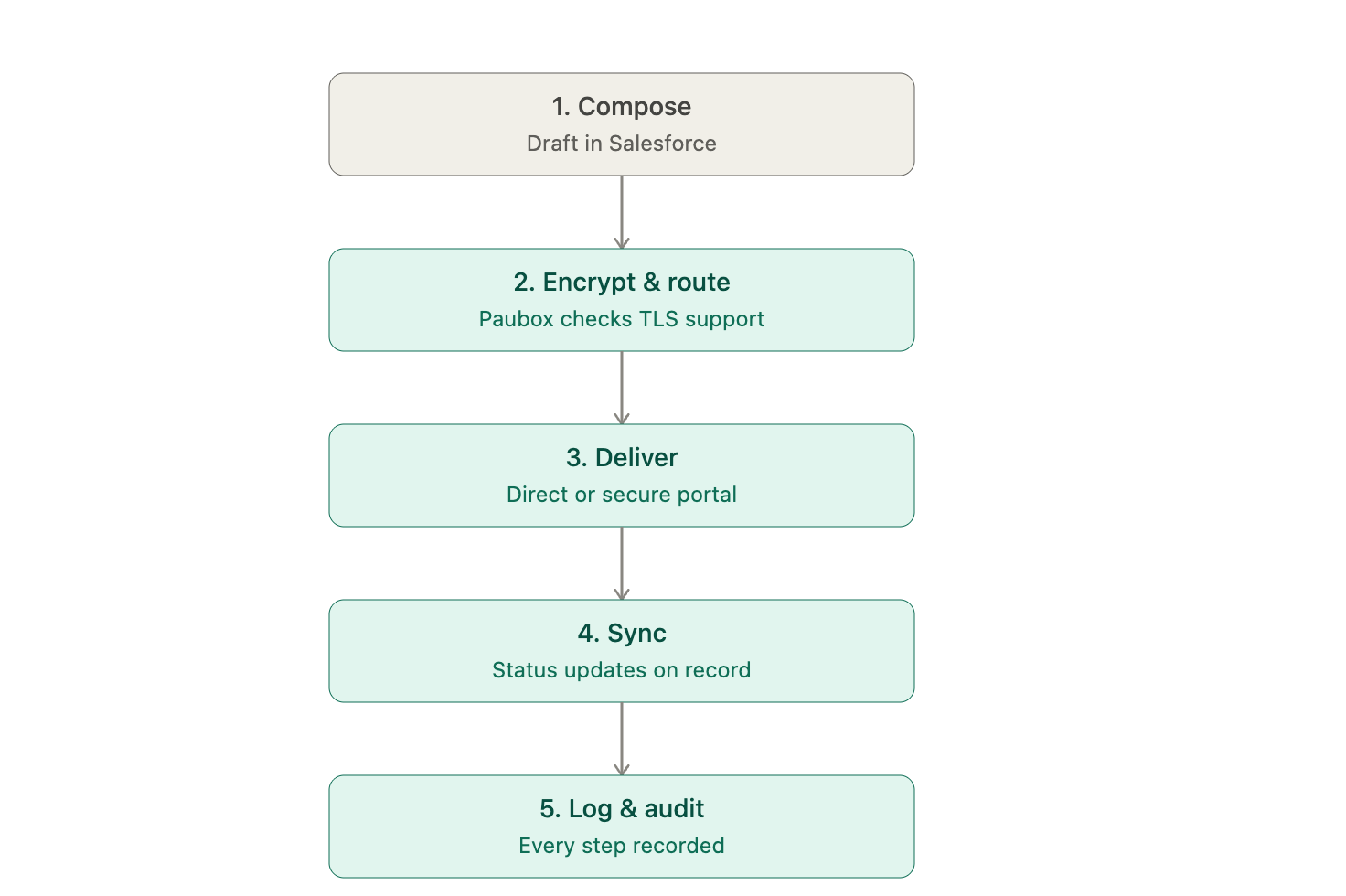
A message moves through the platform on a simple, automated path:
-
Compose — Draft a secure email from any Salesforce record using the Lightning component.
-
Encrypt & route — Paubox checks the recipient's TLS support to choose direct delivery or secure portal fallback.
-
Deliver — The message is sent, with MFA or one-time-passcode authentication for portal recipients.
-
Sync — Delivery status and metadata update automatically on the Salesforce record.
-
Log & audit — Every step is recorded for compliance visibility.
-
Automate — Flows and Apex can trigger, schedule, or escalate messages without manual intervention.
Processing can run on demand from a record or be fully automated, so it fits the way your team already works.
What It Connects With
Secure Email is built on a native integration with Paubox, so encryption and delivery are handled by a purpose-built HIPAA-compliant provider:
|
Integration |
Role |
|---|---|
|
Paubox |
encrypted email delivery, TLS/portal routing, and MFA/one-time-passcode authentication |
|
Salesforce Flow & Apex |
low-code and programmatic automation for triggering and scheduling secure emails |
|
Salesforce Platform Events |
advanced integration patterns for connecting secure email into broader workflows |
What's Next
-
New to the platform? Start with the Post Installation Guide to complete setup and send your first message.
-
Want the full functional breakdown? See the Features.
📞 Contact
Need help? Contact support at support@cloudmaveninc.com.