
Overview
This page outlines the key custom objects (sObjects) used in the Docgen & eSign application. These objects are grouped by purpose: setup configuration, workflow tracking.Understanding these objects helps in managing, customizing, and integrating the solution efficiently within your Salesforce org.
Schema ERD
The following objects serve as the primary entities in the cmDocs - Document Generation and eSign app.
|
Setup objects 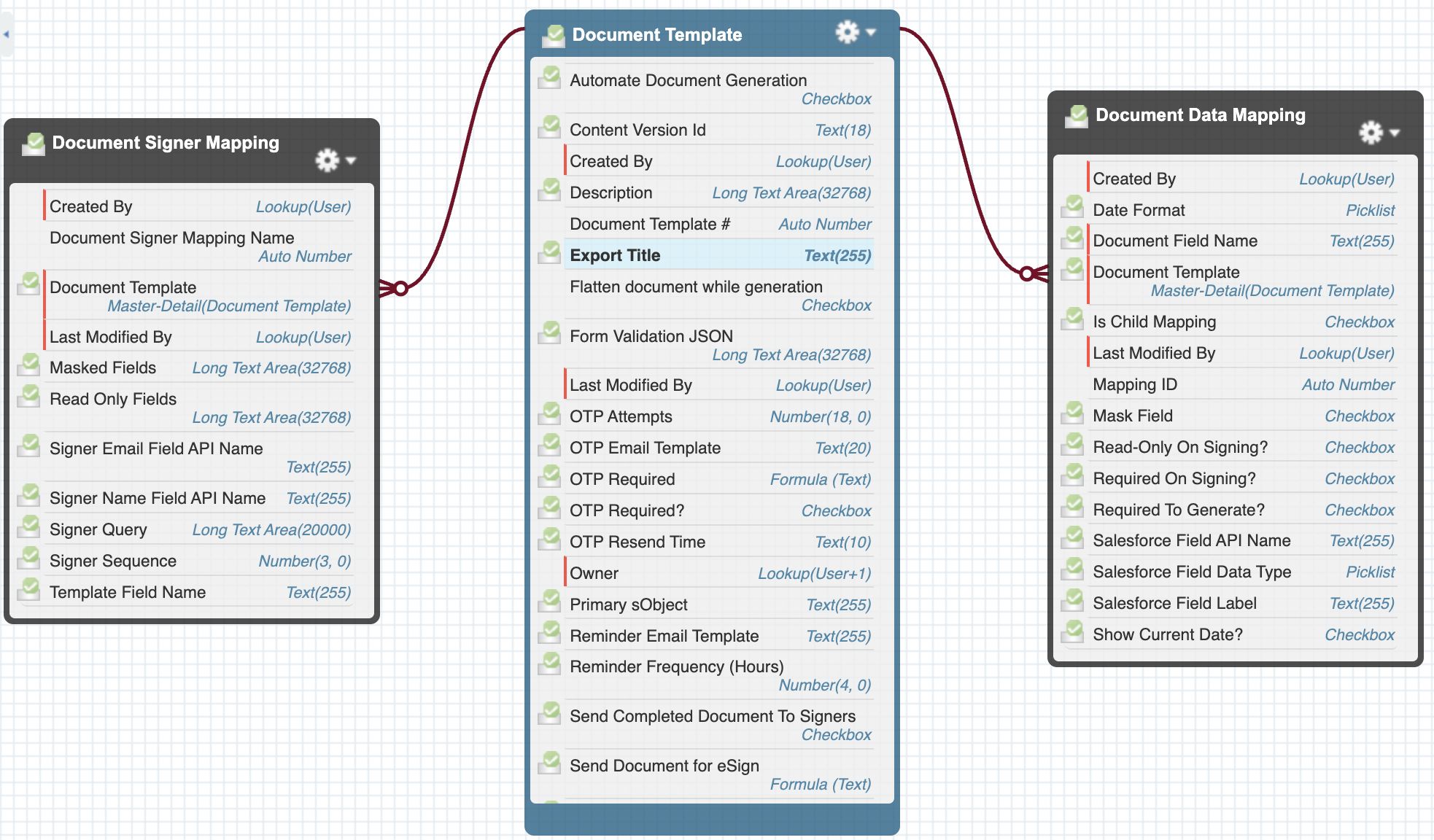
|
Workflow tracking Objects 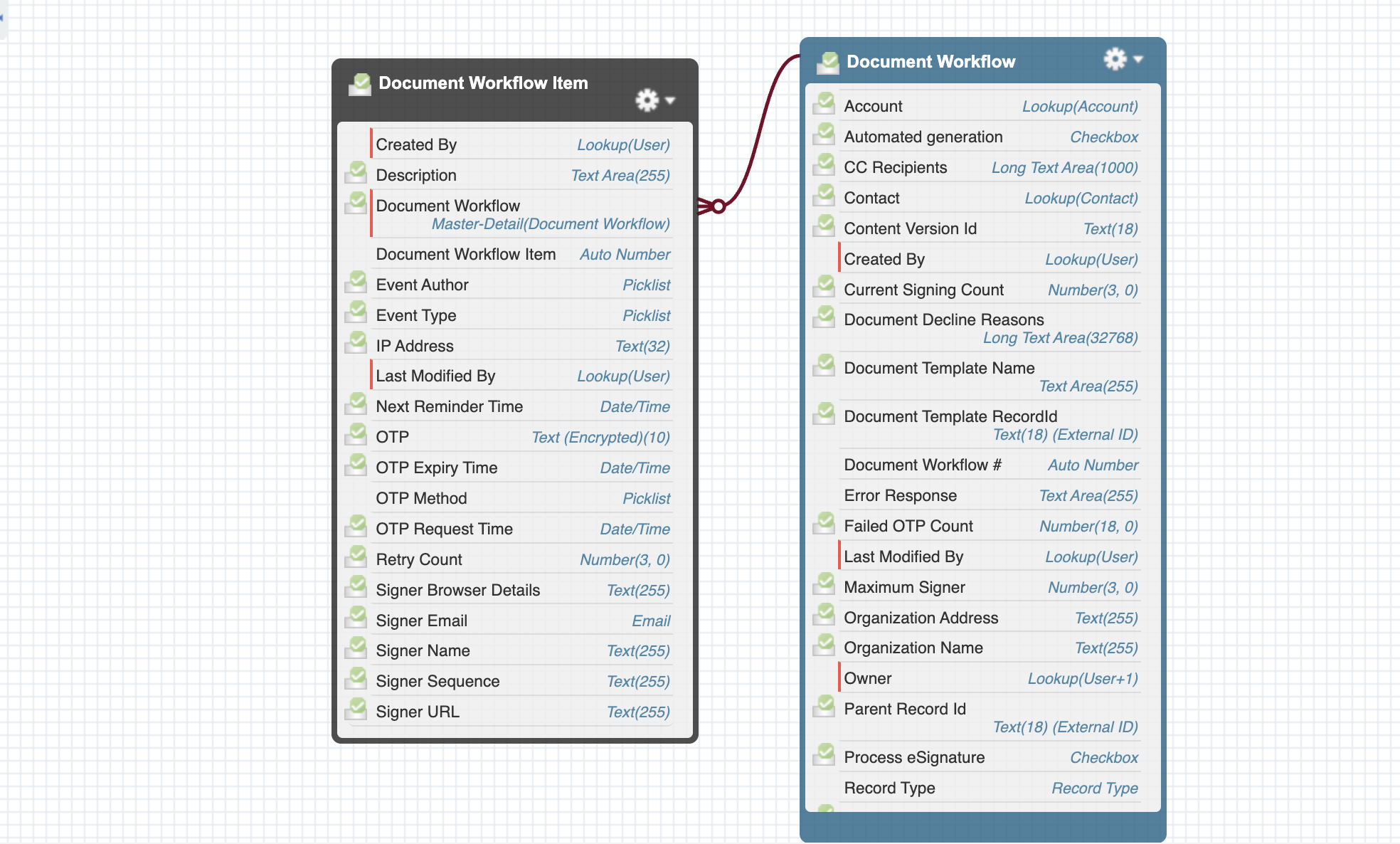
|
|---|
Setup Objects
These objects configure how documents are generated, which fields are mapped, and who the signers are.
|
Object Name |
API Name |
Usage |
|---|---|---|
|
Document Template |
|
This object stores the templates that serve as the foundation for generating documents and facilitating electronic signatures. These templates are customizable and are crucial for automating document creation and signature workflows within the system. |
|
Document Data Mapping |
|
This object stores the field mapping rules that define how Salesforce data is populated into document templates. Additionally, it can be configured to write data back to Salesforce objects after the document is signed, enabling seamless integration and data updates. |
|
Document Signer Mapping |
|
This object defines the signer associated with each document template. It specifies the sequence in which signers must sign the document and identifies the fields each signer needs to complete. Additionally, it outlines which fields should be masked or set as read-only for specific signers. |
Workflow Tracking Objects
|
|
|
|
|---|---|---|
|
Document Workflow |
|
This object captures the overall status and metadata for each document generation process, providing a comprehensive view of the document's lifecycle from creation through to completion. It tracks key information such as the current stage, associated records, and any actions taken during the process. |
|
Document Workflow Item |
|
This object provides detailed, step-by-step updates within a document workflow, capturing each action or status change throughout the document’s lifecycle. It tracks key stages such as document generation, delivery to signers, and signature completion, offering a comprehensive view of the document's progress at each stage. |