
1. Provide Salesforce Organization ID
To enable the license for your newly created or refreshed Sandbox Org, please send us the Salesforce Organization ID.
2. Update Instance from Production to Test
To switch the instance from Production to Test, execute the following code snippet in the Execute Anonymous window within the Developer Console:
cmsecureemail.AdminUtilityServices.createPauBoxCredentials('Test', <apiKey>, <username>);
Note: The API Key and Username will be provided by us once we have access to your Org.
3. Update API Connection Settings
To point the application from Production to Test, follow these steps:
-
Navigate to Setup → Custom Settings → Data Transfer Setting
-
Locate API Connection
-
Set the value as "Test"
4. Create a New Email Service Address
Follow the steps below to create a new Email Service address:
a. Generate a Salesforce Email Address
All inbound emails from the originally set Org-Wide Email Address (OWD Email Address) will be routed to this newly created email service.
-
Navigate to Setup → Email Services
-
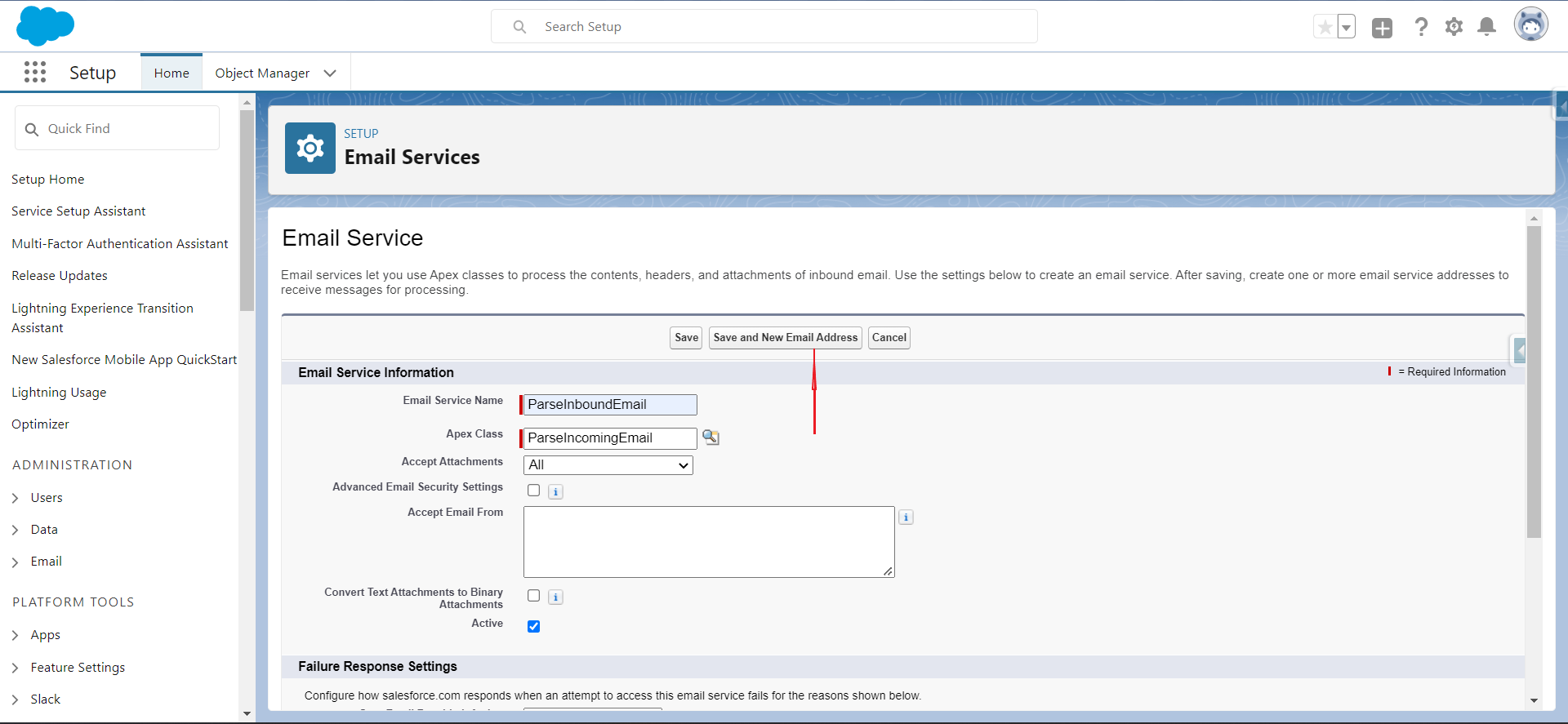
Click New Email Service to create a new email service
-
Enter the required details as shown in the reference screenshot
-
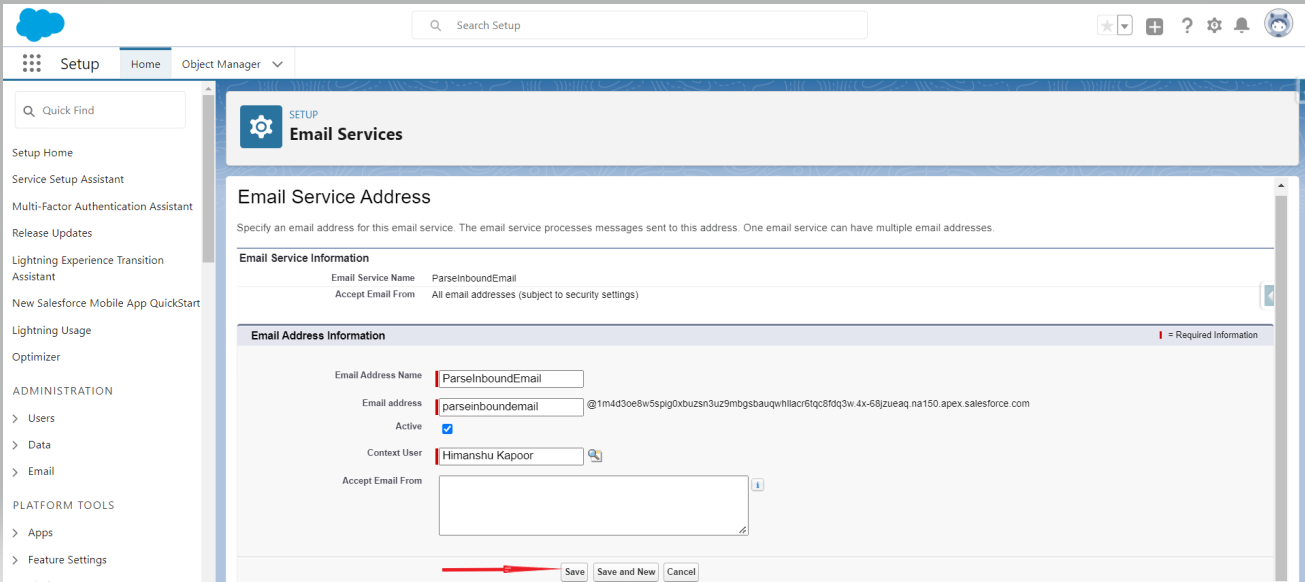
Click Save and New Email Address
-
Enter the email details and click Save to finalize the Email Service creation
5. Set Forwarding Rule on the Org-Wide Email Address
Configure a forwarding rule to redirect all emails received at the Org-Wide Email Address to the newly generated Email Service address.
If you encounter any issues or need assistance, please reach out to us at support@cloudmaveninc.com