
This document explains the process of manually refreshing Plaid Products on a Bank Verification Record within Salesforce. This feature allows users to trigger a refresh for selected Plaid Products (e.g., Auth, Balance, Transactions, Assets) when data needs to be re-synced with the Plaid platform on an adhoc basis.
This is typically used when:
-
The user needs the latest Plaid data immediately for verification or review.
-
There is a suspected mismatch or stale data between Salesforce and Plaid.
🪜 Step-by-Step Instructions
Step 1: Navigate to the Bank Verification Record
-
Log in to Salesforce.
-
From the App Launcher, search and open Bank Verifications or you can navigate to the Bank Verification Related List on Source Object.
-
Locate the record you wish to refresh.
-
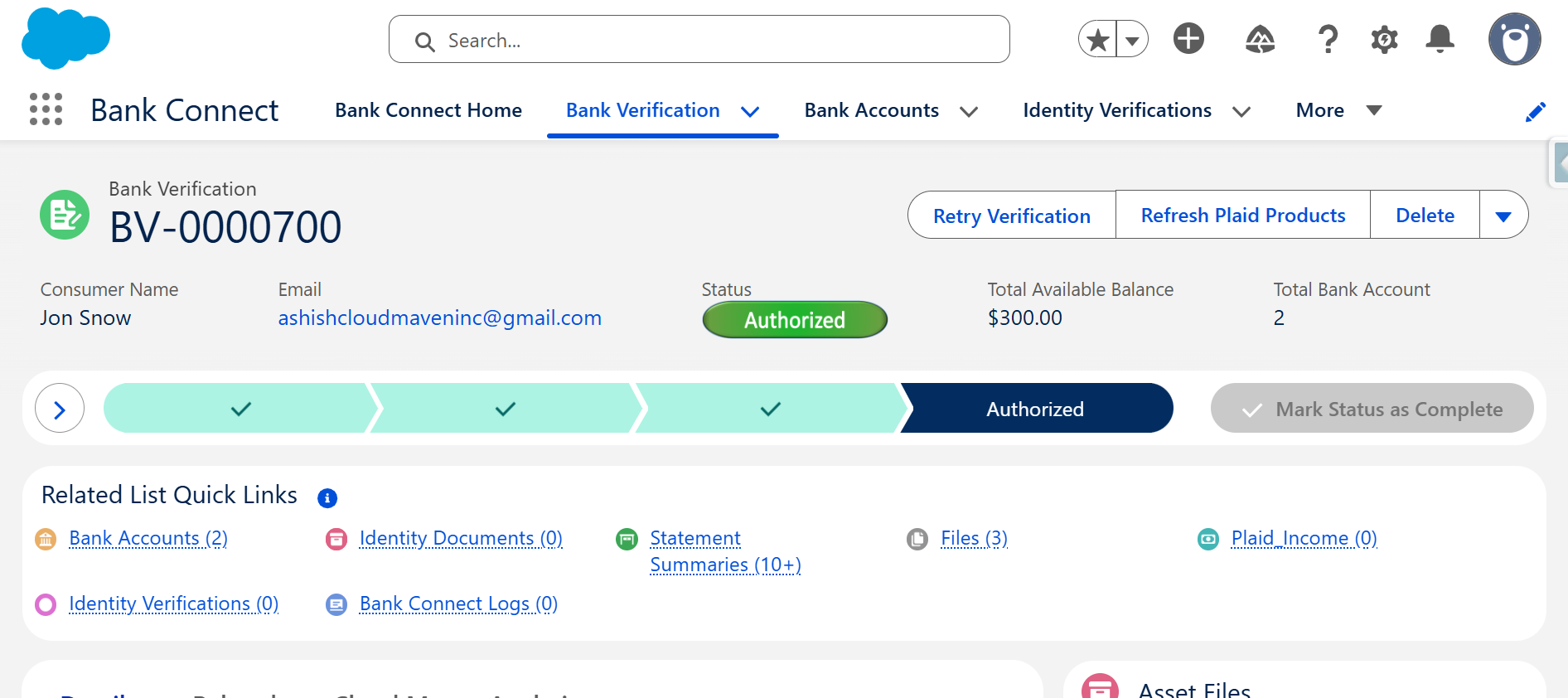
Open the Bank Verification Record detail page.
Step 2: Initiate Manual Refresh
-
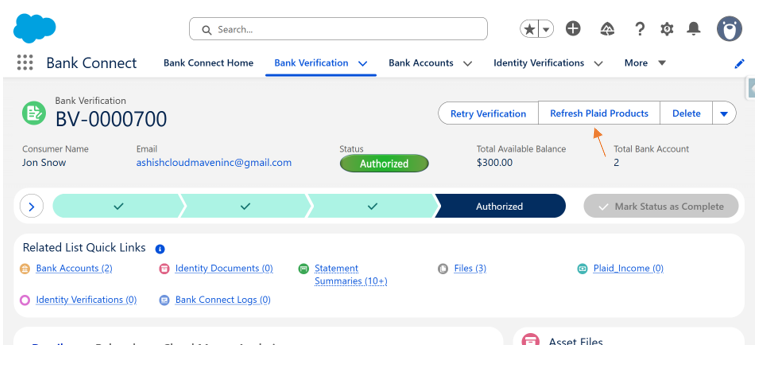
On the Bank Verification Record, click the Refresh Plaid Products button.
-
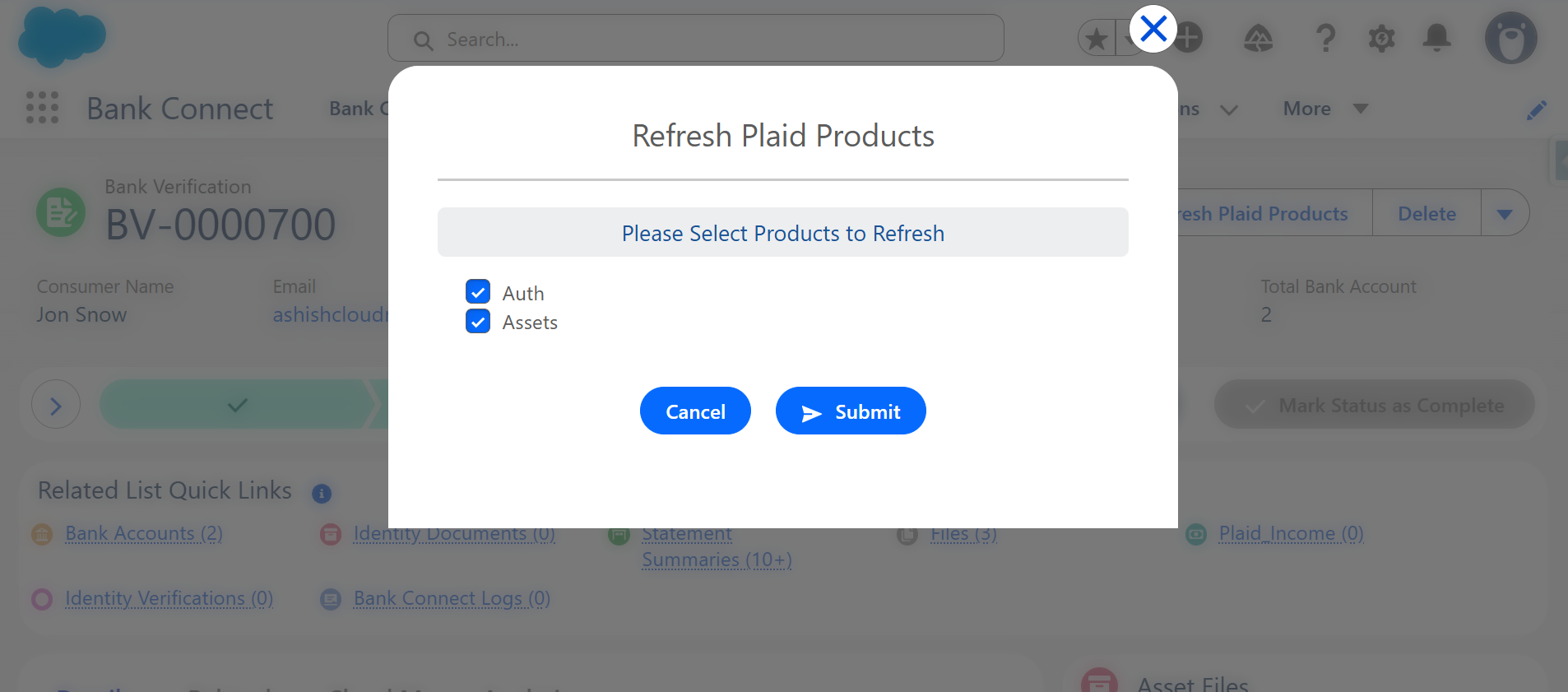
A screen prompt will appear with the title “Refresh Plaid Products”.
Step 3: Select Plaid Products to Refresh
-
From the available checklist, select one or more Plaid Products you want to refresh.
-
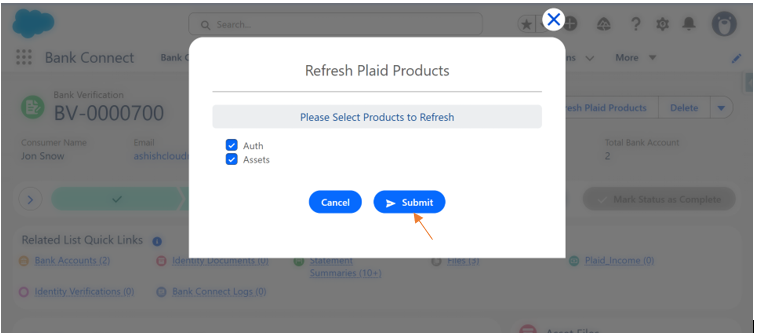
After selecting, click Submit.
Step 4: Confirm and Execute Refresh
-
The system will now initiate a callout to Plaid’s API to refresh the selected product data.
-
You will see a Success message indicating that the refresh has started.
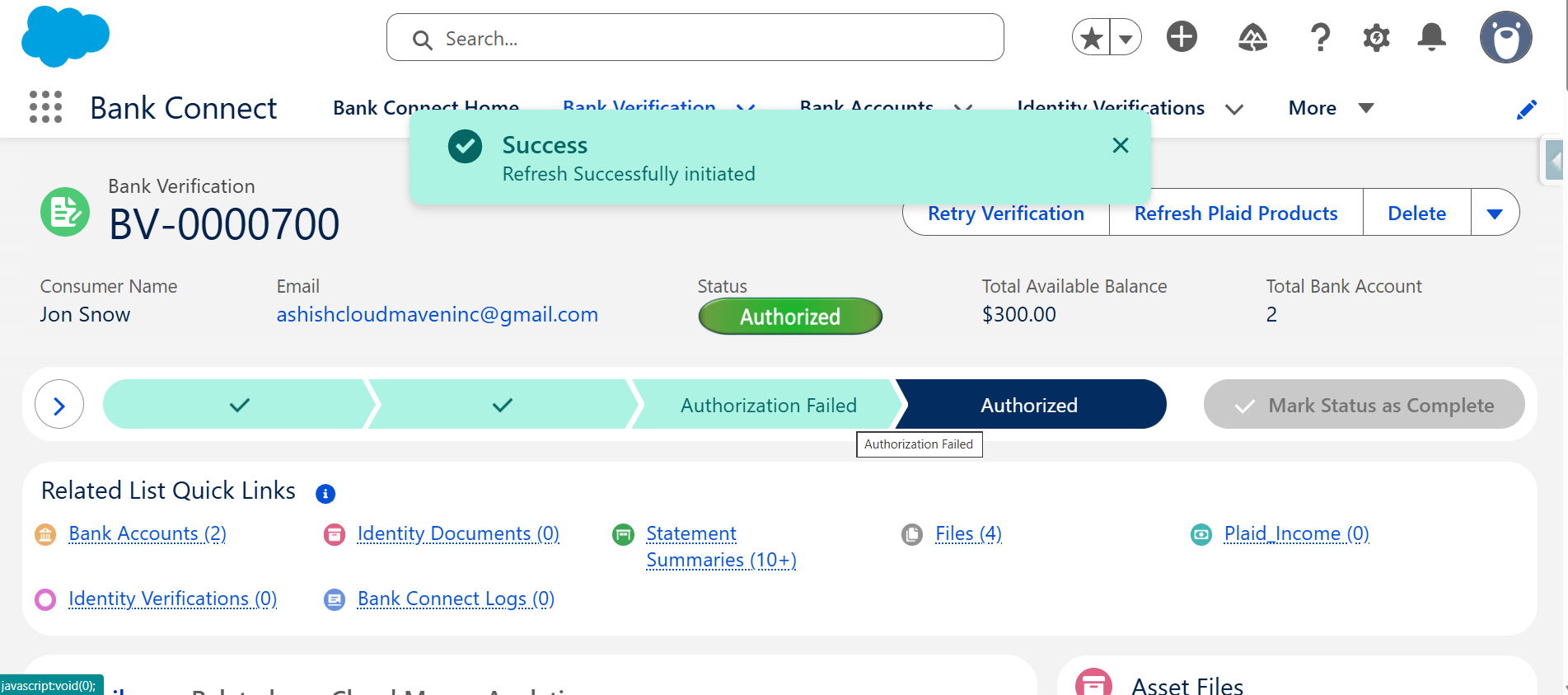
Step 5: Monitor Refresh Status
-
Once submitted, the system creates a background job that performs the data fetch.
-
You can monitor the refresh progress through the Status Description field associated with each selected Plaid product (e.g., In Progress, Completed, Failed).
-
Once complete, the Last Modified by field on Bank Verification Record will update accordingly.