
Overview
After an Adverse Media Search is completed, the search results are stored in Salesforce for future review.
The search creates two related Salesforce records:
-
TR CLEAR Adverse Media Search – Contains the overall search request, status, and summary information.
-
TR CLEAR Adverse Media Search Result – Contains the individual media articles returned by Thomson Reuters.
These records allow users to review the search results, examine each returned article, and access generated reports.
Review the Adverse Media Search Result Record
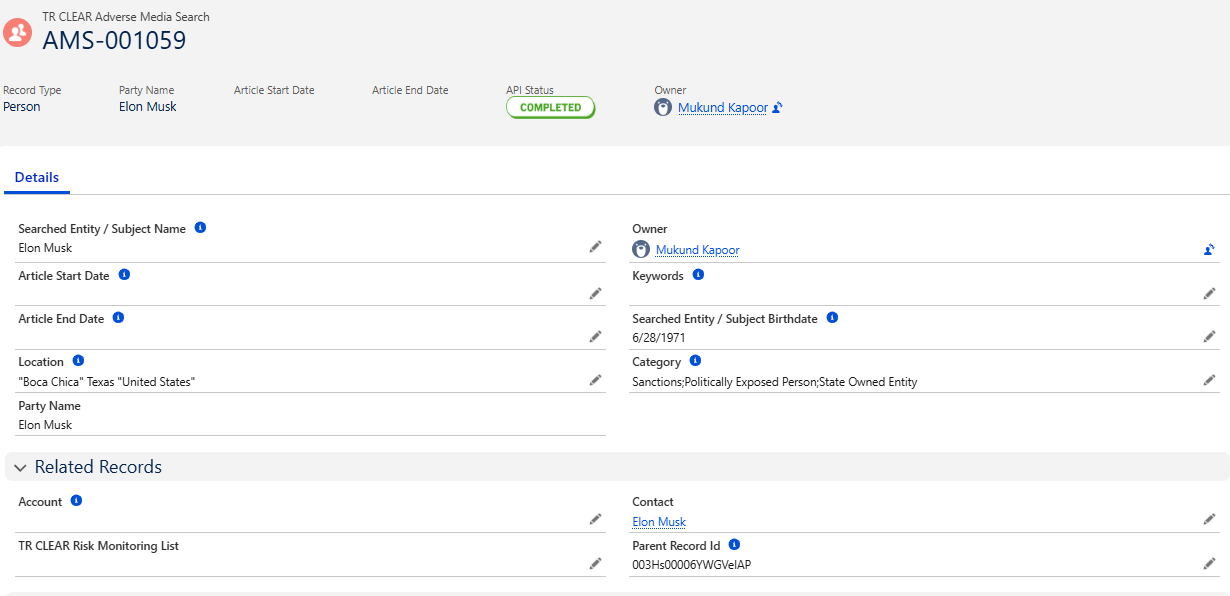
After the search completes, you will be redirected to the TR CLEAR Adverse Media Search record.
The record contains:
-
Search Status
-
Search Date
-
Parent Record
-
Search Parameters
-
Search Response
Access Related Information
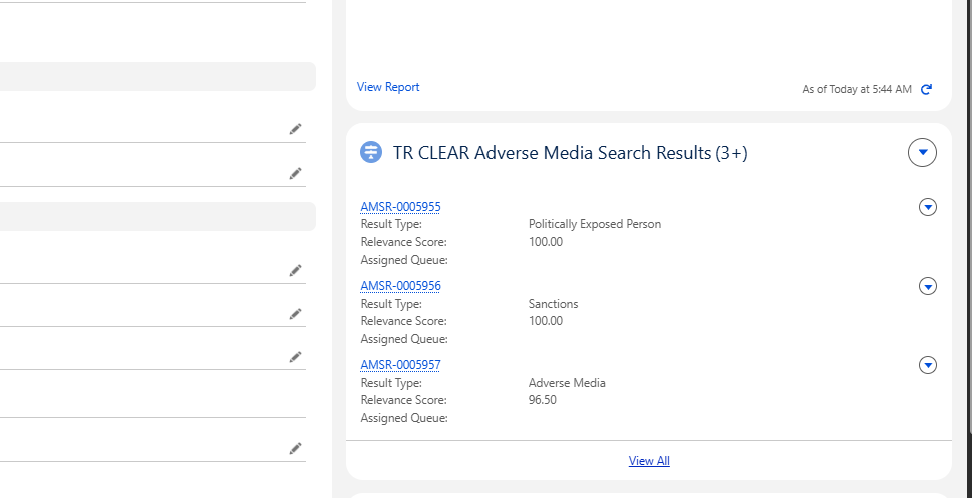
Navigate to the Related tab of the TR CLEAR Adverse Media Search record.
From the Related tab, you can:
-
View all TR CLEAR Adverse Media Search records returned by the search.
-
Review additional related records associated with the search.
Review Adverse Media Search Result
Each TR CLEAR Adverse Media Search Result Item represents an individual news article or media record returned by Thomson Reuters.
Open a Search Result Item record to review details such as:
-
Article Title
-
Publication Name
-
Publication Date
-
Risk Category
-
Article Summary
-
Source Information
-
Associated Search Result Record
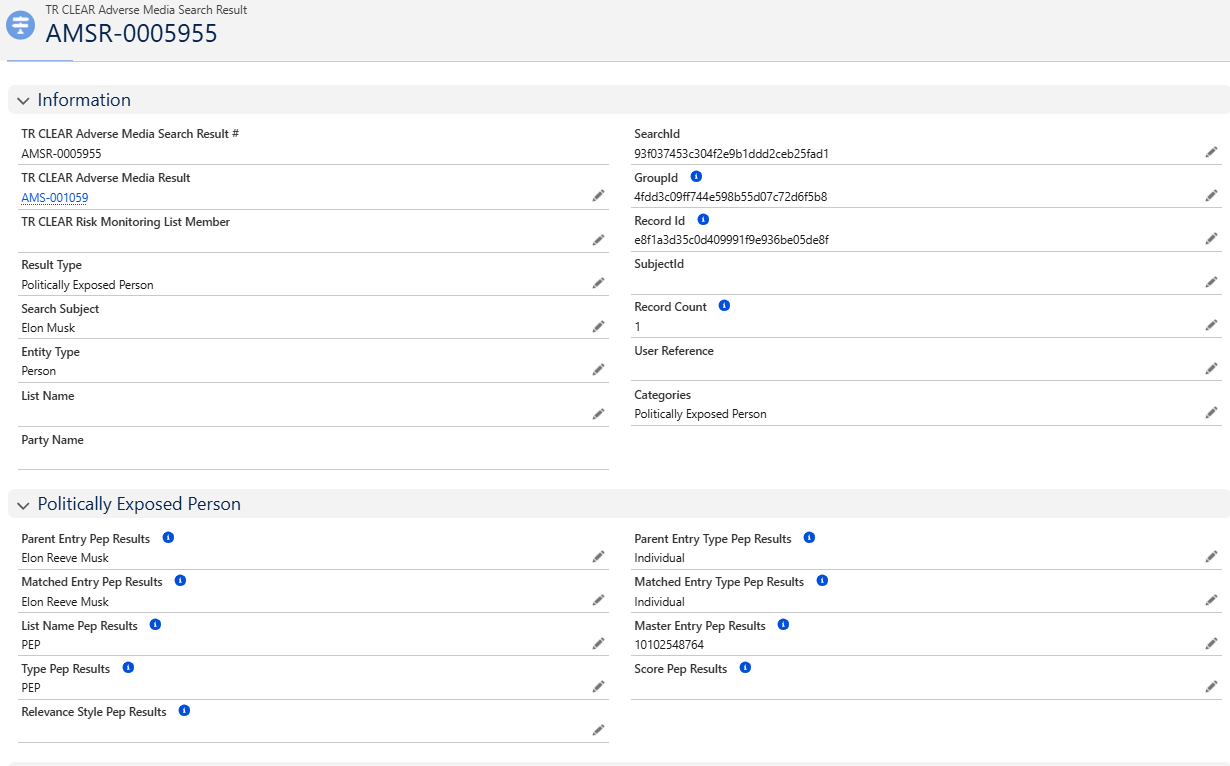
Review each returned article to determine whether it is relevant to the individual or business being investigated.
Search Status
|
Status |
Description |
|---|---|
|
In Progress |
The search request is currently being processed. |
|
Completed |
The search completed successfully and results are available for review. |
|
Failed |
The search could not be completed. Review the error details and retry the search if necessary. |
Best Practices
-
Review all returned Adverse Media Search Result Item records before making a compliance or underwriting decision.
-
Verify that each article relates to the correct individual or business.
-
Consider the publication date, source, and relevance of each article.
-
Use the generated report, when available, to support audit and compliance activities.
-
Review related records from the Related tab for a complete view of the search results.
📩 Need Help?
For any questions or support, please contact your system administrator or support team.