
Overview
This document provides a step-by-step implementation for triggering in-app (bell) notifications in Salesforce when a TR_CLEAR_Adverse_Media_Result_Item__c record is created or updated with specific Result_Type__c values.
The purpose is to alert users in real-time (via the Salesforce bell icon and/or desktop/mobile notifications) when high-risk entries — such as Sanction, Adverse Media, or PEP (Politically Exposed Person) — are detected.
Implementation Steps
1. Create a Custom Notification Type
-
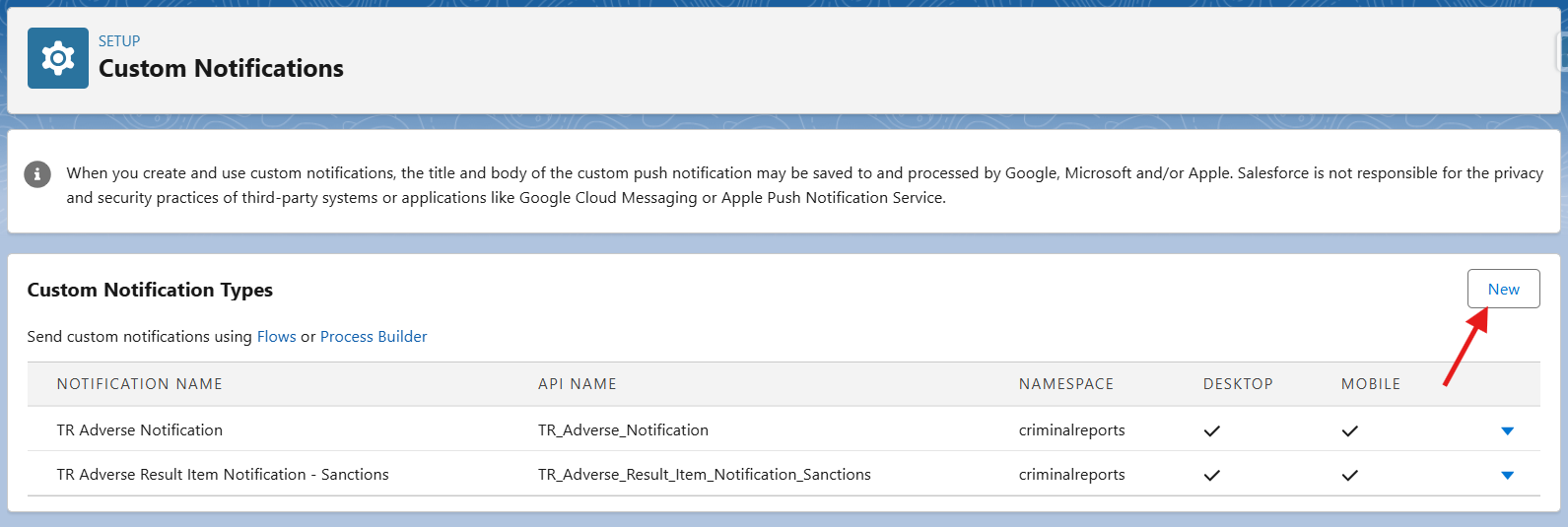
Go to: Setup → Custom Notifications
-
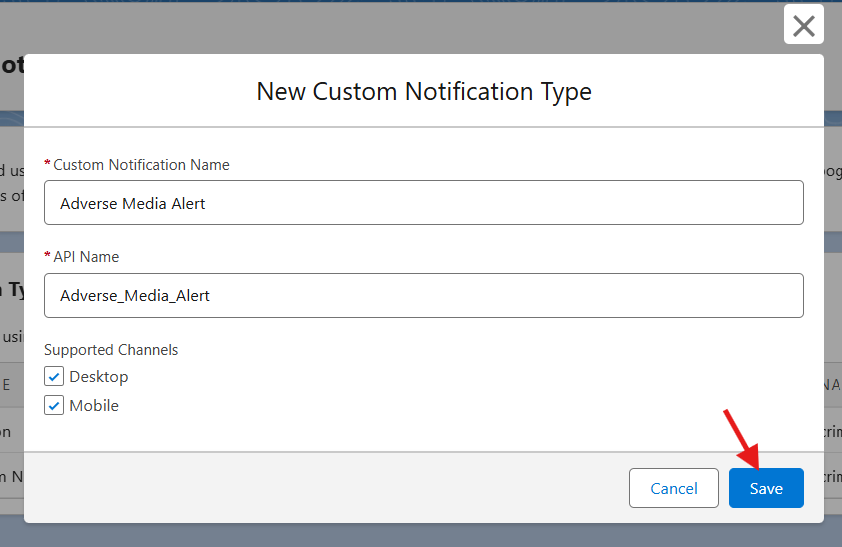
Click New and configure as follows:
-
Custom Notification Name: Adverse Media Alert
-
API Name:
Adverse_Media_Alert -
Supported Channels: Desktop, Mobile
-
-
Click Save
This notification type will be used in the Flow to send the alert.
2. Create a Record-Triggered Flow
-
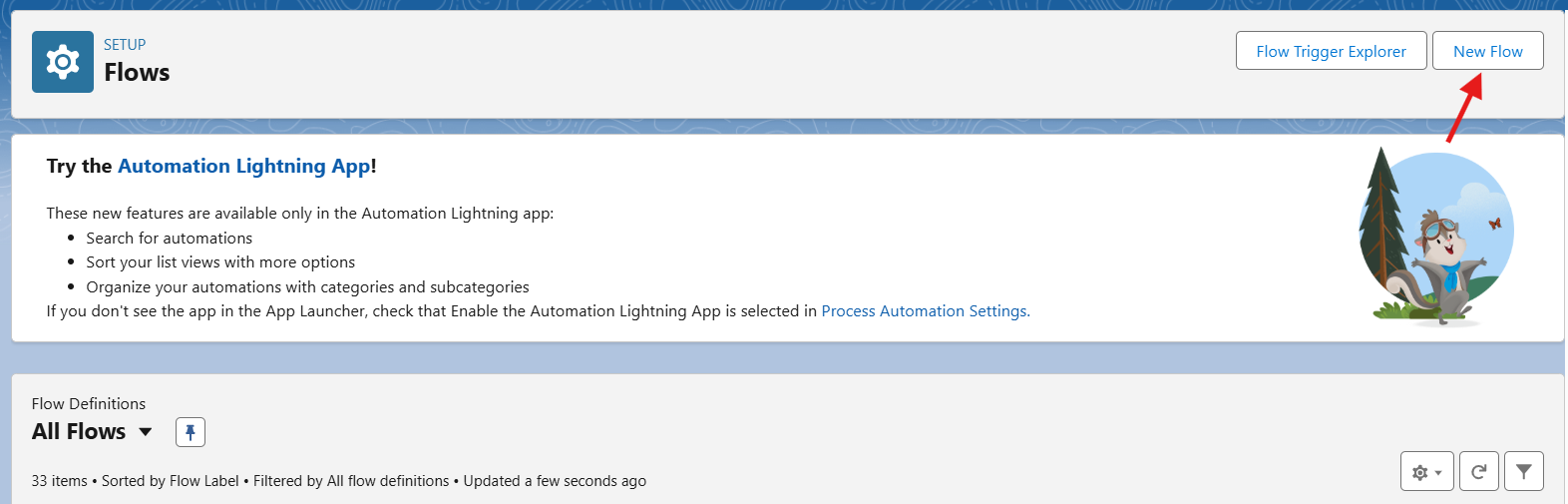
Go to Setup → Flows → Click New Flow
-
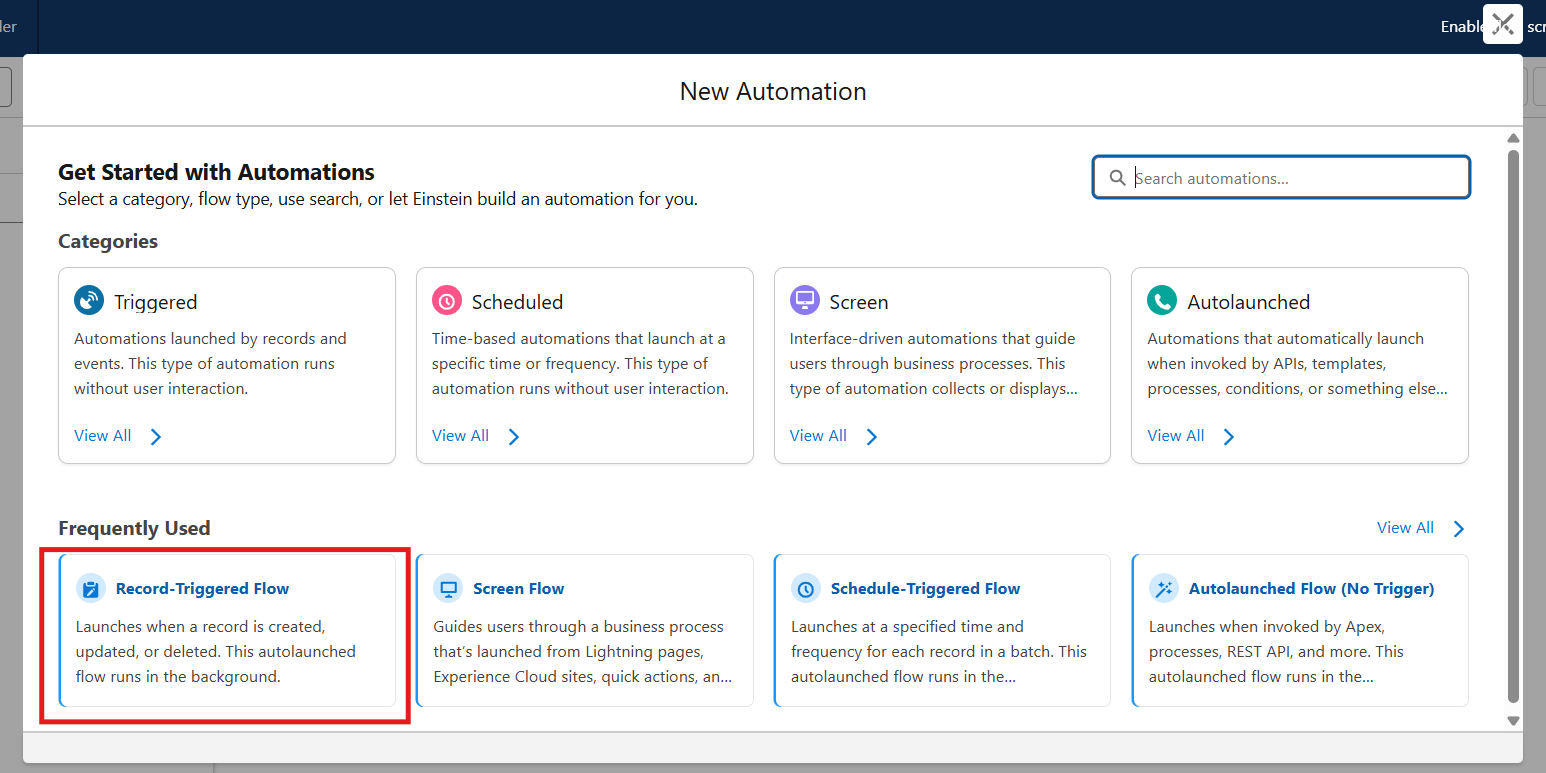
Choose Record-Triggered Flow
-
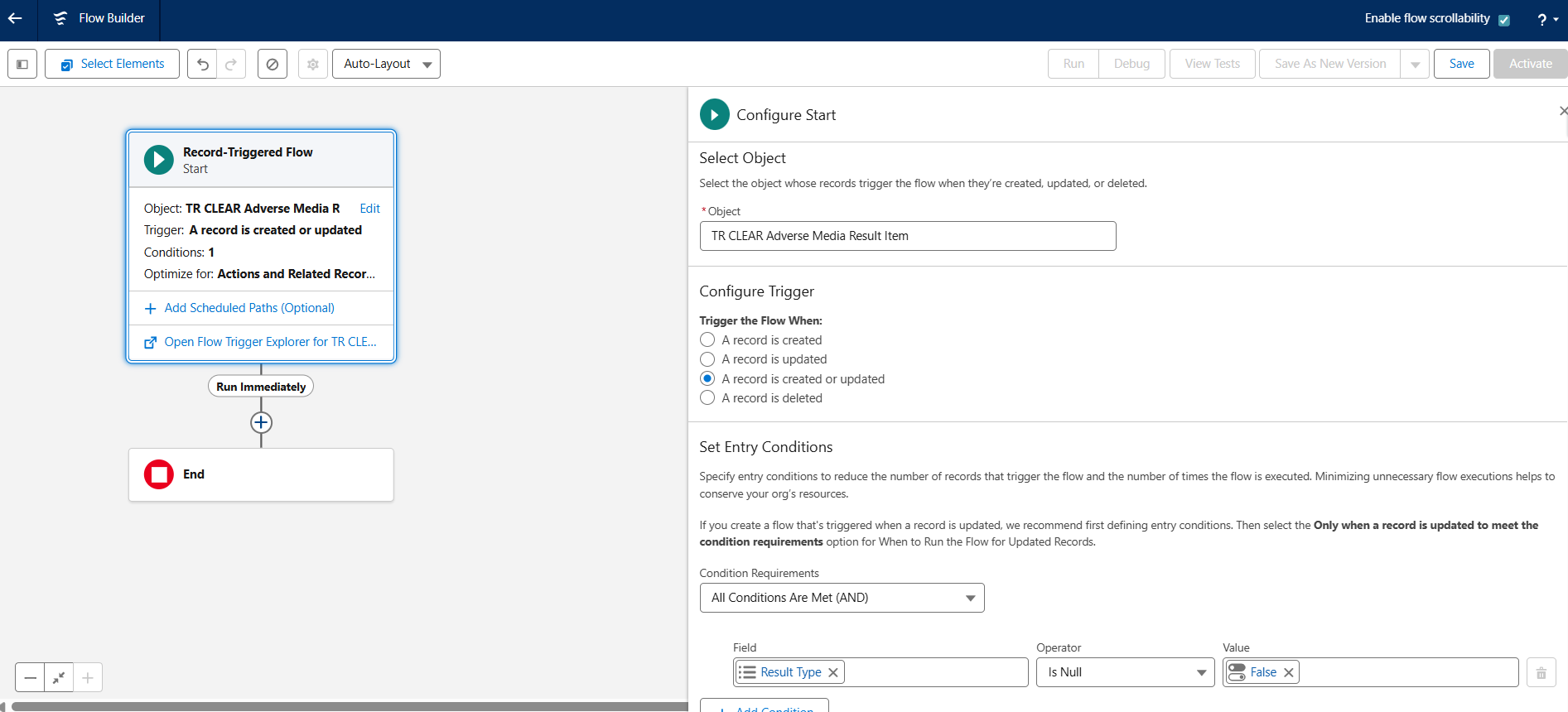
Configure the trigger:
-
Object:
TR_CLEAR_Adverse_Media_Result_Item__c -
Trigger: When a record is created or updated
-
Condition Requirements:
-
Result_Type__c Is Not Null
-
-
Optimize for: Actions and Related Records
-
Click Done
3. Add a Decision Element
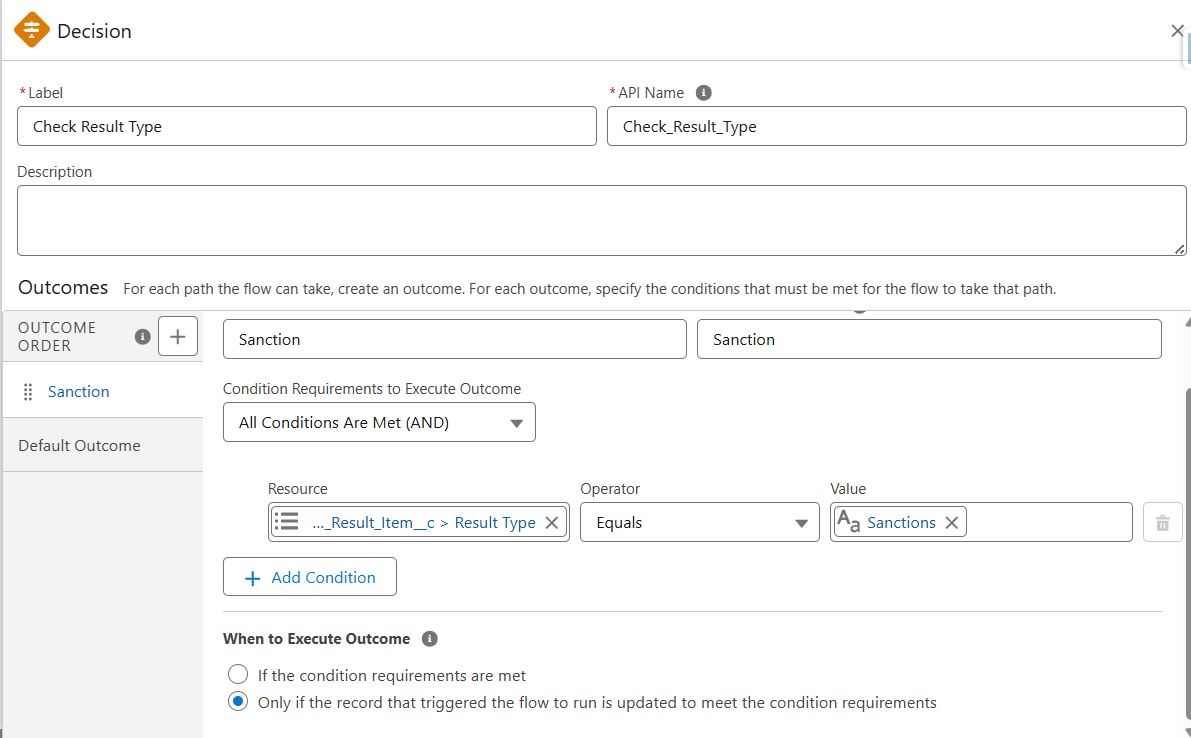
To handle different types (e.g., Sanction, PEP), add a Decision element.
-
Label: Check Result Type
-
Outcome 1 Label: Sanction
-
Condition:
Result_Type__c Equals Sanction
-
-
Outcome 2: Add other types as needed (e.g., State Owned Entities, PEP)
4. [Optional] Get Recipients
You can notify:
-
Record Owner
-
Specific users (e.g., compliance team)
-
Users in a public group or queue
Use a Get Records element or set recipients directly in the notification.
5. Add Get Records for Custom Notification Type
Add a Get Records element:
-
Label: Get Adverse Media Notification Type
-
Object:
CustomNotificationType -
Condition:
-
DeveloperName Equals 'Adverse_Media_Alert'
-
-
Store Only the First Record
-
Automatically Store All Fields
6. Add Send Custom Notification Action
-
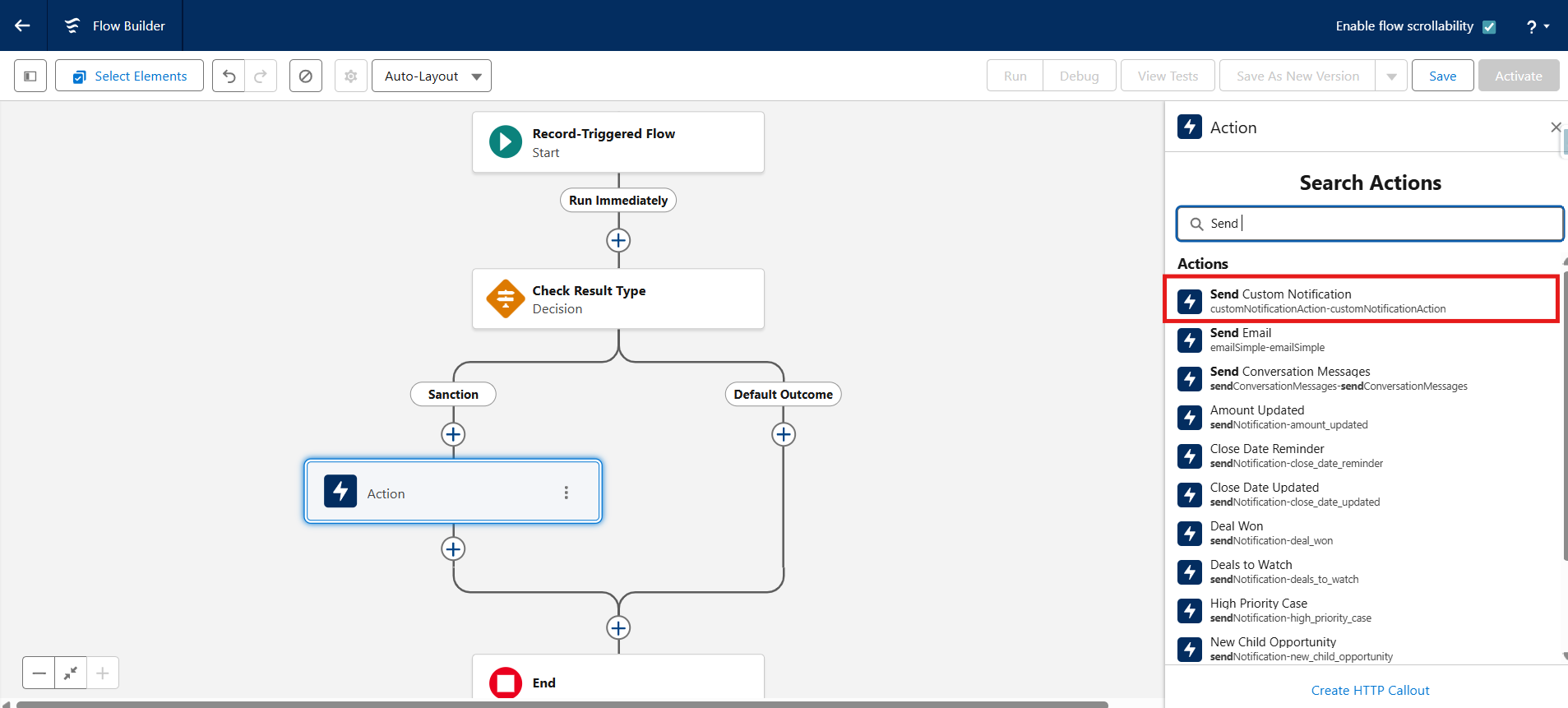
Under the Sanction branch, add a new Action
-
Action Type: Send Custom Notification
-
Configure the action:
-
Custom Notification Type ID:
Adverse_Media_Alert -
Notification Title:
New Sanction Alert -
Notification Body: Set dynamically (e.g.)
A new sanction entry has been identified for {!$Record.criminalreports__Search_Subject__c}. Please review the details and take the appropriate action as required. -
Recipient IDs: Set dynamically (e.g., record owner) or via hardcoded user IDs
-
Target Record ID:
{$Record.Id}
-
-
Repeat this for other result types if needed (Watchlist, PEP, etc.)
7. Save and Activate the Flow
-
Click Save
-
Name the Flow:
Notify on Adverse Media Result -
Click Activate