Overview
This page outlines the steps and prerequisites required to configure access to Thomson Reuters CLEAR services using the provided credentials and certificate files. The credentials and certificate required for integration will either be provided by the client or should be requested from Thomson Reuters.
Prerequisites
Before proceeding with the setup, ensure you have the following:
-
CLEAR Credentials
-
Username
-
Password
-
API Access Info (if applicable)
-
-
Definition Names
-
The CLEAR integration team will provide you with the definition names for each data category.
-
-
Certificate File
-
Format:
.jks(Java KeyStore) -
If you receive a
.p12(PKCS12) certificate instead, you must convert it to.jksusing the link below.
-
Steps to Upload Certificates and Set Up TR Credentials in Salesforce
This section outlines the steps to upload your security certificate into Salesforce and configure the necessary credentials for connecting to the Thomson Reuters API. Proper setup ensures secure communication and successful authentication between Salesforce and TR services.
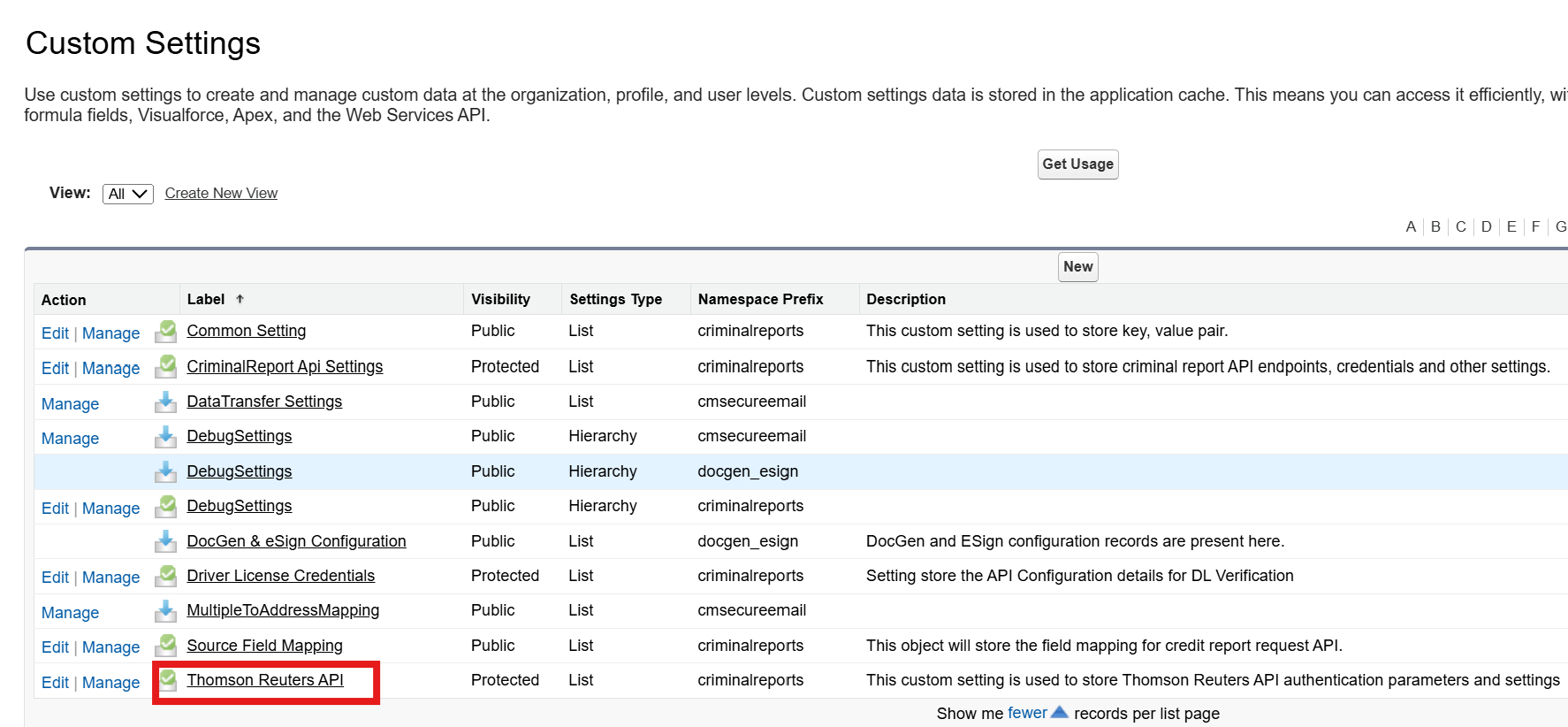
Configure Custom Settings: Thomson Reuters API
-
Go to Setup > Quick Find > Custom Settings
-
Click Manage next to Thomson Reuters API
-
Select Sandbox or Production and fill in the fields if not populated
|
Field |
Value |
|---|---|
|
Base URL |
|
|
Adverse Media Search Endpoint for id |
|
|
Adverse Media Search Result |
|
|
Adverse Media Monitor Endpoint for id |
|
|
Adverse Media Monitor Endpoint |
|
|
Certificate Name |
|
Import Certificate
-
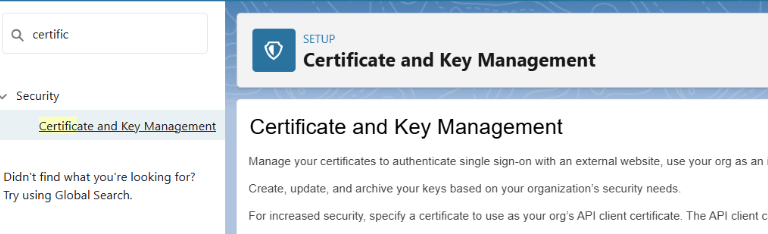
Navigate to Setup > Certificate and Key Management
You will be required to create a JKS file. You can click here to learn more.
-
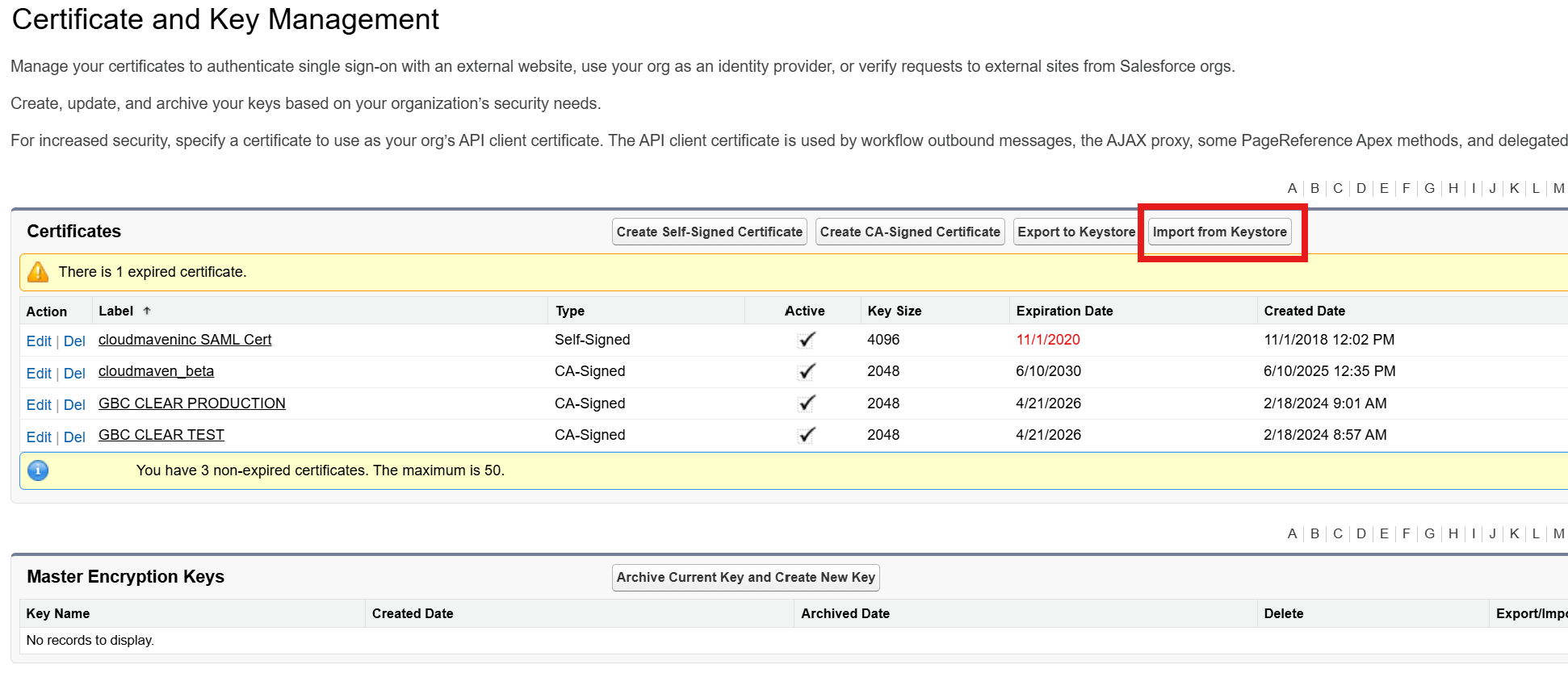
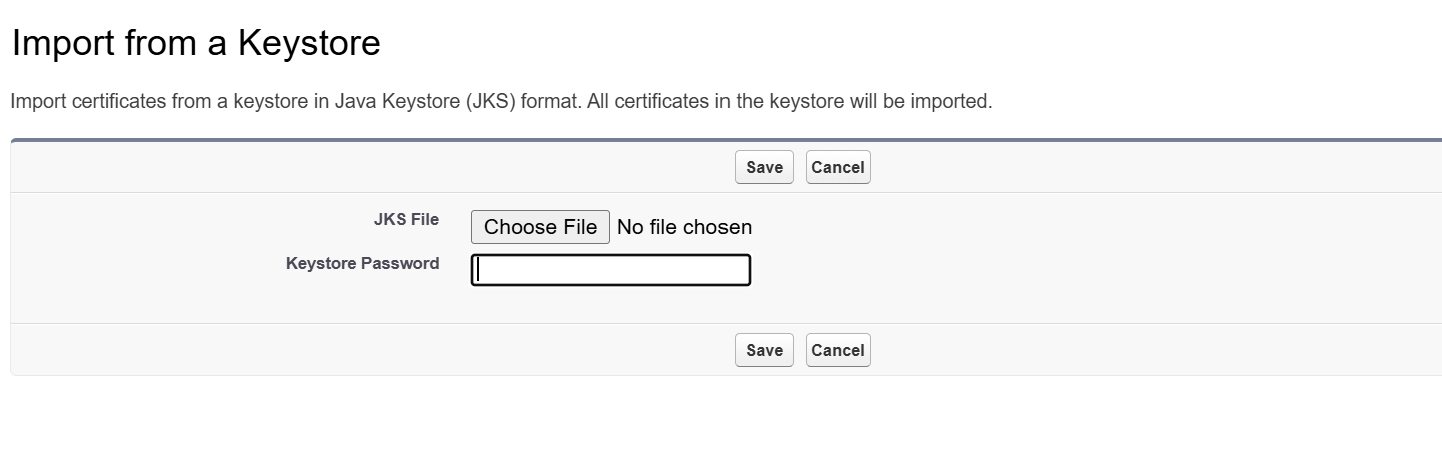
Click Import from Keystore
-
Upload your
.jksfile -
Ensure the Certificate Name matches the value used in Custom Settings
Configure Thomson Reuters Credentials
-
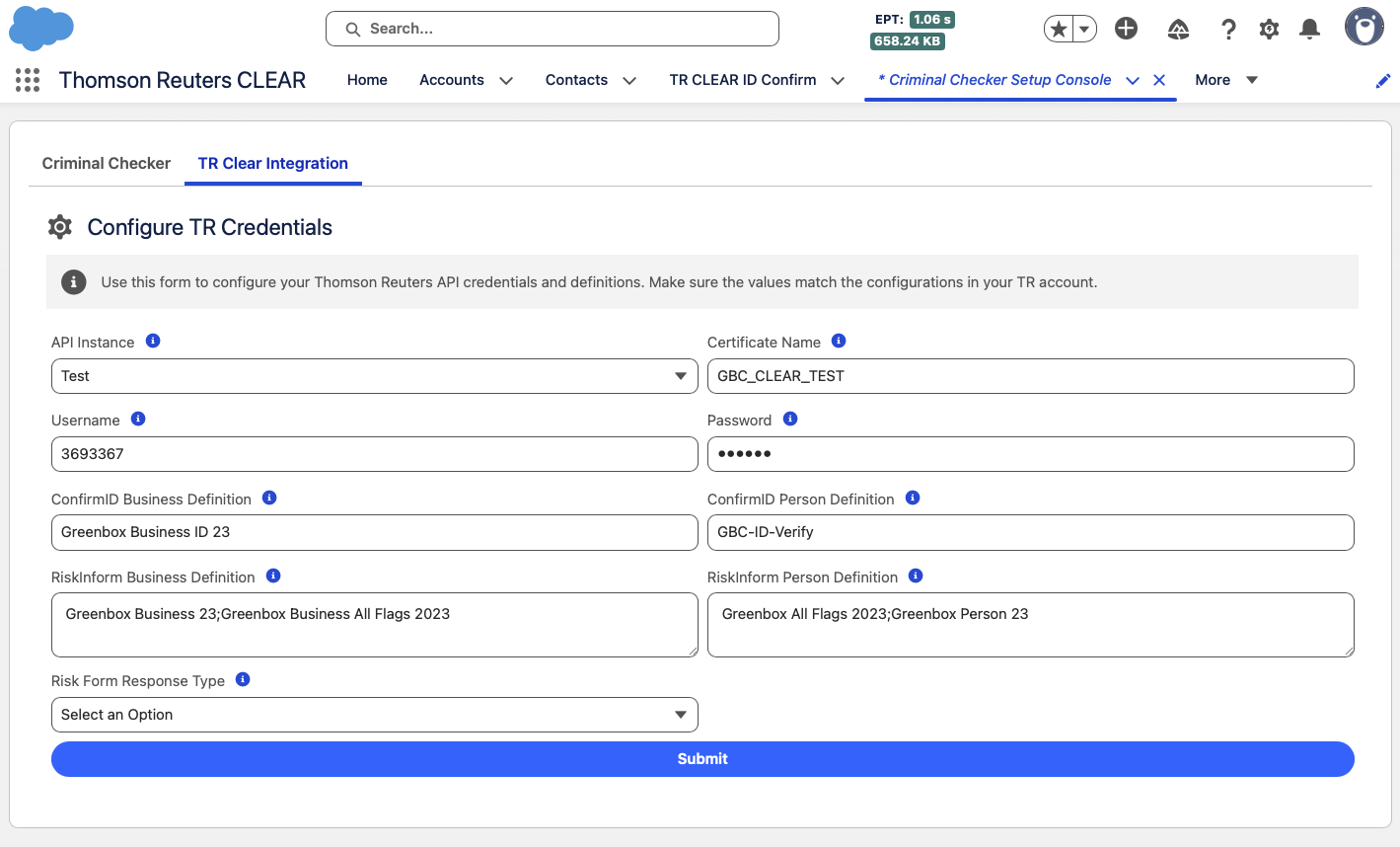
Navigate to the Criminal Checker Setup Console tab in Salesforce.
-
Click on the “TR Clear Integration” Tab.
-
You will see a form prompting you to enter all the required Thomson Reuters credential details.
-
Fill in the form with accurate values for the API instance, certificate name, username, password, and other definitions.
The Thomson Reuters integration team provides the definitions. We kindly request that you coordinate directly with them to obtain the complete list of available definitions.
-
Once all fields are completed, click the Submit button to save the configuration.
Configure Feature Entitlement Setting
The Feature Entitlement custom setting is used to enable or disable Thomson Reuters CLEAR features.
Navigation
-
Navigate to Setup.
-
In the Quick Find box, search for Custom Settings.
-
Click Custom Settings.
-
Locate Feature Entitlement.
-
Click Manage.
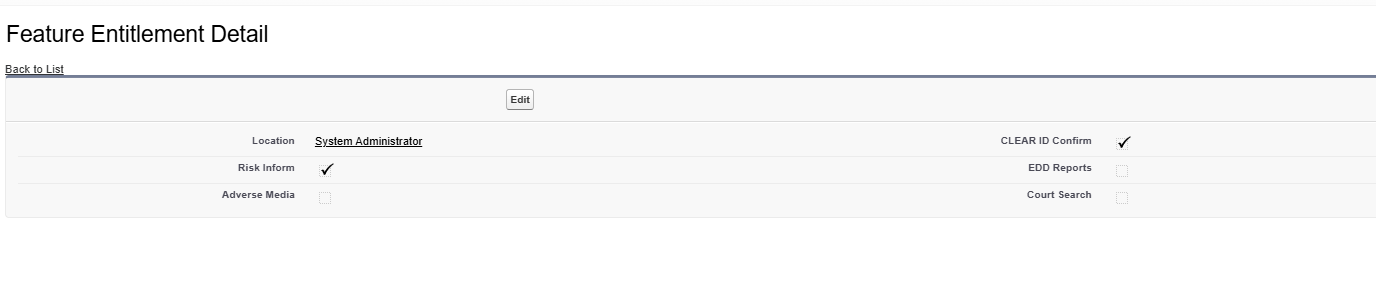
Create or edit the Organization record and enable the required features:
-
CLEAR ID Confirm
-
Run Risk Inform
-
EDD Reports
-
Adverse Media