Overview
This guide explains how users can manually send reminder emails to signers when a document is still pending signature. It covers the available options for sending a reminder from the Document Workflow and the related record page, helping users quickly follow up with signers without waiting for the automated reminder process.
Send a Reminder from the Document Workflow
-
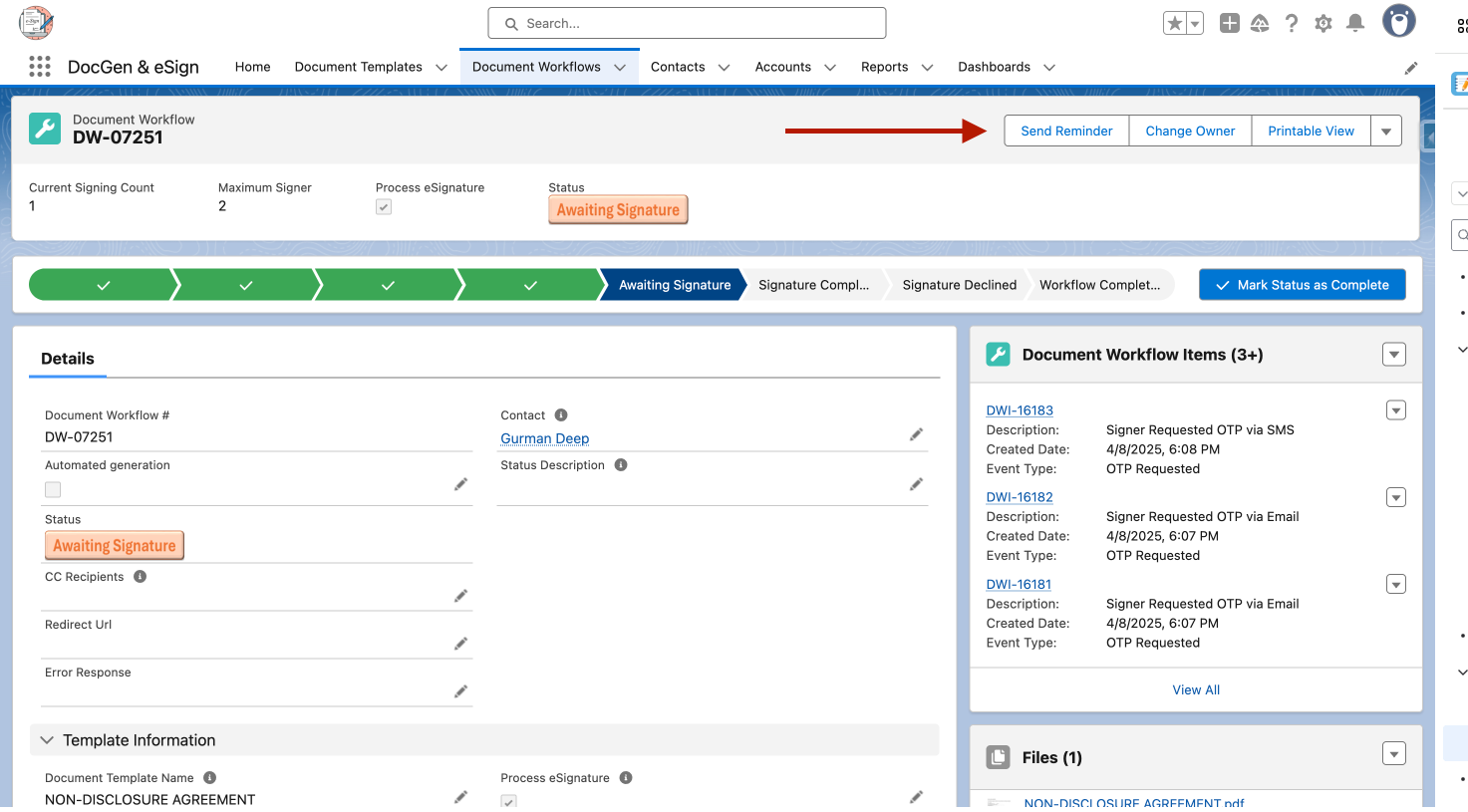
Navigate to the Document Workflow page.
-
Click Send Reminder.
-
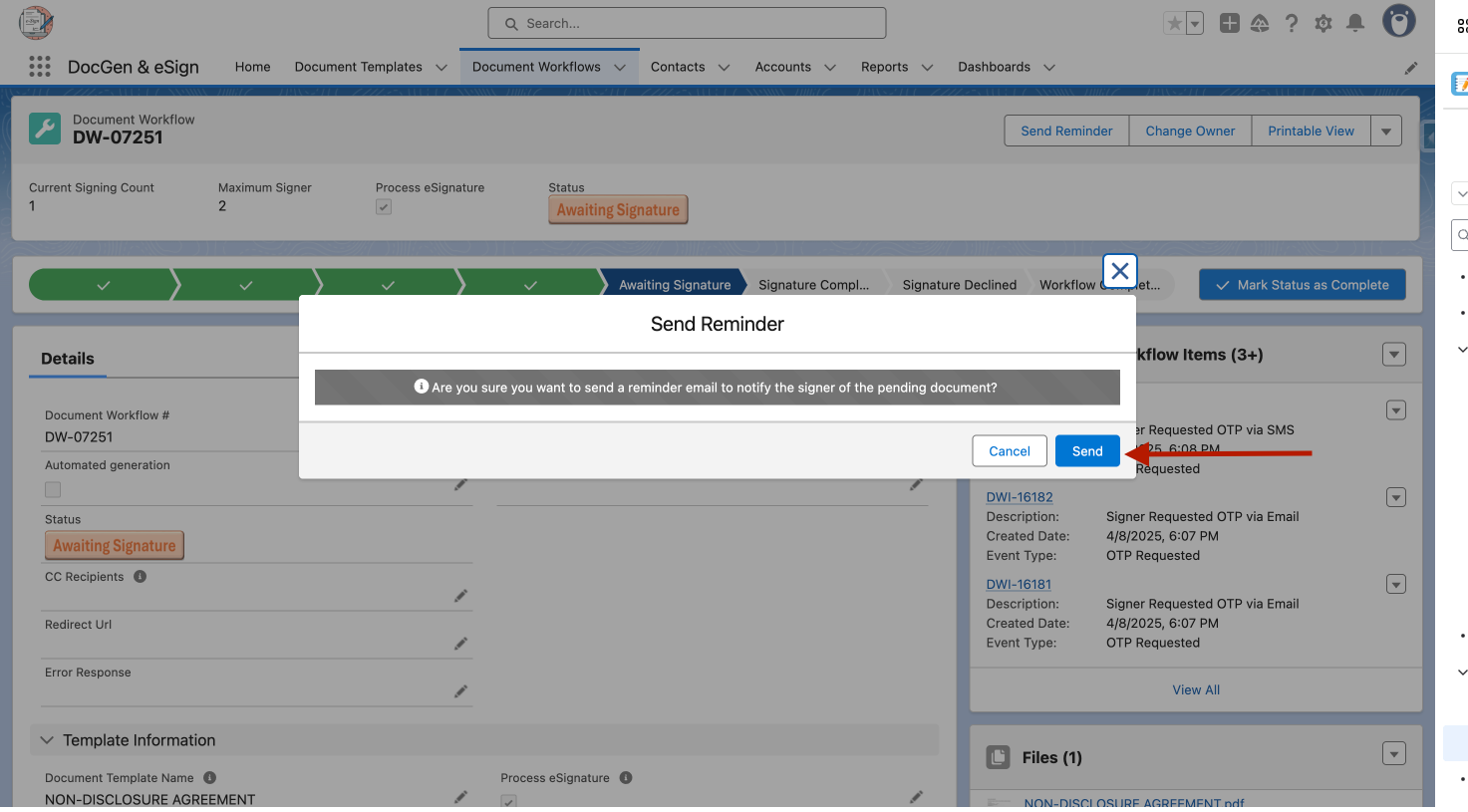
A confirmation popup will appear.
-
Confirm the action.
-
The reminder email will be sent to the most recent signer whose signing is still pending.
Send a Reminder from the Record Page
-
Navigate to the relevant record page.
-
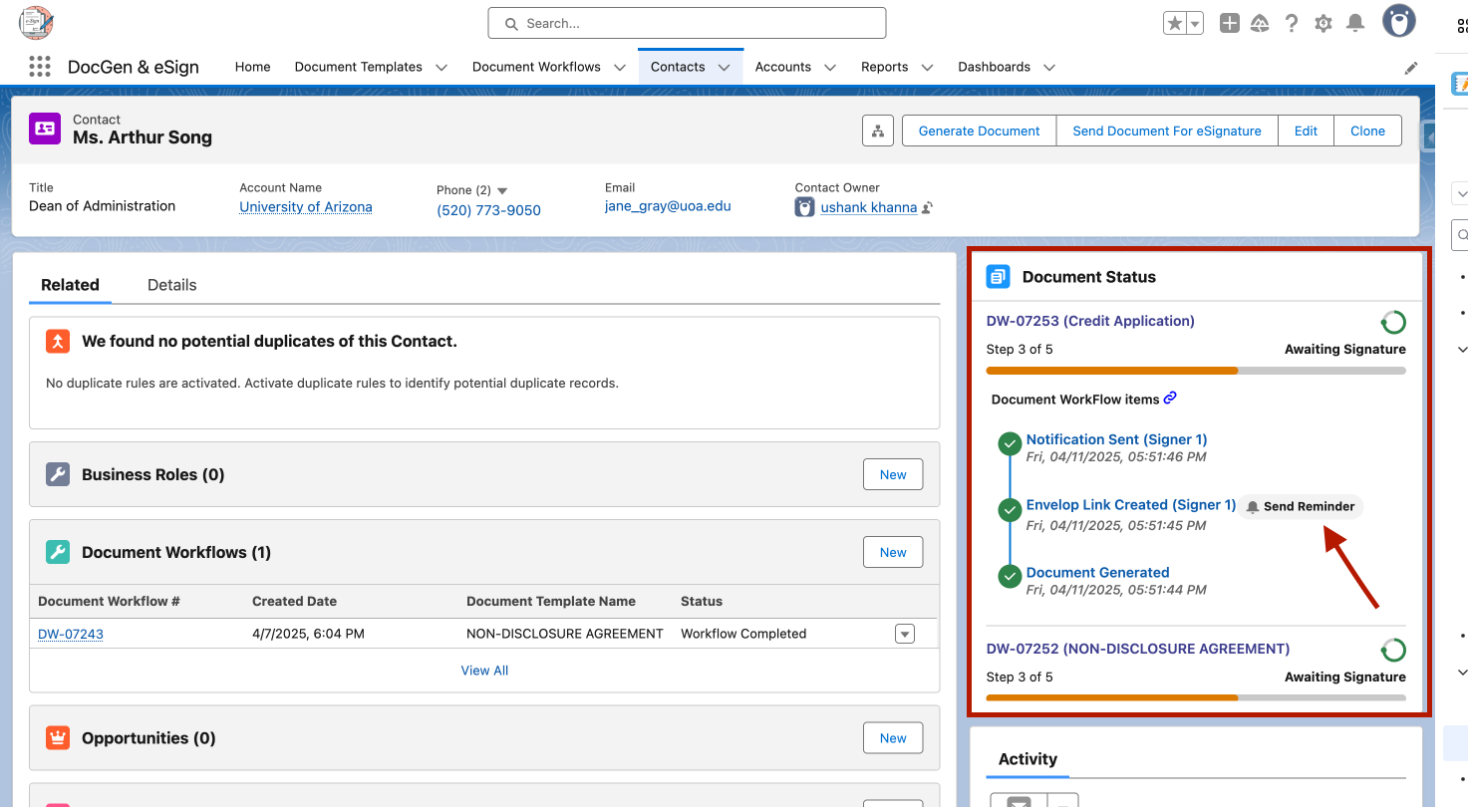
Locate the Document Status section.
-
Click Document Workflow.
-
Review the workflow steps.
-
For the pending signer, click Send Reminder Email.