
1. Overview
Payment Connect supports full and partial refunds for transactions that have been Settled. This action reverses a completed payment and returns the amount to the payer through the connected payment gateway.
2. When Can You Refund a Payment?
You can issue a refund if:
-
The Payment Status is
Settled -
The payment gateway supports refunds.
-
You have the necessary permissions to perform refund actions
Use Void if the payment has not yet settled. Use Refund only after settlement.
2. Log In to Salesforce
➡ Access your Salesforce org with the appropriate credentials.
3. Navigate to the Source Record
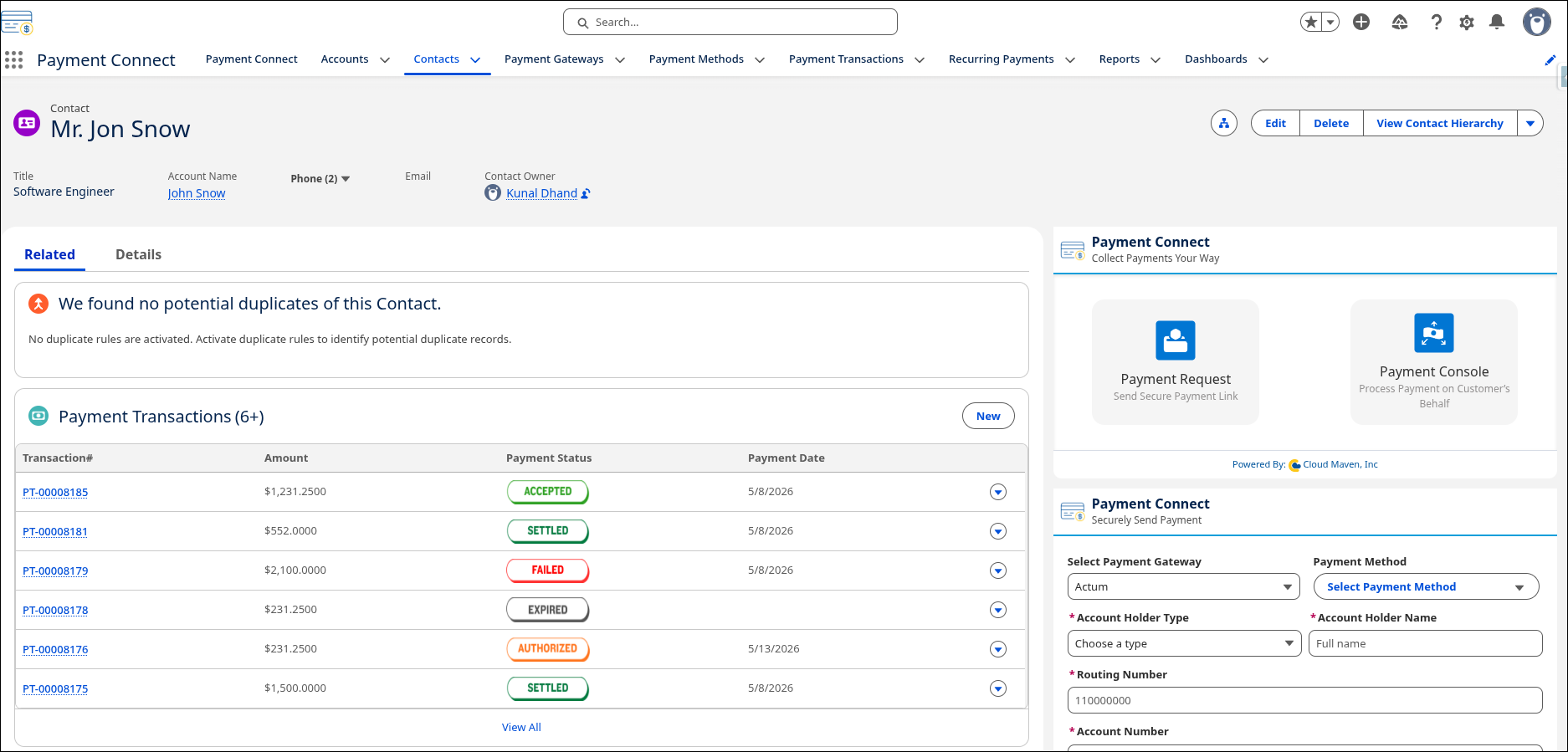
Open existing record or create a new one
-
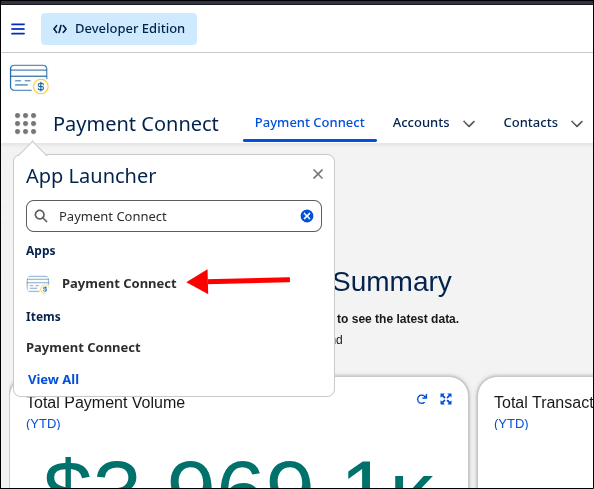
Go to the Payment Connect App
-
Search for the Record from where you want to initiate the Search.
4. Steps to Refund a Settled Payment
-
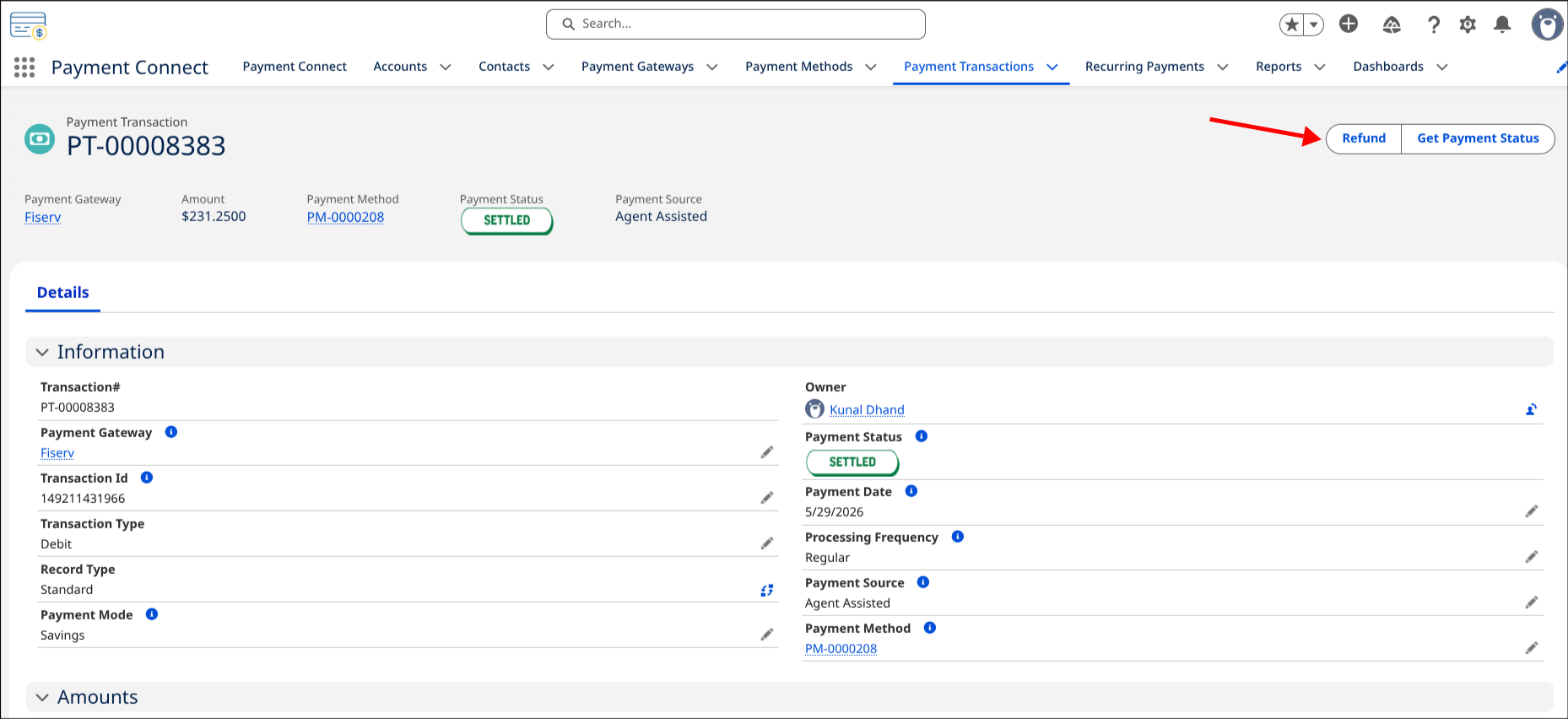
Open the Related Payment Transaction record which needs to be Refunded.
-
Verify that the Status = Settled.
-
Click on the Refund button.
-
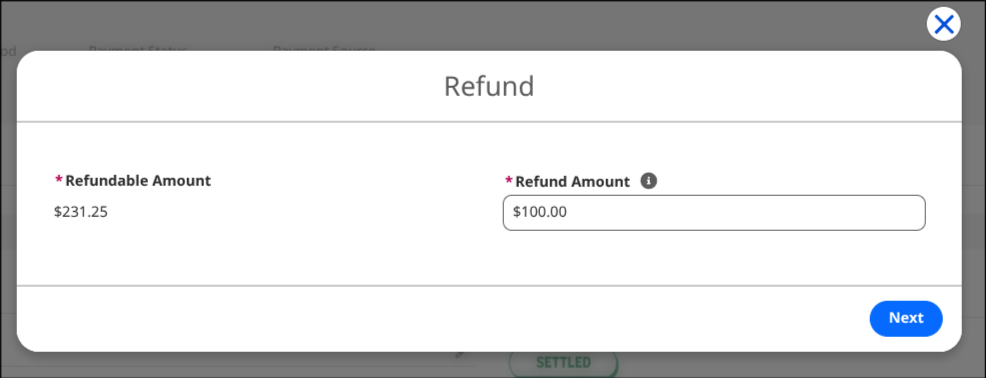
Enter the refund amount which should be less then Total Remaining Amount.
-
Confirm And Click on Next.
-
Your Transaction will be Refunded.
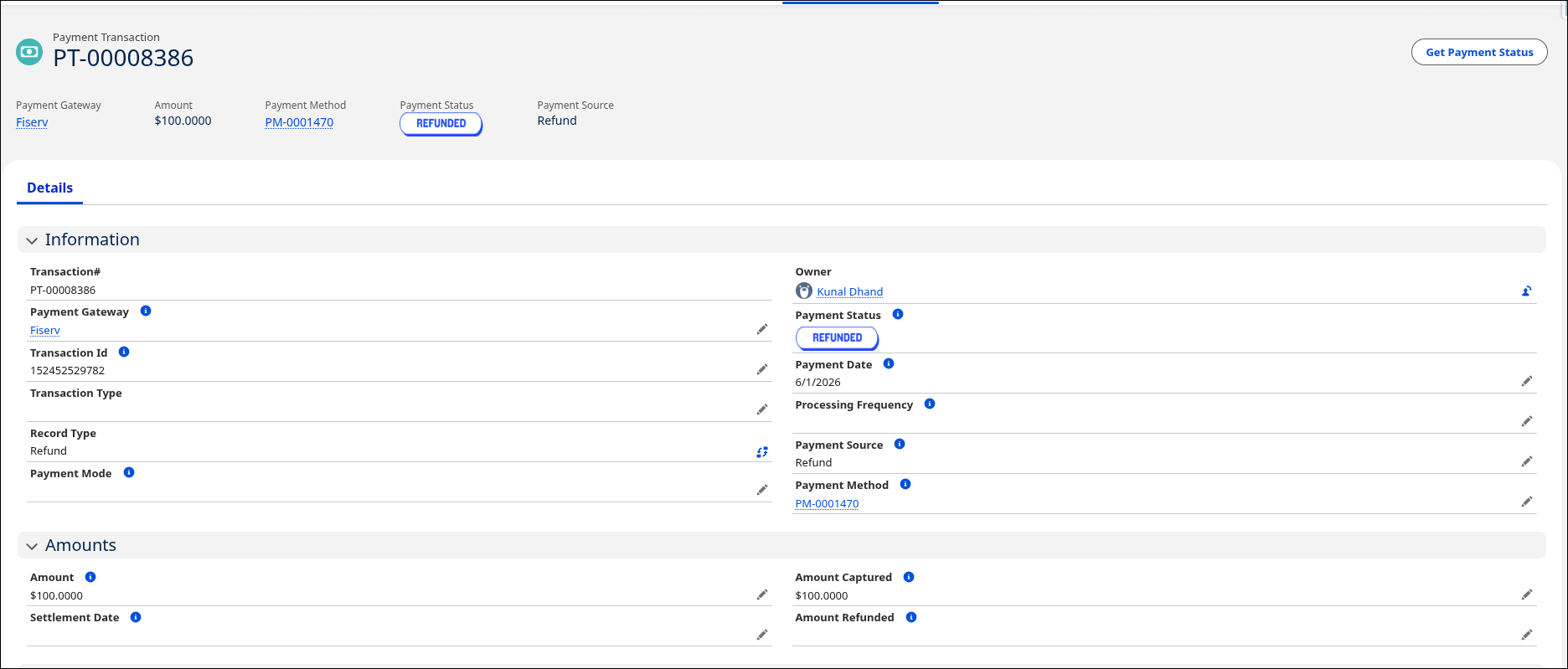
5. What Happens in Salesforce
Once the refund is submitted:
-
A call is made to the Refund API of the configured payment gateway.
-
If the refund is successful:
-
Payment Status is updated to
Refunded -
Refund amount and confirmation reference are saved
-
-
If the refund fails:
-
Status remains
Settled -
The Gateway Error Message field captures the failure reason
-
A new Refund Transaction record may also be created depending on your org configuration for tracking purposes.