
1. Overview
Void operations are supported on captured payments that are not yet settled. When a void request is triggered, Payment Connect sends a request to the payment gateway to reverse the transaction before funds are fully transferred.
If the transaction has already been settled, a refund must be issued instead.
2. When Can You Void a Payment?
You can void a payment if:
-
The Payment Status is
Accepted/Captured -
The payment has not yet been settled by the bank (typically same-day)
-
Use Void only on eligible transactions; otherwise, a Refund must be used
3. Log In to Salesforce
➡ Access your Salesforce org with the appropriate credentials.
4. Navigate to the Source Record
Open existing record or create a new one
-
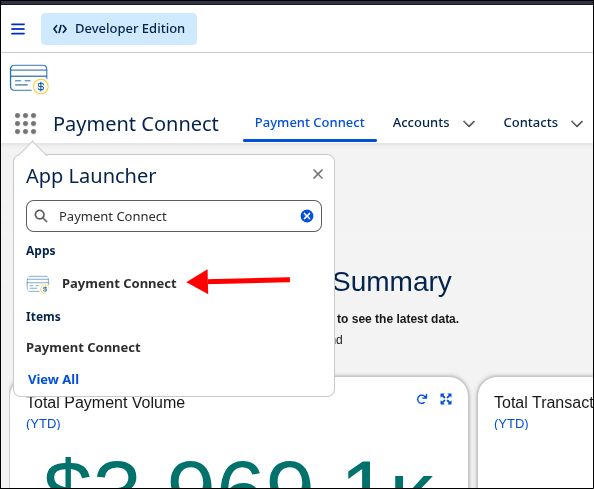
Go to the Payment Connect App
-
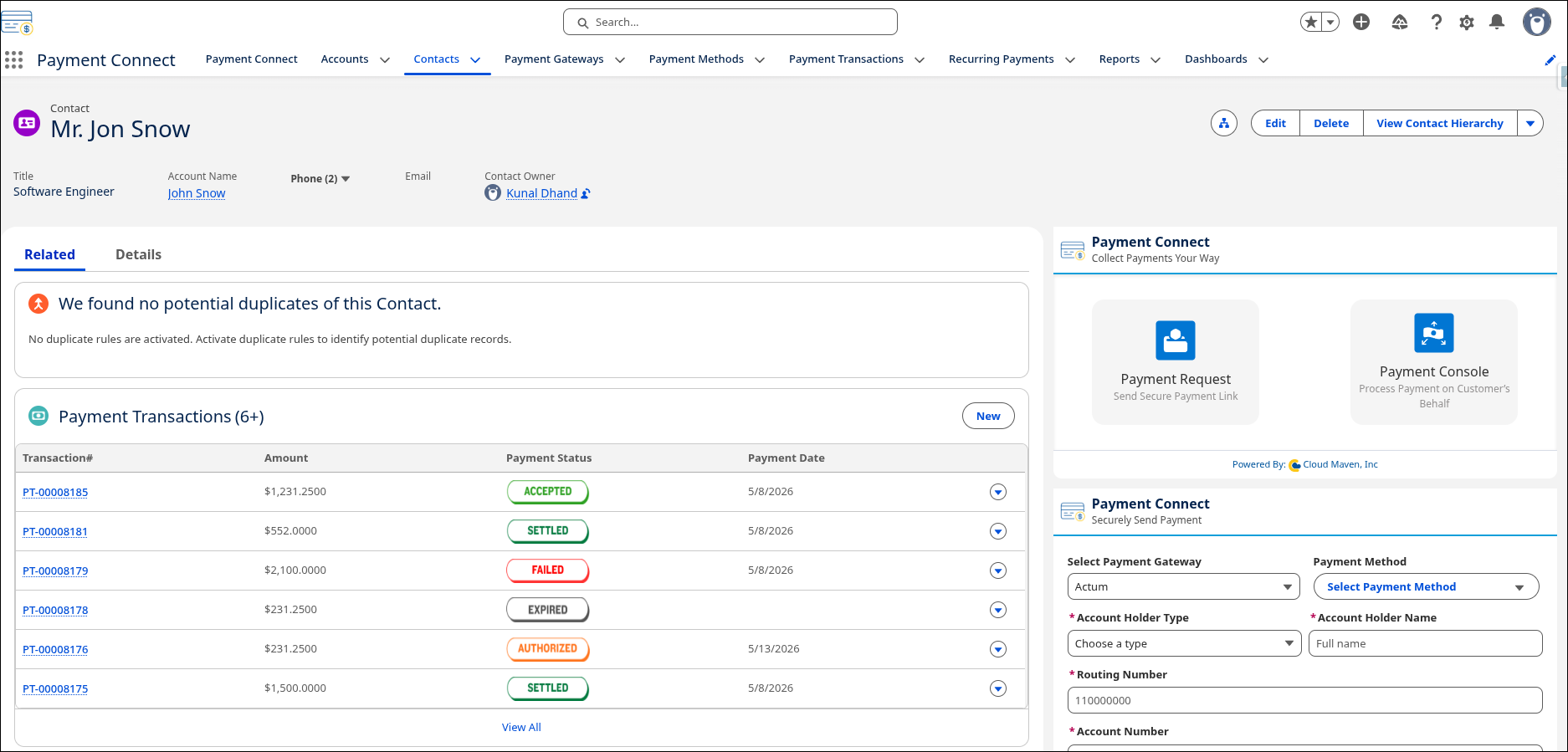
Search for the Record from where you want to initiate the Search.
5. Steps to Void a Payment
-
Go to the Payment Transactions section in the related records, and select the transaction you want to void.
-
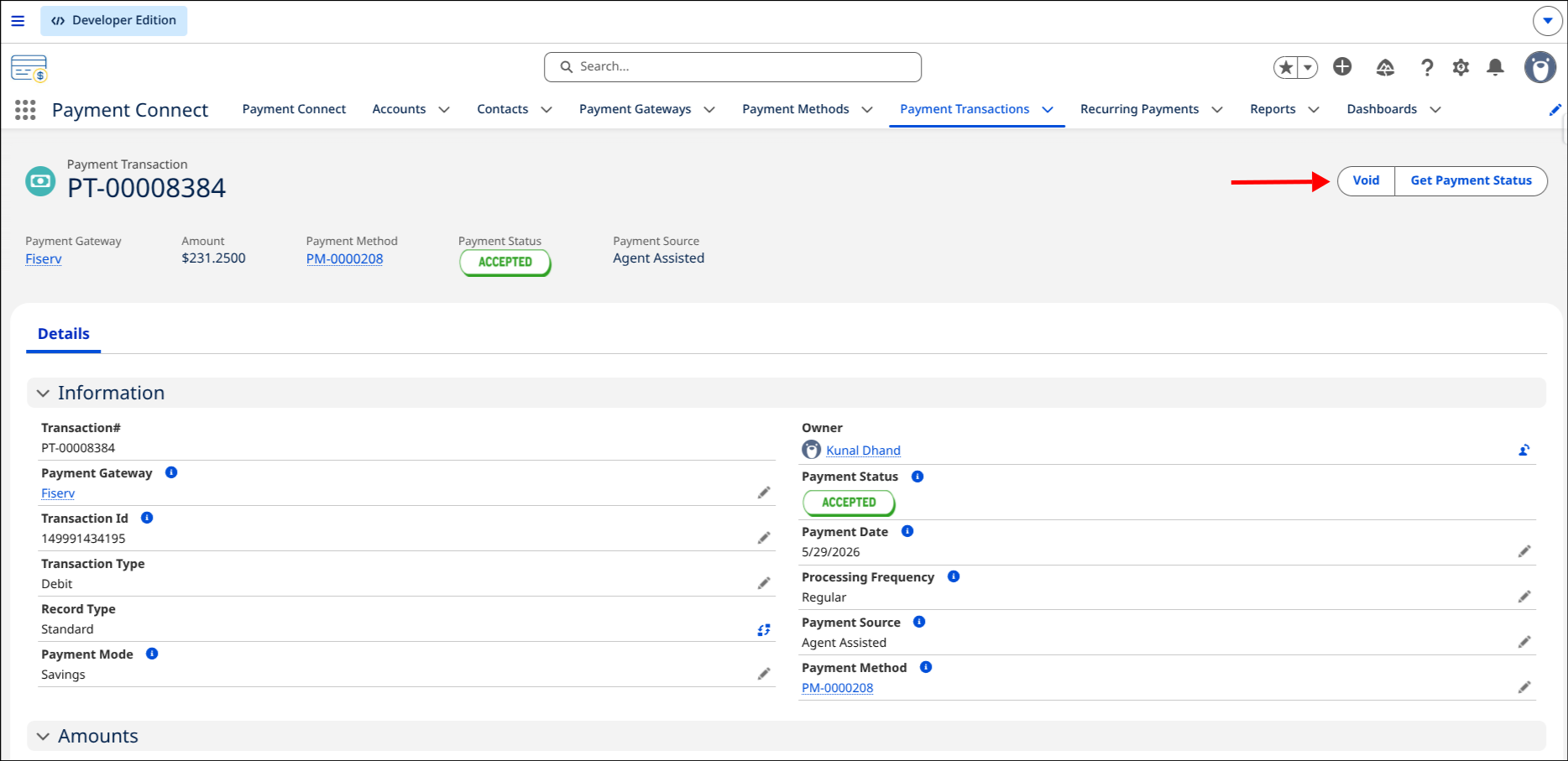
Confirm that the Status = Accepted/Captured.
-
Click the Void button.
-
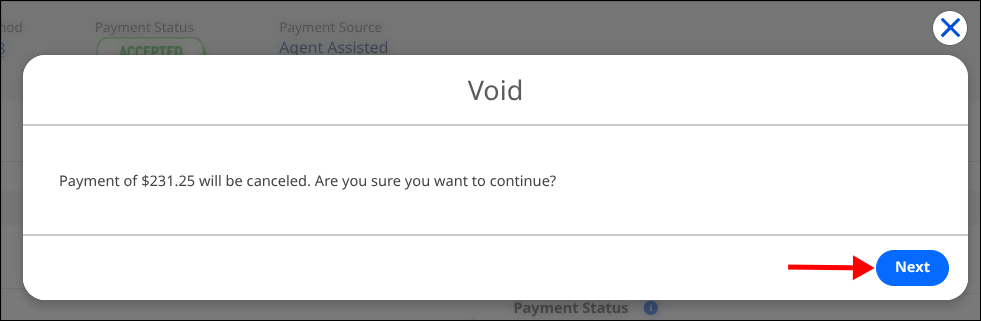
You will get a confirmation popup.
-
Click Next.
-
Your Transaction will be Voided.
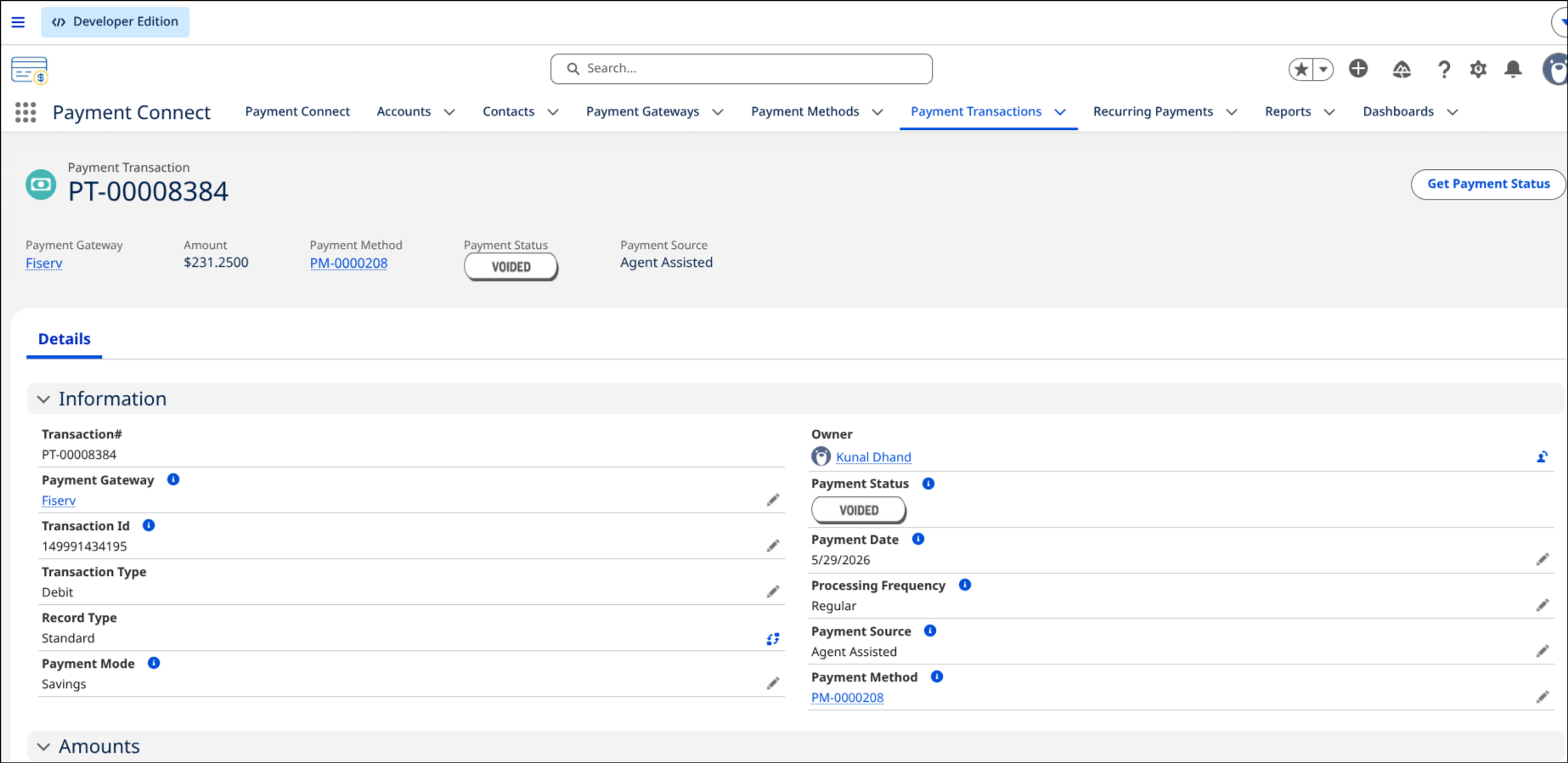
6. What Happens in Salesforce
-
A call is made to the selected payment Gateway’s Void API.
-
If the void is successful:
-
Payment Transaction Status is updated to
Voided -
A Void Confirmation Reference is stored in the record
-
-
If the void fails:
-
Status remains
Accepted/Captured -
The error is logged in the Gateway Error Message field
-