
1. Overview
The Payout Console in Payment Connect enables users to send payments directly from within Salesforce, providing a seamless and efficient way to manage outgoing funds. Using the Payout Console, users can instantly initiate and process payouts to customers, vendors, or partners without needing to leave the Salesforce environment.
2. Log In to Salesforce
➡ Access your Salesforce org with the appropriate credentials.
3. Navigate to the Source Record
Open existing record or create a new one
-
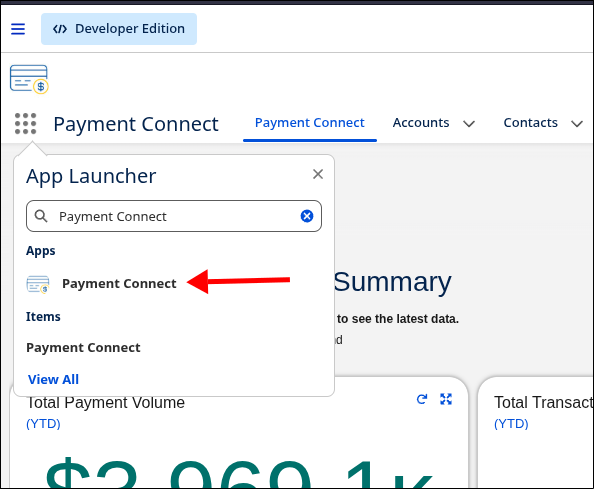
Go to the Payment Connect App
-
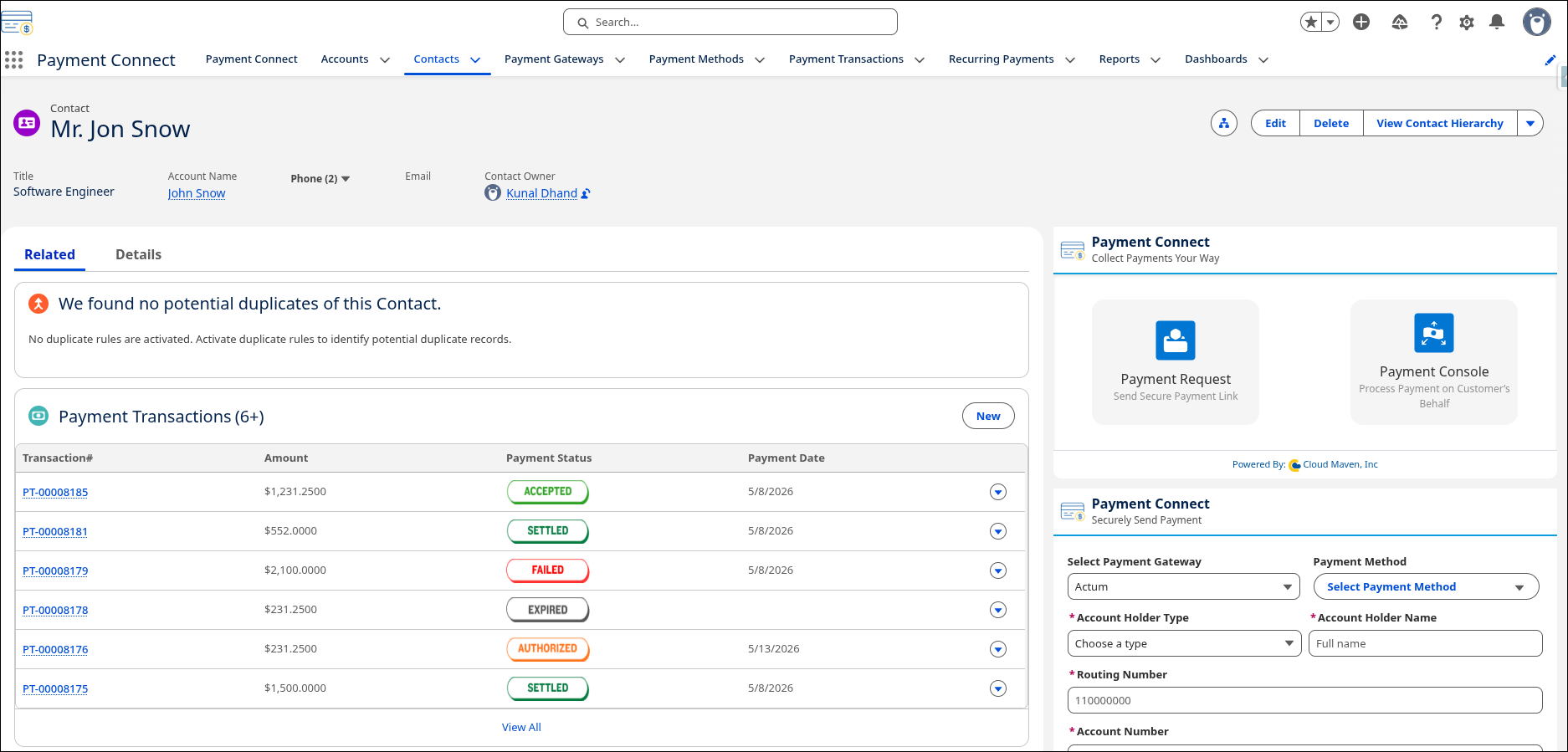
Search for the Record from where you want to initiate the Search.
4. Steps to Use Payment Console
-
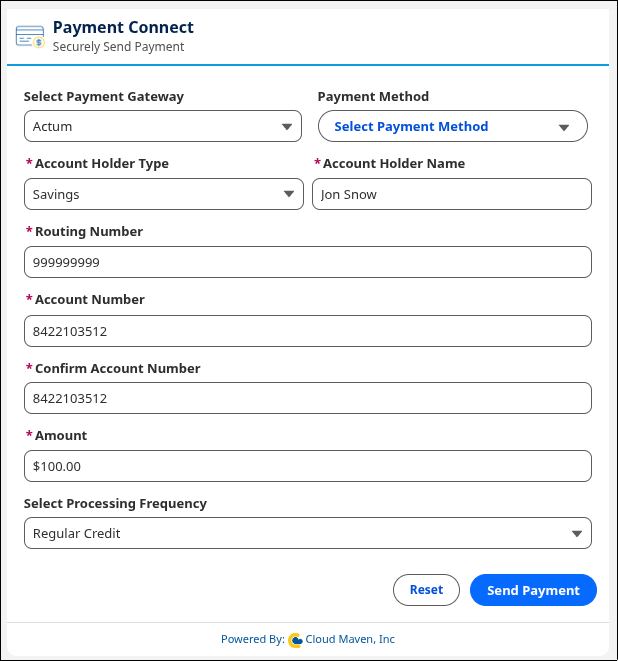
Navigate to the Payout Console screen in Salesforce..
-
Select the Payment Gateway from the dropdown list.
-
The gateway marked as default and having any credit processing frequency is auto-selected.
-
-
Select the Payment Method or manually enter ACH information.
-
Enter the Payment Amount to be sent.
-
Select the Processing Frequency for the credit:
-
Regular Credit: May take up to 3 days to process.
-
Same Day Credit: Processed on the same day.
-
Instant Credit: Processed immediately.
-
-
Click “Send Payment”
-
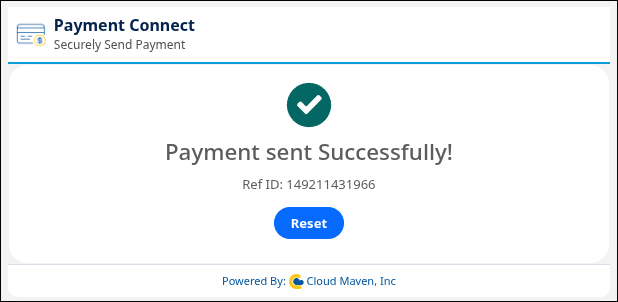
After successful processing, a “Payment Sent Successfully” screen will appear showing the Reference ID of the transaction.
5. What Happens in Salesforce
When a payment is sent from the Payout Console, a Payment Transaction record of type Credit is automatically created in Salesforce. This record stores key details of the payout for tracking, reporting, and reconciliation purposes.
5.1 Payment Transaction Record Created
A new Payment Transaction record is created for every payment action initiated from the Payout Console.
Each record includes the following details:
-
Amount – The total amount of the payment sent.
-
Linked Payment Method – The payment method used for the transaction (if any).
-
Payment Date – The date on which the payment was initiated.
-
Payment Status – The current status of the payment (e.g., Processing, Completed, Failed).
-
Tracking ID – A unique identifier or reference ID generated by the payment gateway for tracking purposes.