
To create QuickBooks Invoice in Bulk, follow below steps -
-
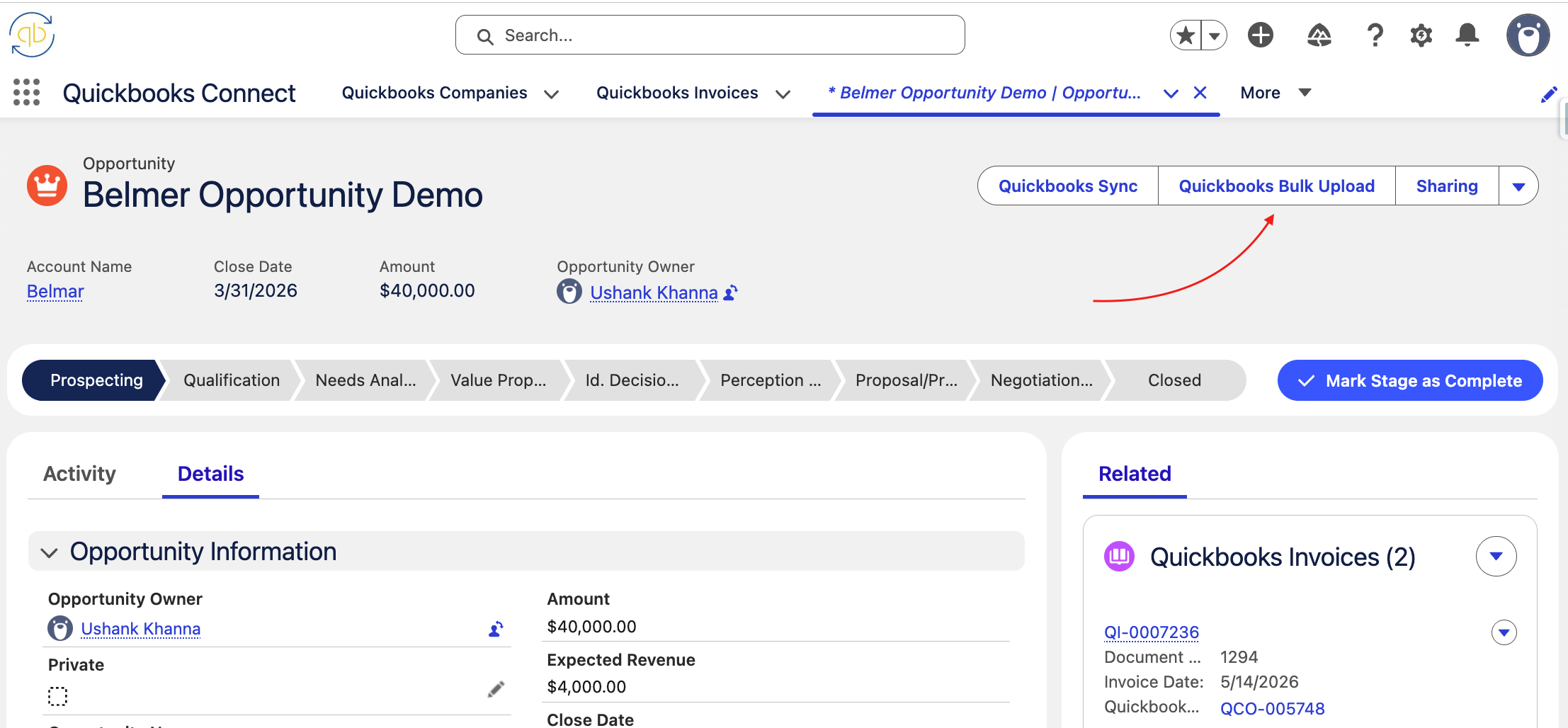
Navigate to the relevant source record in Salesforce.
-
Click the “QuickBooks Bulk Upload” button.
-
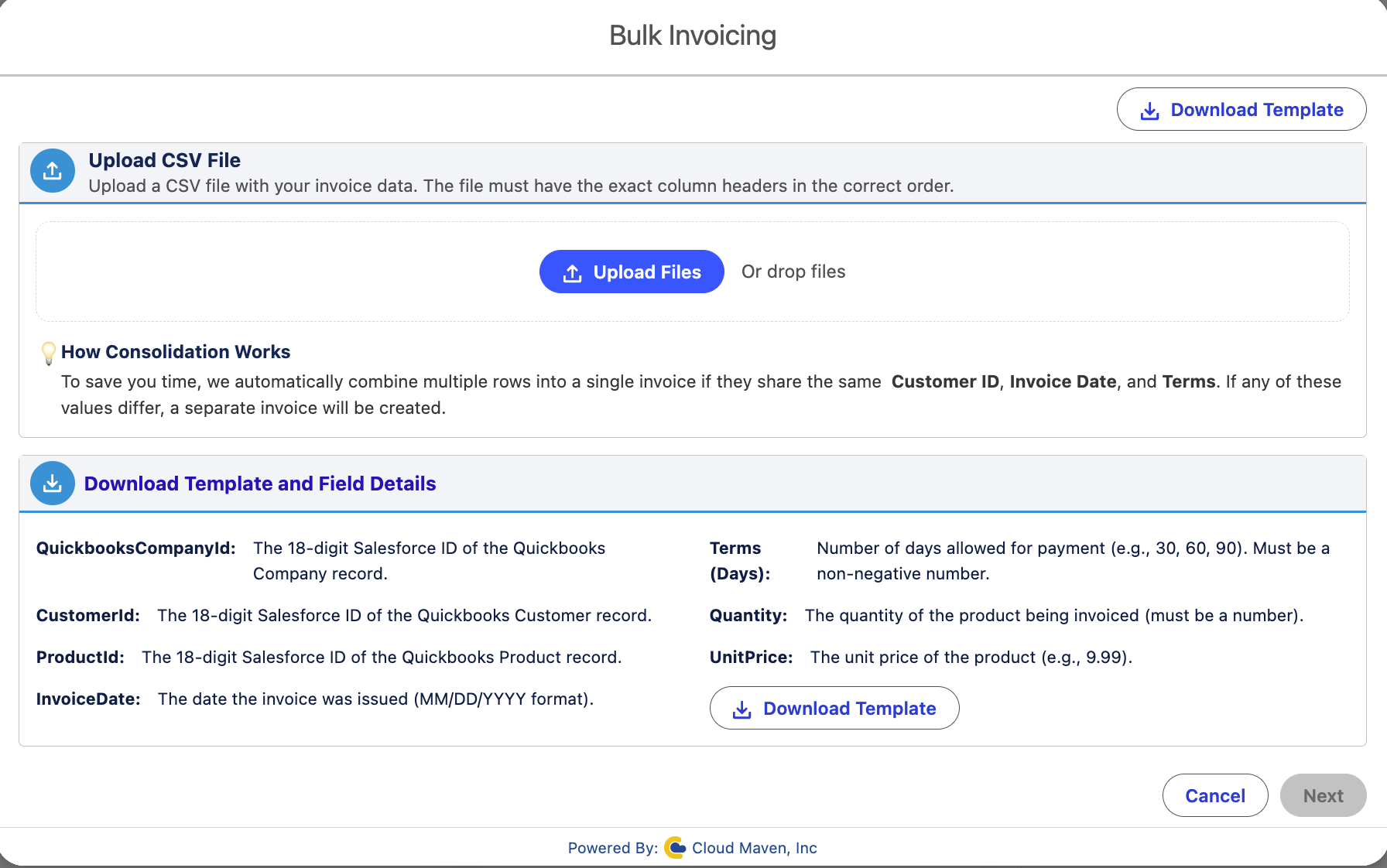
A new screen will open displaying:
-
Instructions for the CSV file format
-
An option to download the invoice template CSV file
-
An option to upload the completed CSV file
-
-
Download the template CSV file and enter the required invoice details in the provided format.
-
Upload the completed CSV file.
The system will automatically validate the uploaded data to ensure all required fields, formats, and values are correct. -
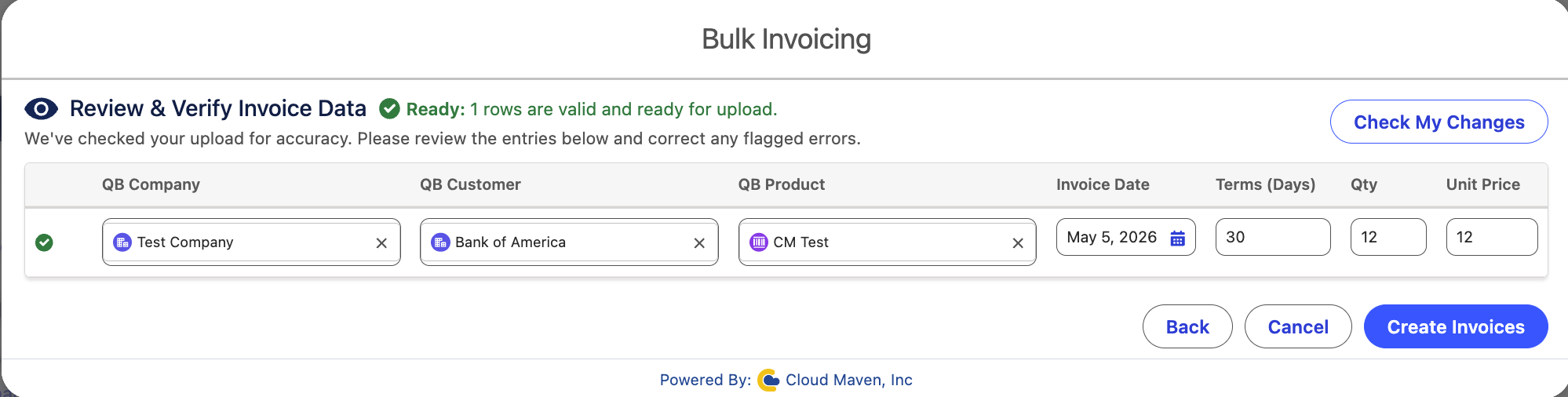
After validation, a preview screen will appear showing the uploaded records in a table format.
This screen will display:-
Valid rows that are ready for processing
-
Invalid rows with data issues or validation errors
-
-
Review the records and correct any invalid entries if required.
-
Once all records are verified, click “Create Invoices” to generate invoices in bulk in QuickBooks.