
QuickBooks Sync
To create or sync existing QuickBooks records in Salesforce, use the QuickBooks Sync button, as shown below.
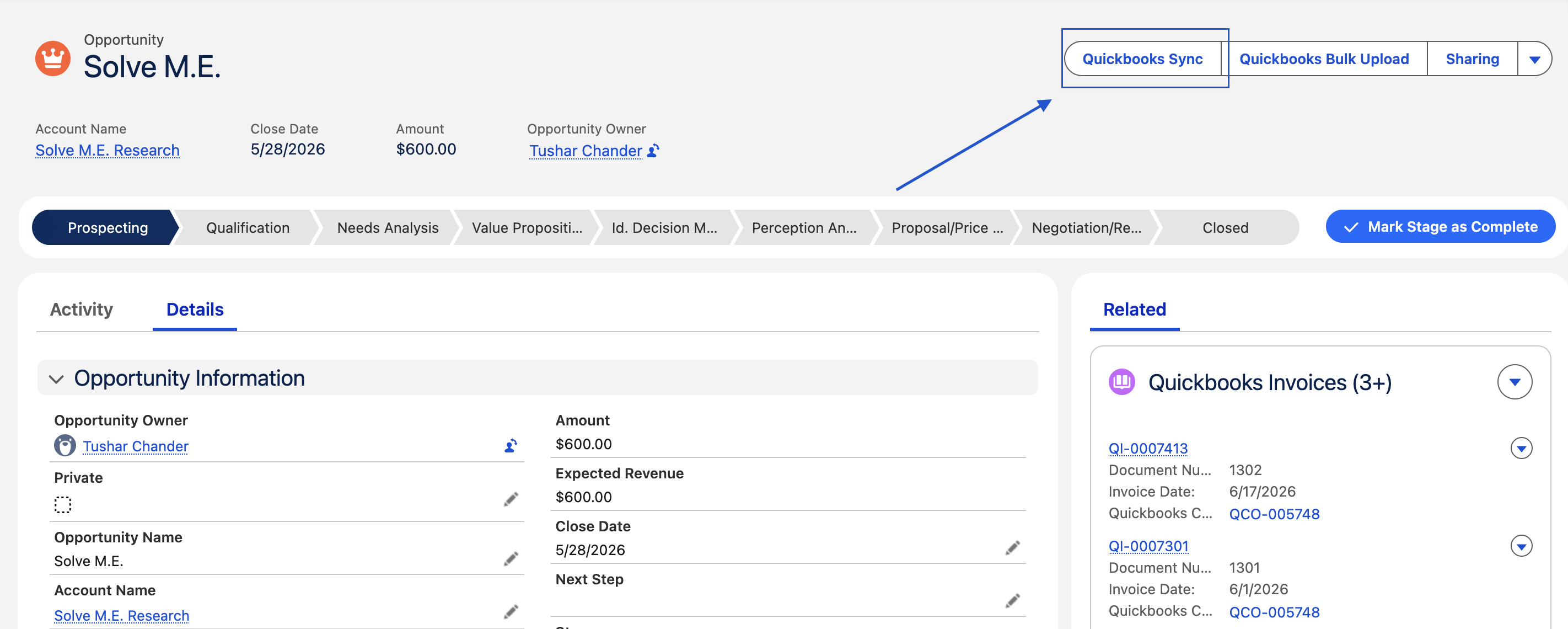
1 Sync Process for QuickBooks Sales Receipt
Navigate to the record where the QuickBooks Sales Receipt is configured.
1.1 Creating a Sales Receipt in QuickBooks:
-
Click on Quickbooks Sync button
-
Select the desired Company (if multiple companies are linked and active). If only 1 company is connected, you’ll not see below screen
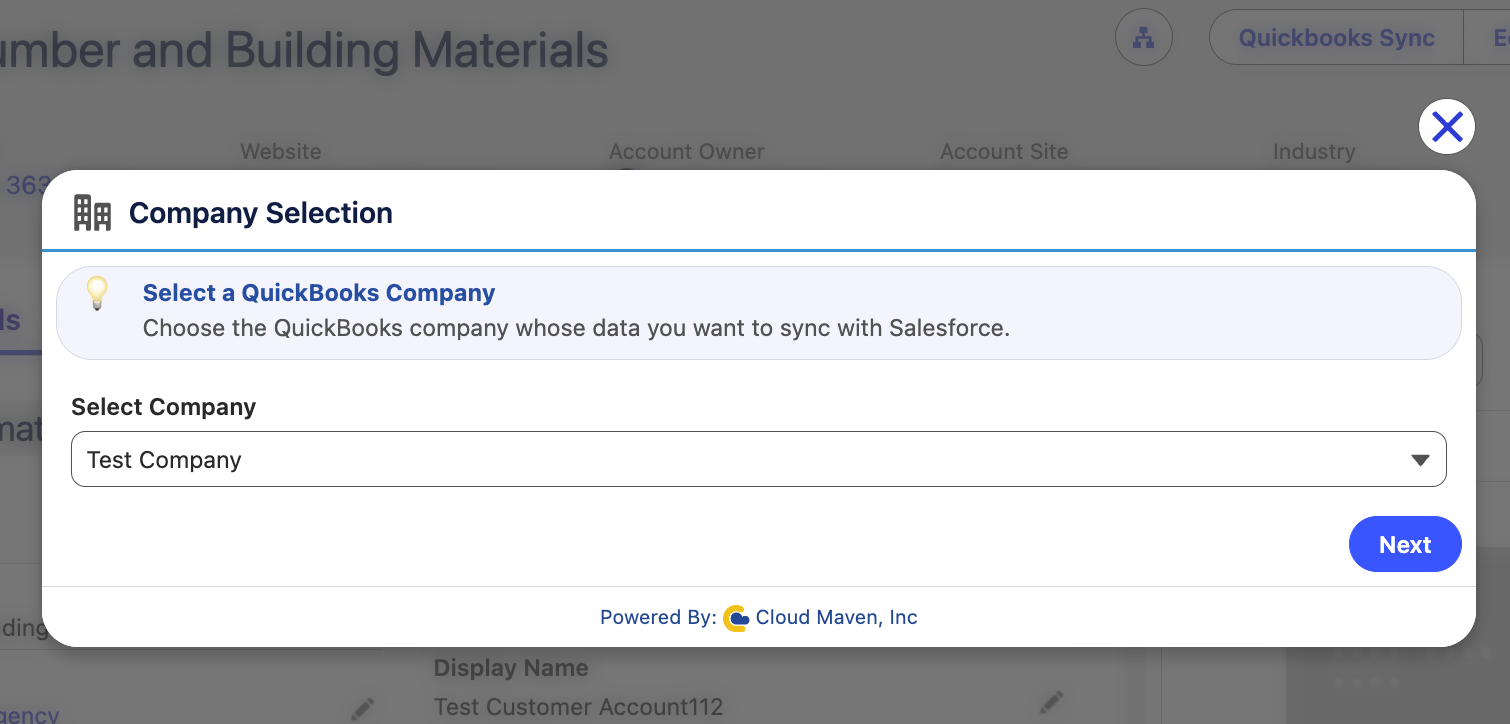
-
Click on “Push - Send to QuickBooks” to send data of Salesforce record to QuickBooks to create a new QuickBooks Sales Receipt record.
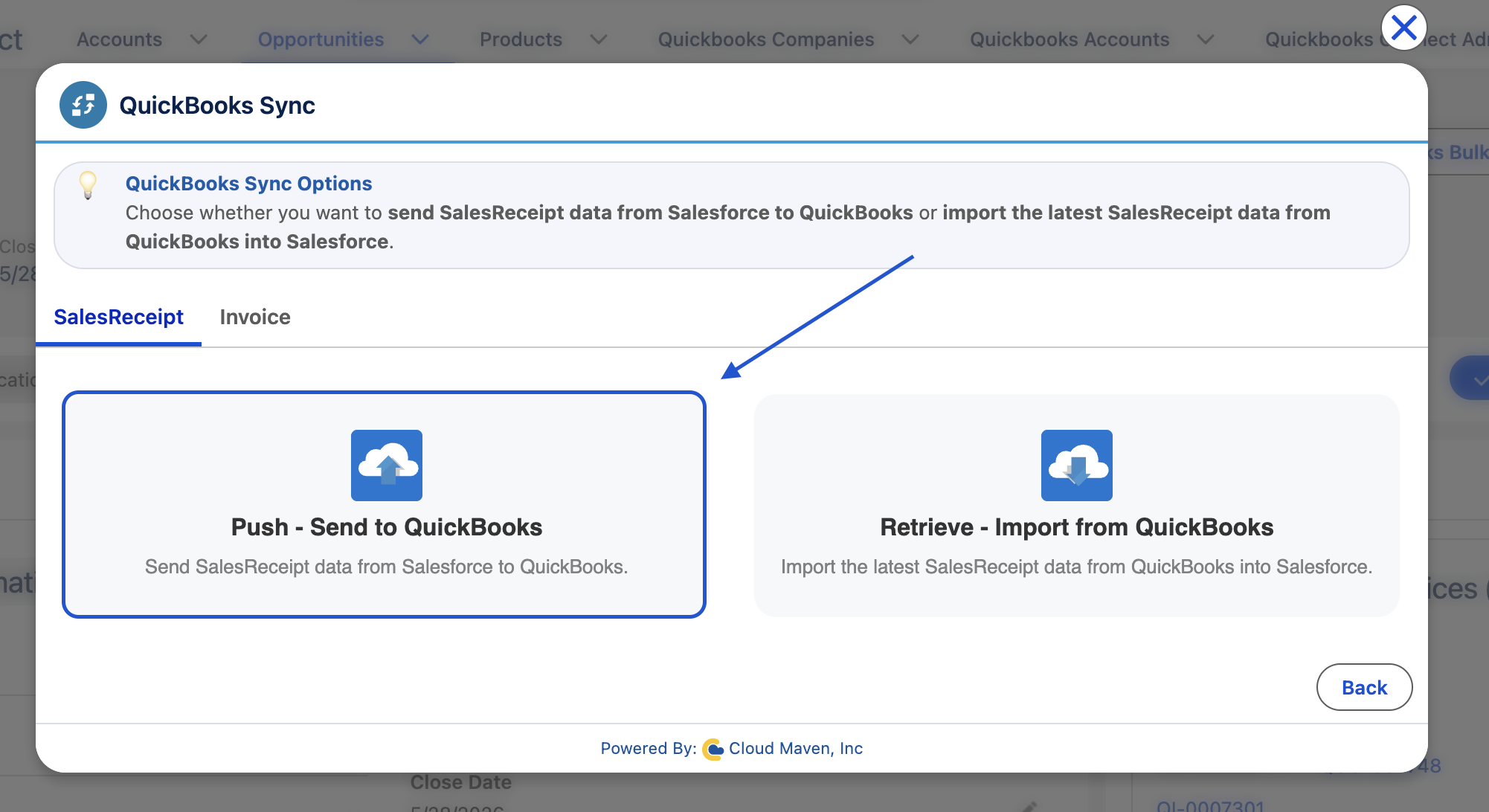
-
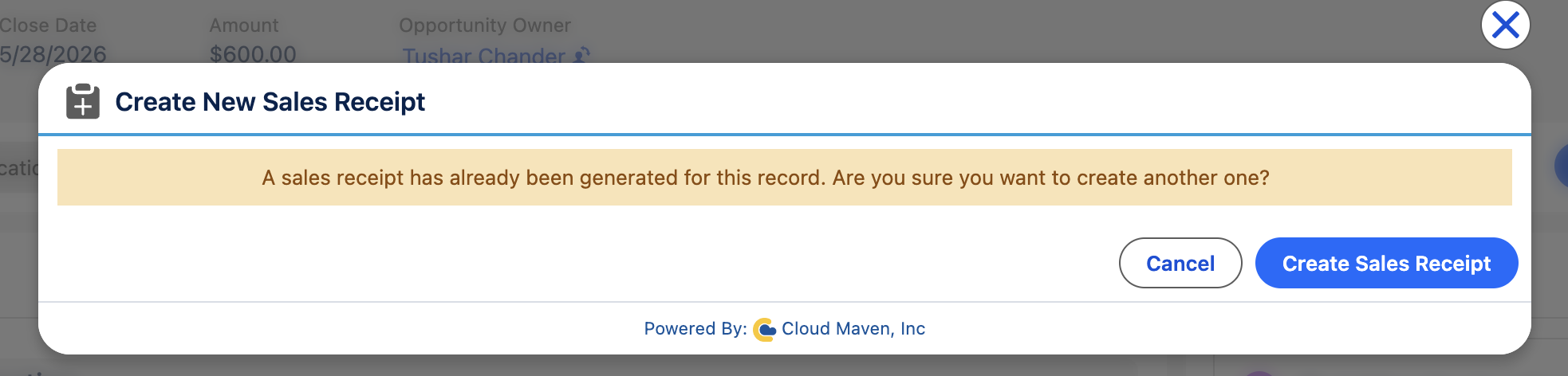
If there is already a Sales Receipt, then you will see a screen like this:
-
If you want to create another one for the same record you can click on “Create Sales Receipt” or if there is no related Sales Receipt, then you will see the screen like this:
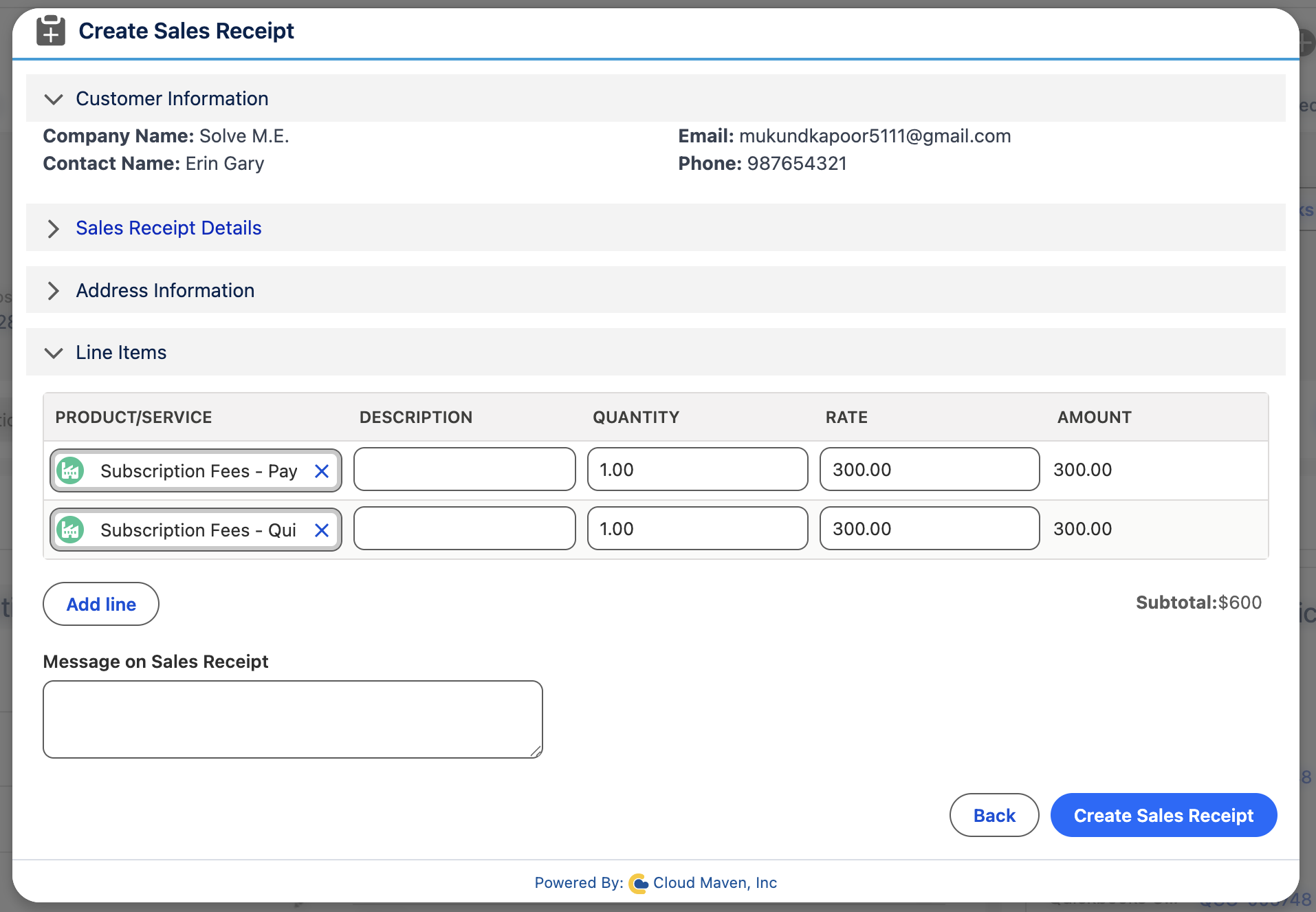
After you enter all the details for the Sales Receipt, you can click on the Create Sales Receipt button, and it will successfully create a Sales Receipt.