1. Log In to Salesforce
➡ Access your Salesforce org with the appropriate credentials.
2. Navigate to Source Object
-
Go to the List View of the source object (e.g., Lead, Contact, Account)
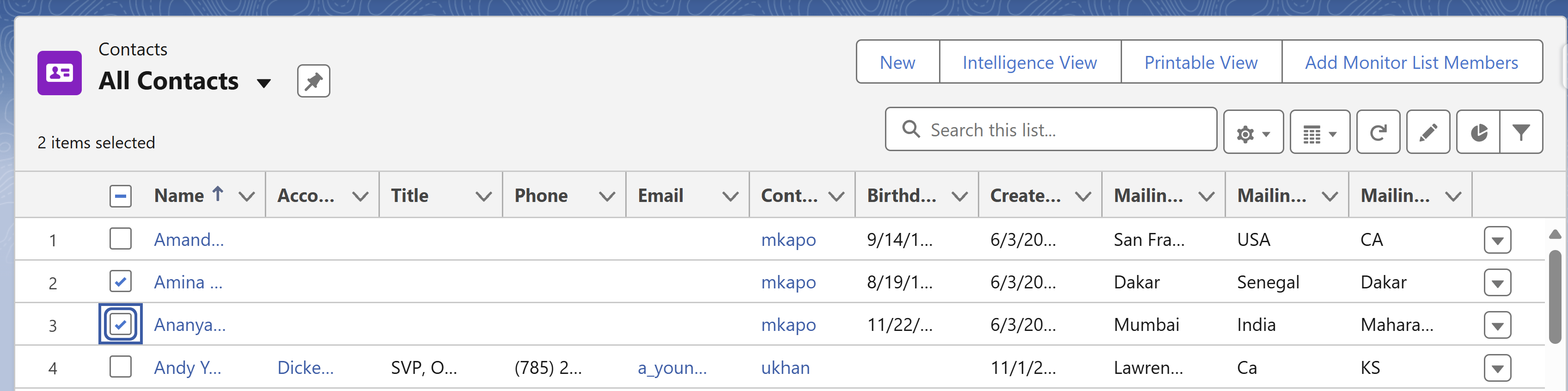
3. Select Records from the List View
-
Select one or more records using checkboxes.
4. Add List Members
-
Click on Add Monitor List Members Button.
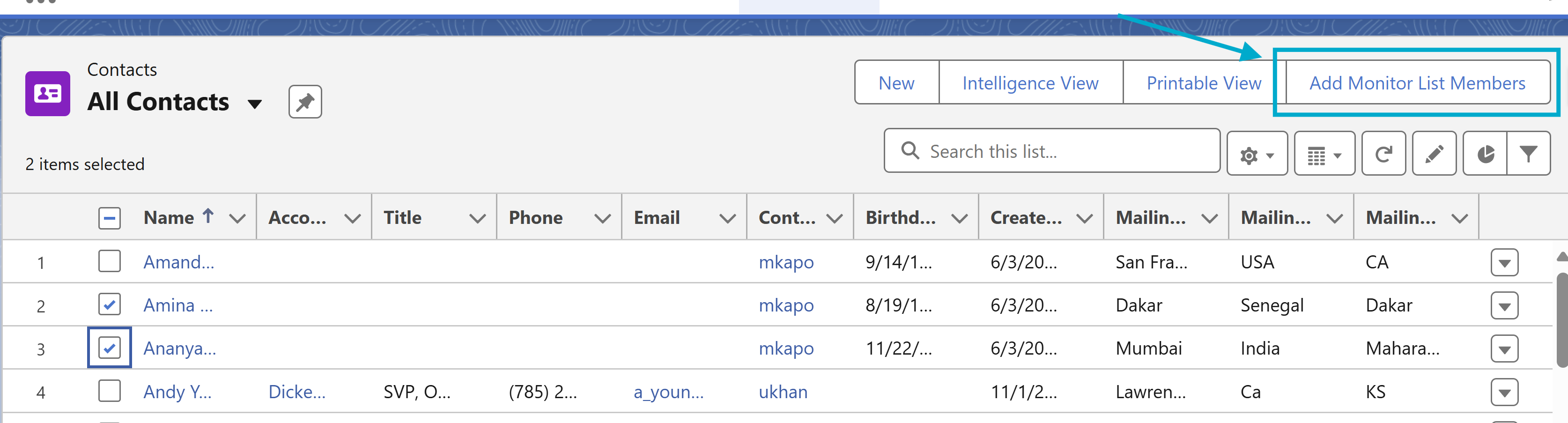
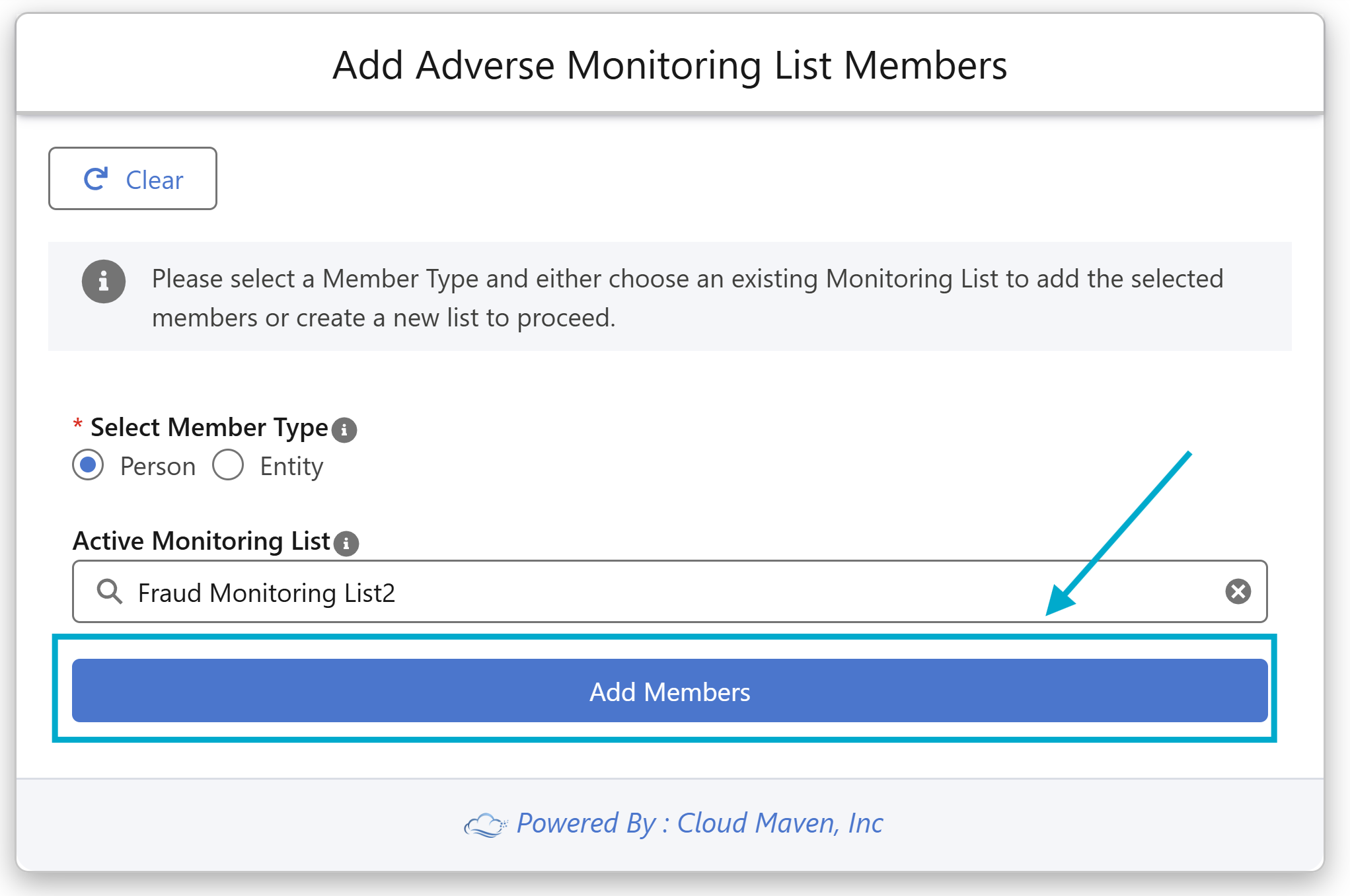
4.1 Choose Member Type (Select Person or Entity )
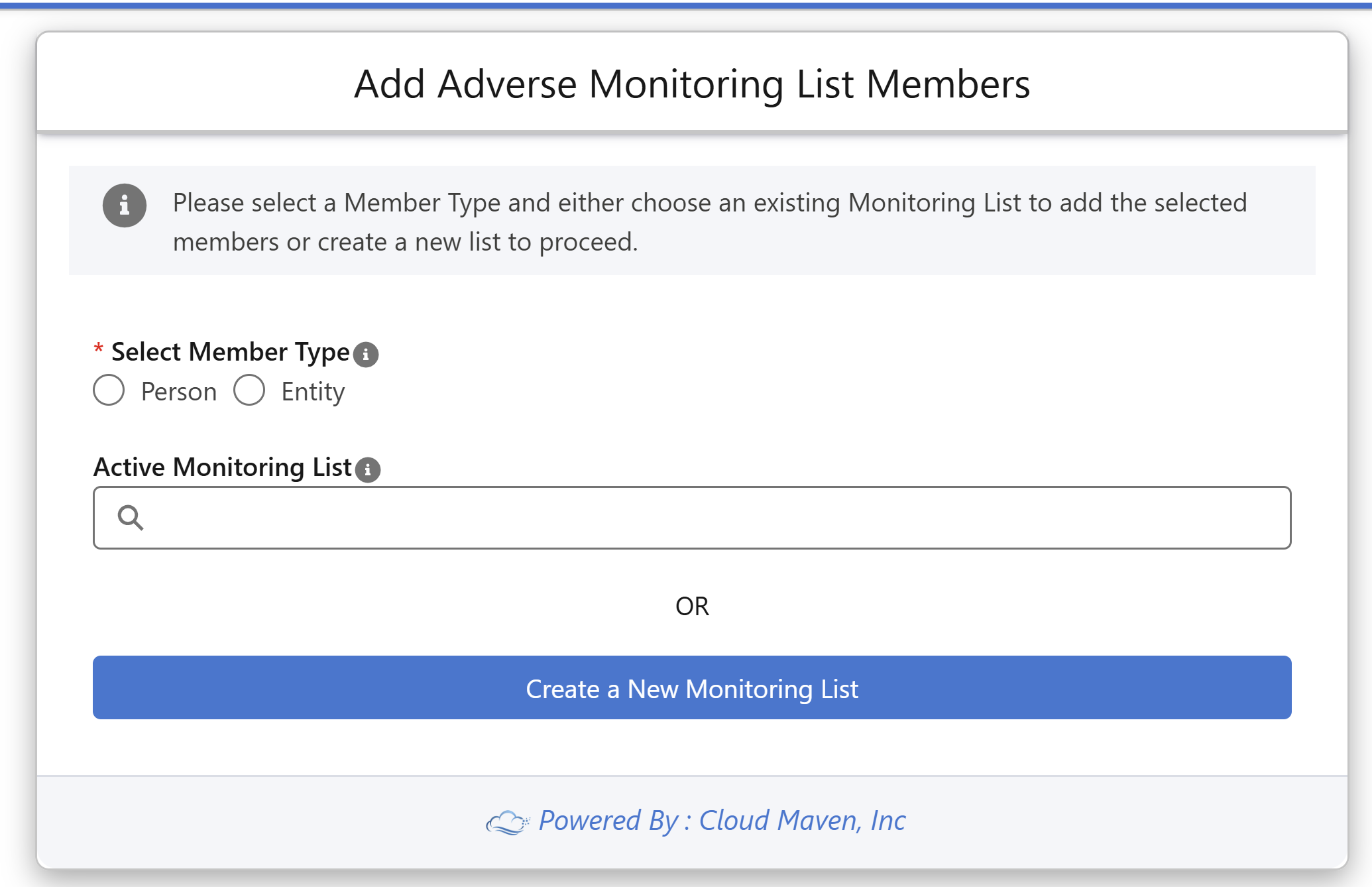
4.2 Select Monitor List Option
4.2.1 Add to Existing Monitor List
-
Select the Exiting Monitor List which are available and Active
4.2.2 Create New Monitor List
-
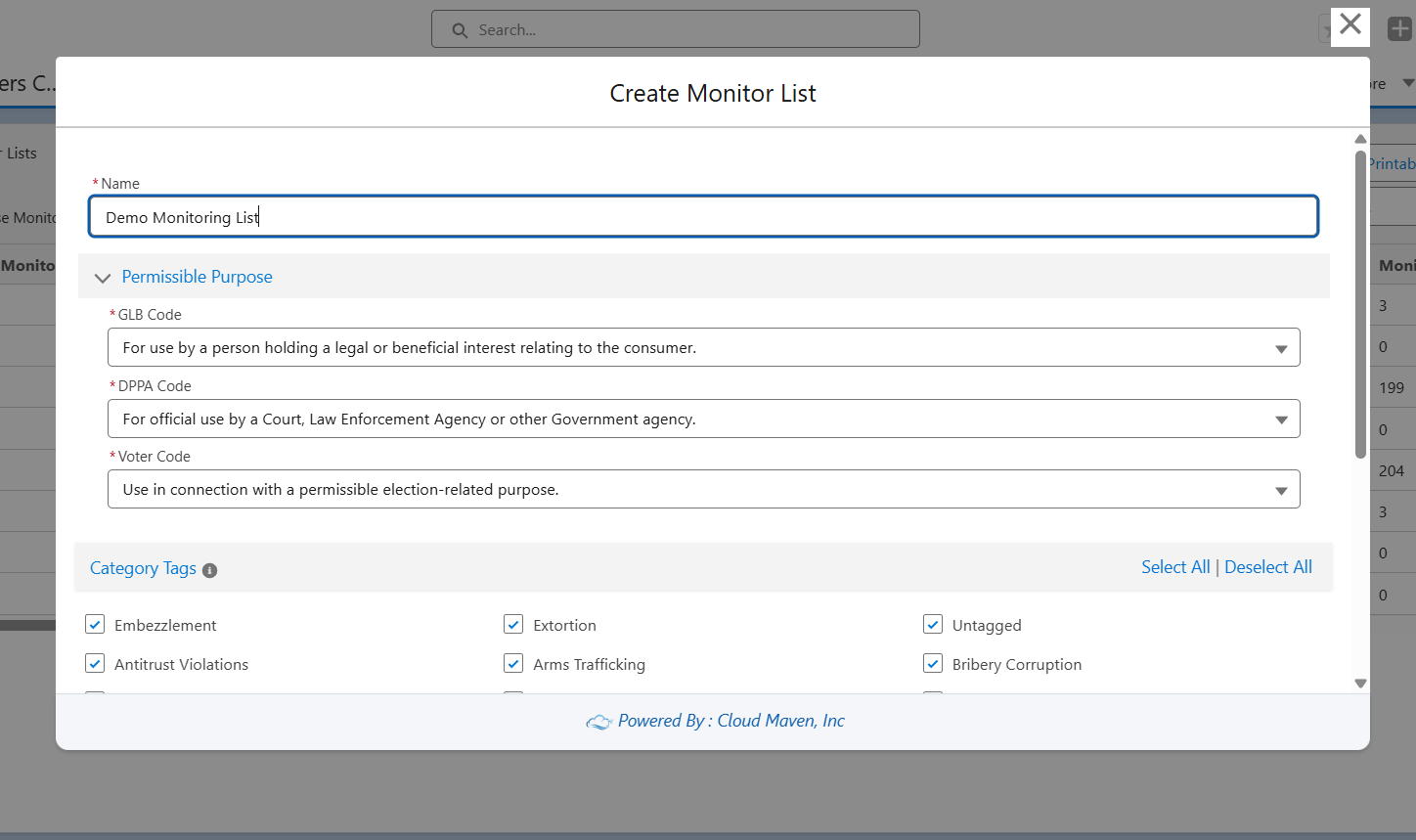
Click on ‘Create New Monitoring List’ button
-
Enter the List Name and Select the Permissible Purpose
-
Select:
-
GLB
-
DPPA
-
Voter Code
-
-
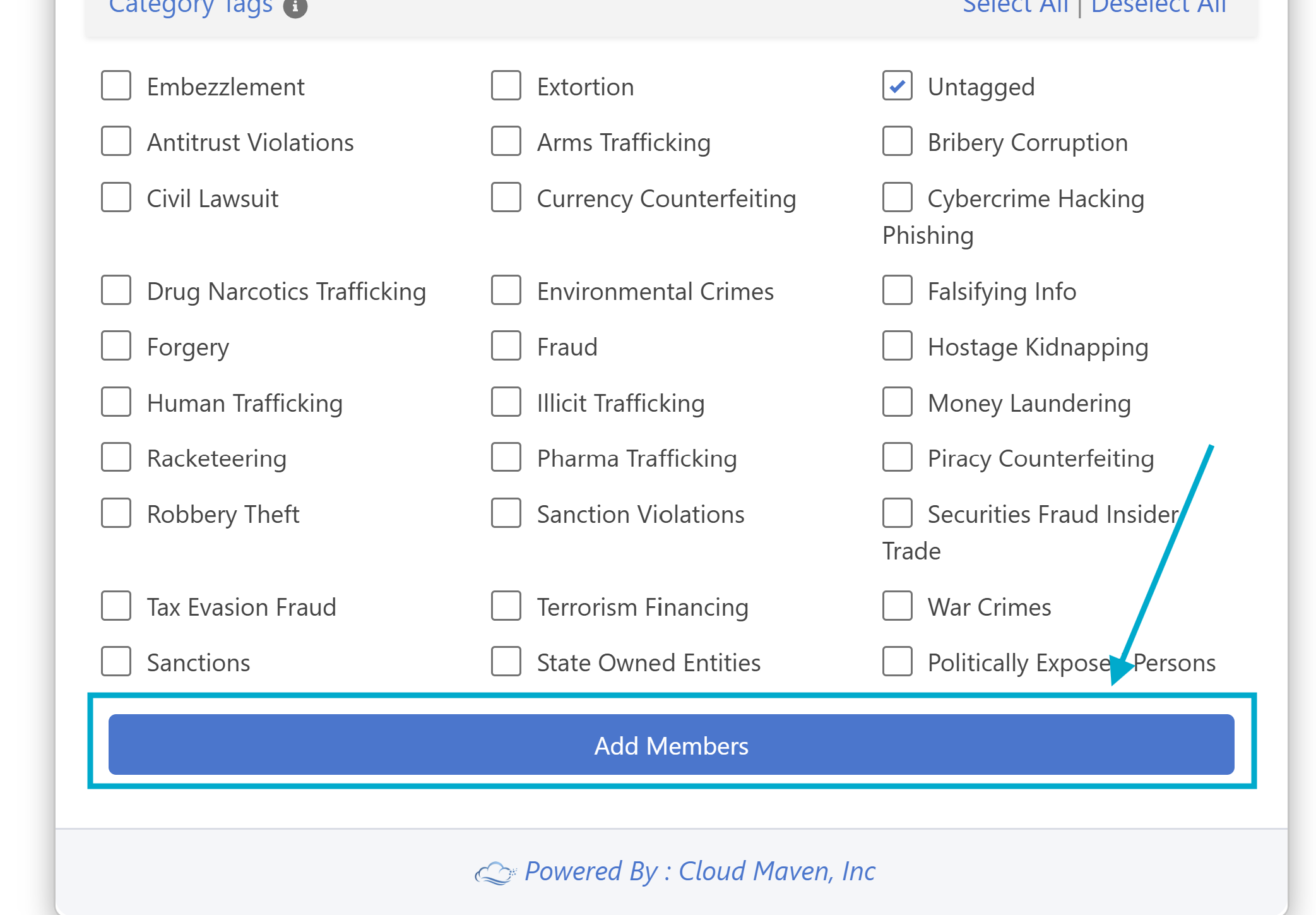
Select Categories
-
Choose one or more Categories (They allow you to narrow down or restrict the results shown based on specific categories you've selected.) to associate with this monitor list.
-
Click Add Members
-
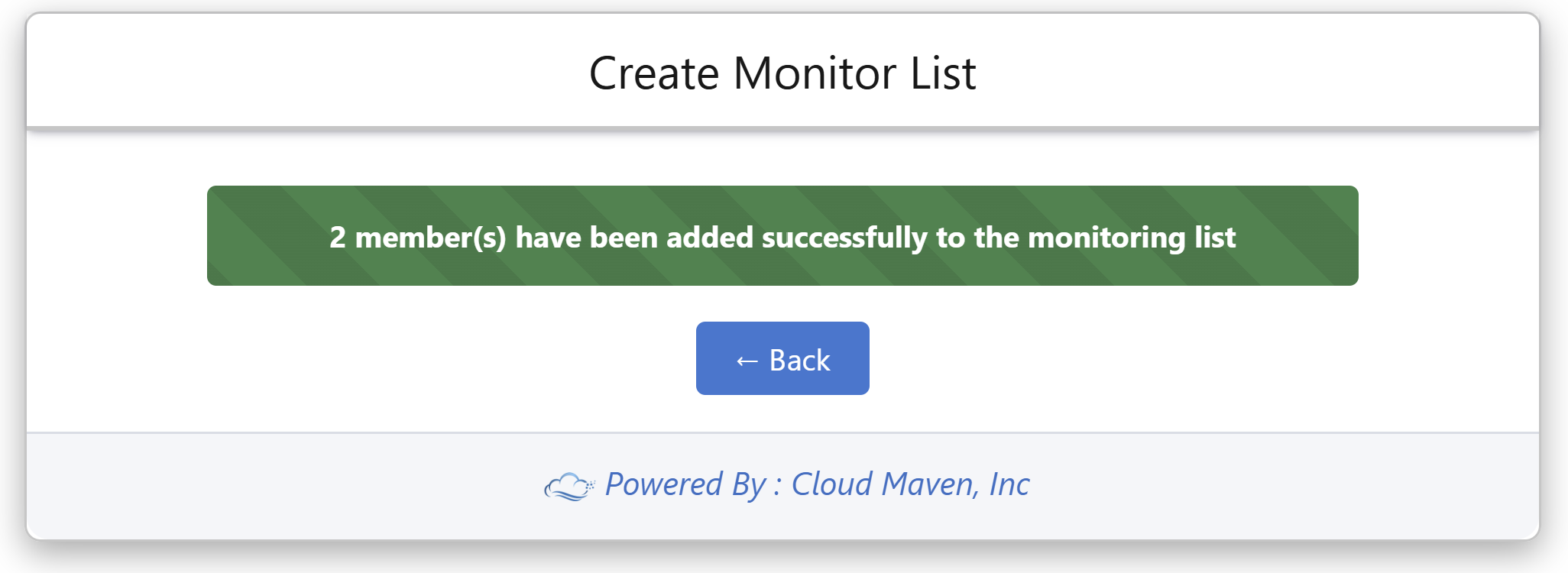
5. Confirmation
-
Selected records are added to the new or existing monitor list.