
Overview
This guide explains how administrators can configure and manage the automated reminder process for documents that are still pending signature. It covers the required system configuration, reminder settings, document template configuration, and batch execution steps needed to automatically identify pending signing requests and send reminder emails to the appropriate signers at scheduled intervals.
Configure the Document Workflow Status
-
Go to DocGen & eSign Logs.
-
Open the Status field.
-
Add Failed as a new picklist value.
-
Save the changes.
Configure Reminder Settings
Go to Setup → Custom Settings → DocGen & eSign Configuration and configure the following settings:
|
Setting |
Description |
|---|---|
|
Reminder_Email_Next_Run_Time |
Specifies when the reminder batch should run next, based on the configured reminder interval. |
|
Reminder_Batch_Size |
Specifies the number of records processed in each batch execution. |
|
Reminder_Batch_Last_NDays |
Specifies how many days back the batch should check for pending reminders. |
Configure Reminder Settings on the Document Template
For a New Document Template
-
Navigate to the document template creation page.
-
Complete the template configuration.
-
At Reminder Configurations, enable email reminders for signers.
-
Select the reminder email template.
-
Save the document template.
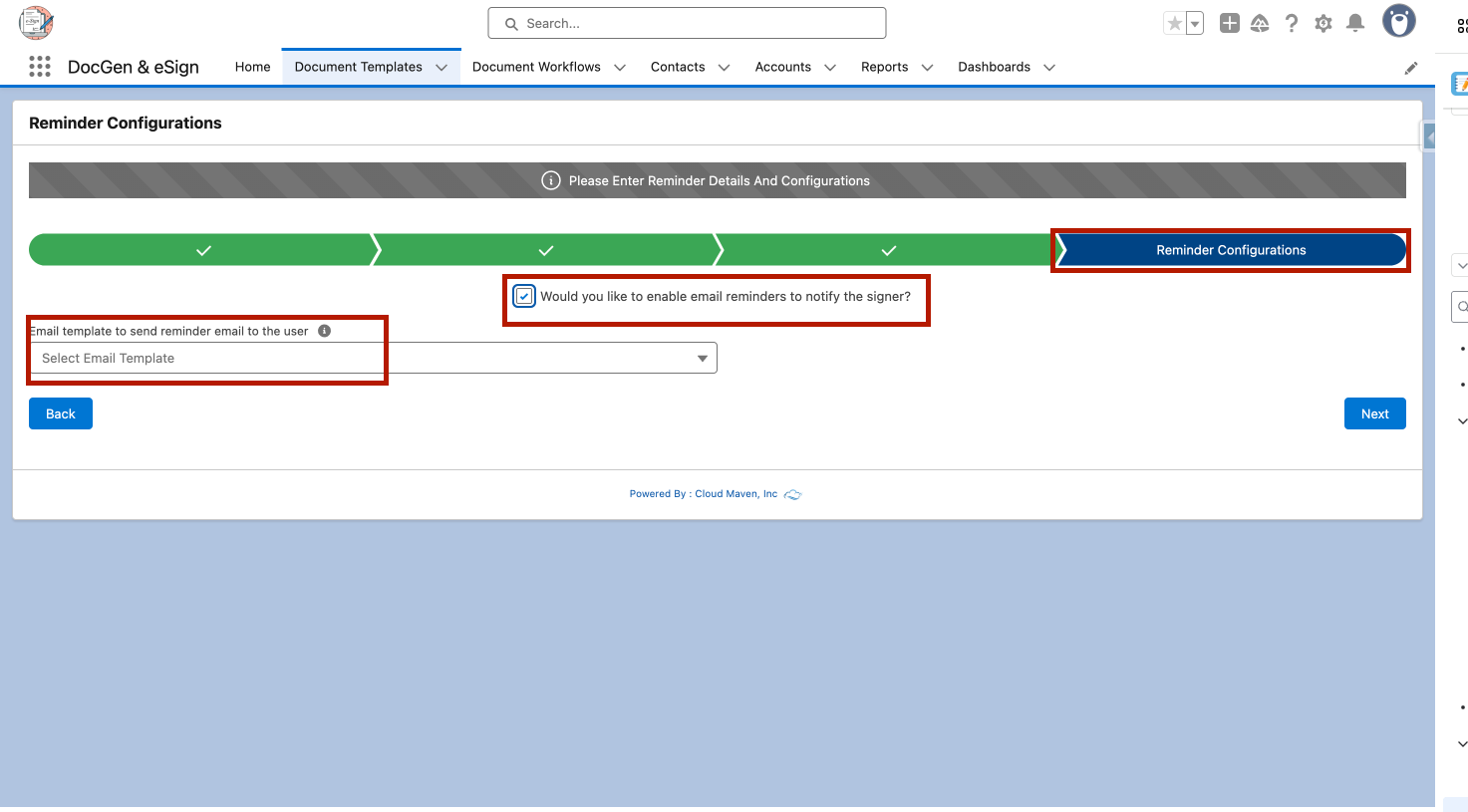
Click here to learn how to create a document template
For an Existing Document Template
-
Go to the Document Templates tab.
-
Open the required document template.
-
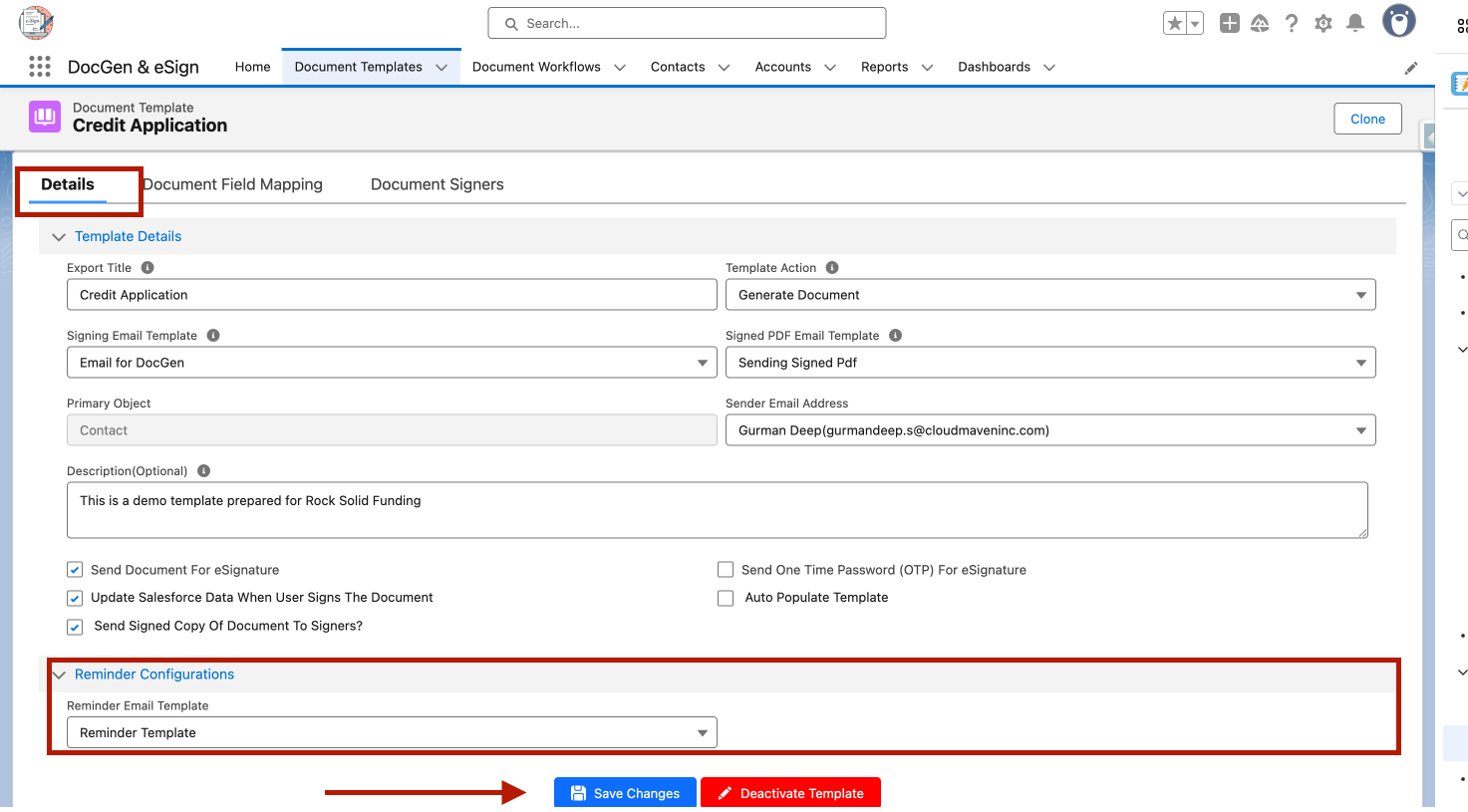
Go to the Details tab.
-
Select the reminder email template.
-
Click Save Changes.
Run the Reminder Batch
The reminder batch can be executed from the Developer Console.
-
Open Developer Console.
-
Select Debug → Open Execute Anonymous Window.
-
Enter the following code:
Integer iBatchSize = 1;
docgen_esign.BatchSendReminderEmail oBatch =
    new docgen_esign.BatchSendReminderEmail();

Database.executeBatch(oBatch, iBatchSize);
-
Click Execute.
-
The batch will process eligible records and send reminder emails to signers whose signing is still pending.
Note: The Reminder_Batch_Size setting should be configured according to your organization's processing requirements.
Automate the Batch Execution
To run reminders automatically, schedule the batch execution according to your organization's required reminder frequency, such as every 24 or 48 hours.
The batch uses the configured reminder settings to identify eligible pending documents and send reminder emails.